13
4. FO + 13.7v Dc positive (+) power for photo beams
5. G Ground/Negative/common (-).
6. D Activation devises on a dual gate operator such as Keypad, exit button,
intercom, dial to open. Used with terminal 8.
7. S Activation single gate operator
8. G Common. Used in conjunction with terminal 7 or 8
Explanation of Terminal block J1 (middle)
1. Flashing Light Positive (+) up to 37v DC
2. Flashing Light Ground/Negative/common (-).
3. Latch Positive (+) up to 37v DC
4. Latch Ground/Negative/common (-).
Troubleshooting (based on dip switches in default)
- Power to the transformer is on and the
connector block from the transformer to the
control board is wired correctly.
- At the control board check both battery and
transformer white connector blocks are
correctly plugged into board.
- Check fuses are both working. 15amp for
stand-alone transformer.
- Check there is 24vac into and out of the
Control box fuse.
- The batteries are connected to the control
board and read higher than 24vdc.
- Try removing optional extras such as beams
and probes to see if they are draining the
power.
- Battery
- Transformer
power
- Loose wires
- Incorrect
wire contact
at connector
blocks
- Short circuit
in wiring
between
transformer
and board
A single arm
activation isn’t
working.
- Check DIP switches are set correctly for
single arm. SW2 DIP8 Set to OFF
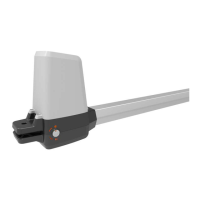
- Make sure the ram is connected to motor 1
and not motor 2.
- Your remote is programmed in.
- You have done a systems learn.
- There is adequate power going to the board.


 To Next Page