FS Series Modbus Master v1.0
8
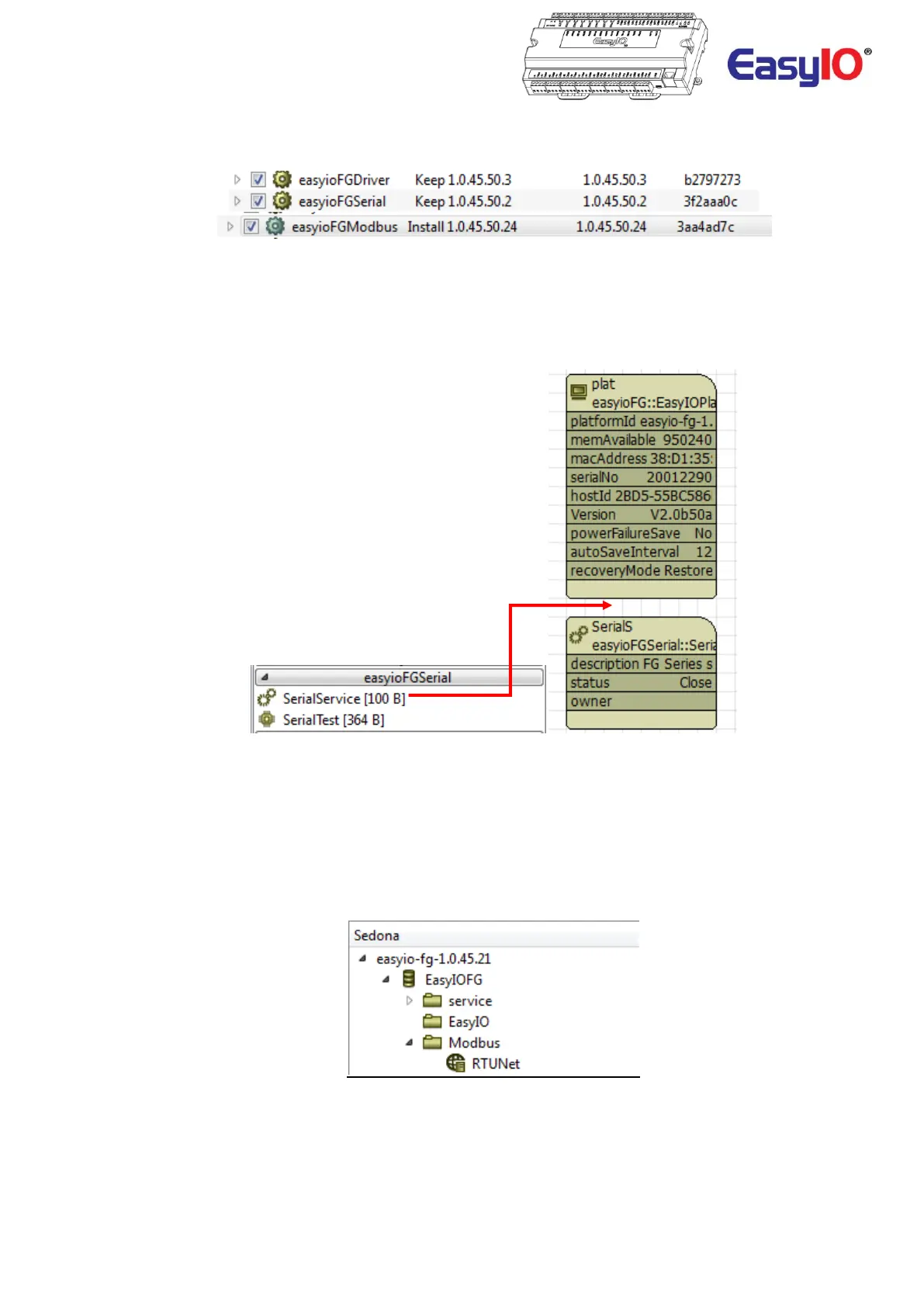
Add the kits to the controller by navigating to manage kits and install easyioFGModbus, easyioFGDriver and
easyioFGSerial kit into your controller
Step 2
Go to the service folder by double clicking it. It will display the service folder objects.
If the SerialService object is not present in the folder, drag and drop the service object in to the service folder from
the easyioFGSerial kits library.
Step 3
From the easyioFGModbus kit selections “drag & drop” the ModbusSerialNetwork object into your App.
The object can be placed anywhere, directly in the tree, in the EasyIO folder, or in a new folder if desired.
In this case, the object will be dropped into a new folder named “Modbus”.
It is possible to rename the ModbusSerialNetwork object. In this case the ModbusSerialNetwork object has been
renamed as RTUNet.



 To Next Page