FS Series Modbus Master v1.0
9
Step 4
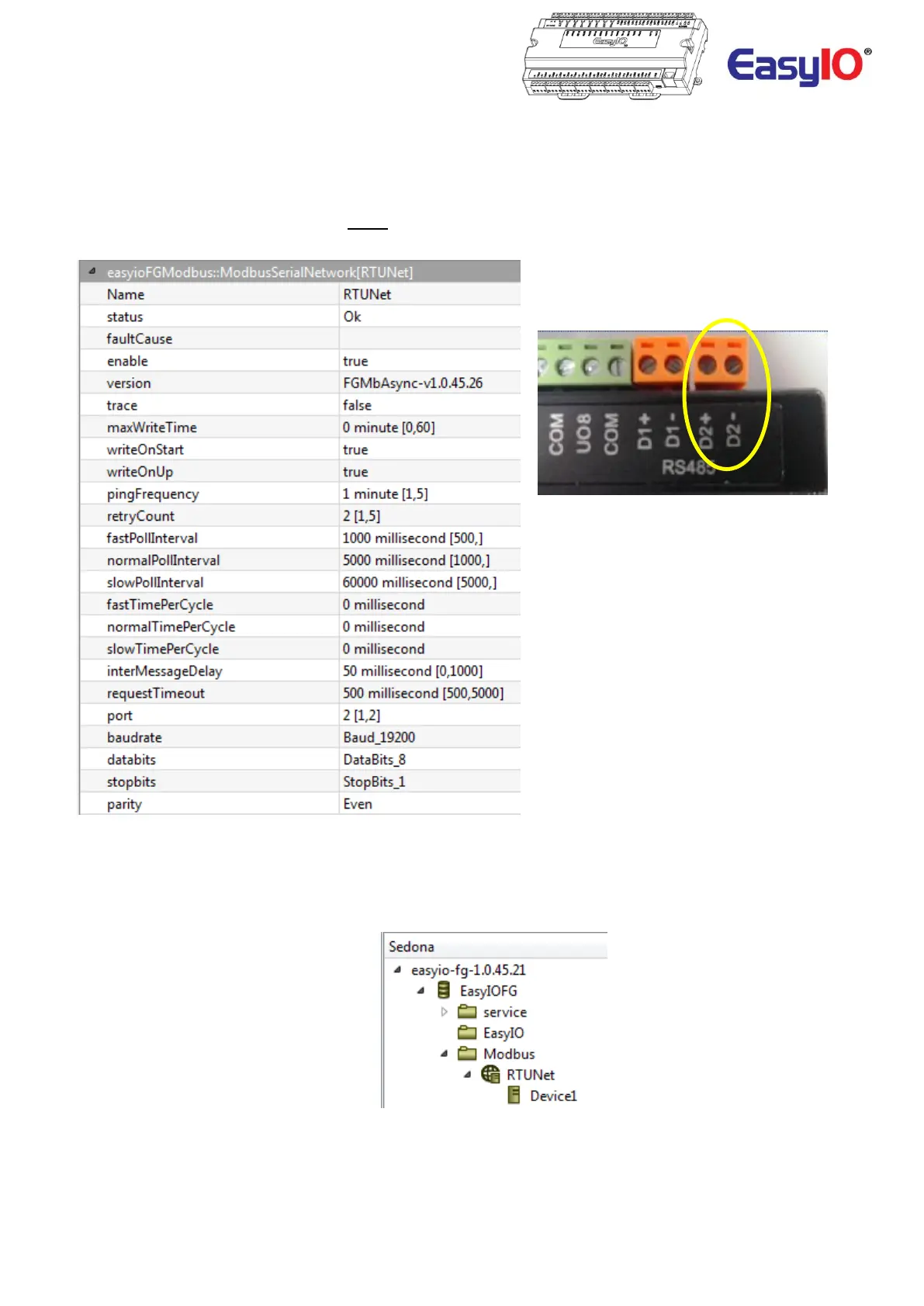
Double click the ModbusSerialNetwork object to access the object property sheet.
You will need to configure the serial network communications parameters according to the requirements Modbus
device.
Enable the network.
**Tech Tip: - Please note that only Port 2(D2+ & D2- Terminals) on the FG Series controller can be used**
Step 5
Select and drag a ModbusSerialDevice object from the EasyIOFGModbus kit Sedona palette and
Drop it under the Network object.
The Slave device must be a “child” of the Network object. Renaming of the device object is possible.


 To Next Page