22
Running A Control Solution Test
You need the meter, a test strip, and control solution.
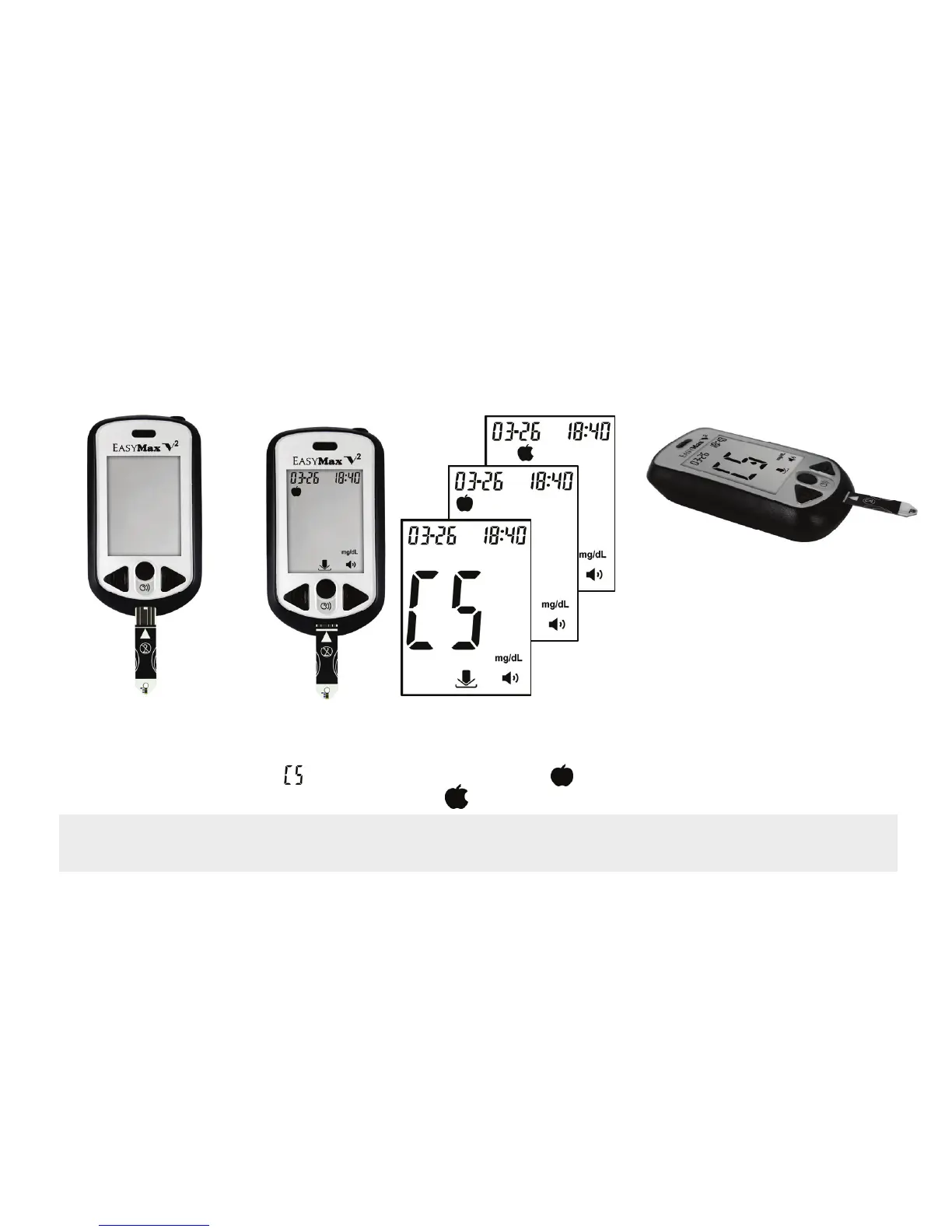
1. Put a test strip into
the meter in the
direction of the
arrow.
3. Place the meter on a flat
surface, like a table.
4. Remove the control
solution bottle cap and
wipe the tip of the bottle
with a tissue.
5. Squeeze the bottle until a
tiny drop forms at the tip of
the bottle and place
solution on top of bottle
cap.
2. The meter turns on.
Press M button or C button to select CS, press
power button to confirm the control solution mode.
( means control solution mode, means
before meal mode and means after meal.)
Note: Setting the meter in control solution mode will prevent the control solution reading from
being added to your memory and averages.


 To Next Page