EasyManua.ls Logo

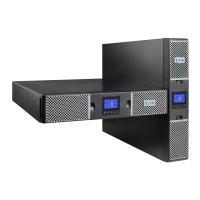
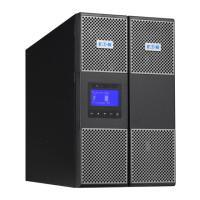
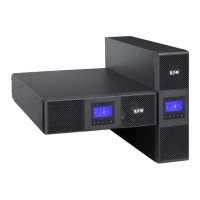
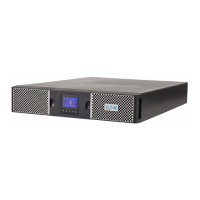
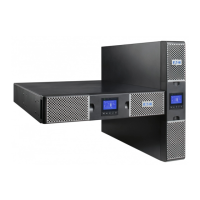
Eaton 9PX 700 RT - User Manual

Eaton 9PX 700 RT
46 pages
Print Icon
To Next Page IconTo Next Page
Loading...
ENGLISH
9PX 700 RT
9PX 1000 RT
9PX 1000GRT
9PX 1500 RT
9PX 1500GRT
9PX 2000 RT
9PX 2200 GRT
9PX 3000 RT
9PX 3000 GRT
9PX 3000 GLRT
9PX EBM 36V RT
9PX EBM 48V RT
9PX EBM 72V RT
Installation
and user manual
Copyright © 2016 EATON
All rights reserved.
9PX 1-3 KVA US_EN

Questions and Answers

  • J
    Jeffery MendozaAug 13, 2025
    What to do if no battery LED is on and my Eaton 9PX 700 RT beeps continuously?
    • V
      Vicki BensonAug 14, 2025
      If no battery LED is on and the Eaton UPS beeps continuously, verify that all batteries are properly connected. If the condition persists, contact your service representative. The batteries are disconnected.
  • E
    Edward KimAug 17, 2025
    What to do if the Power overload LED is on and the Eaton UPS beeps continuously?
    • M
      Mr. William Miller Jr.Aug 17, 2025
      If the Eaton UPS's power requirements exceed its capacity, remove some equipment from the UPS. The UPS will continue to operate, but it might switch to Bypass mode or shut down if the load increases. The alarm will reset once the condition is no longer active.
  • X
    xthomasAug 20, 2025
    Why is the battery mode LED on and my Eaton UPS beeping every 10 seconds?
    • D
      danielbakerAug 21, 2025
      When the battery mode LED is on and the Eaton UPS beeps every 10 seconds, it indicates a utility failure, and the UPS is running on battery power. Prepare your equipment for shutdown.
  • W
    Walter MontoyaAug 25, 2025
    What does it mean when the bypass mode LED is on for my Eaton UPS?
    • L
      lisa27Aug 25, 2025
      If the bypass mode LED is on in your Eaton UPS, it means the equipment is powered but not protected by the UPS. Check for overtemperature, overload, or UPS failure alarms.
  • F
    fleeAug 29, 2025
    How to fix Eaton 9PX 700 RT overtemperature LED on and beeping?
    • J
      Jessica HillAug 29, 2025
      If the UPS internal temperature is too high or a fan has failed and the Eaton UPS overtemperature LED is on, and it beeps every 3 seconds: * Clear vents and remove any heat sources. * Ensure airflow around the UPS is not restricted. * Restart the UPS. If the condition persists, shut down the UPS and contact your service representative. If the UPS transferred to Bypass mode, it will return to normal operation when the temperature drops 5°C below the warning level.
  • K
    Kristine Williams MDSep 1, 2025
    Why does my Eaton UPS not start?
    • A
      Antonio LarsonSep 1, 2025
      If the Eaton UPS does not start, check the input connections. Also, if the UPS Status menu displays the "Remote Power Off" notice, inactivate the RPO input, because the Remote Power Off (RPO) switch might be active or the RPO connector might be missing.
  • F
    fwatsonSep 5, 2025
    Why is my Eaton 9PX 700 RT not providing the expected backup time?
    • C
      christinareedSep 5, 2025
      If the Eaton UPS does not provide the expected backup time, apply utility power for 48 hours to charge the batteries. If the condition persists, contact your service representative.
  • E
    elliottloriSep 9, 2025
    What does it mean when the battery fault LED is on and my Eaton 9PX 700 RT UPS is beeping continuously?
    • B
      Beth GrahamSep 9, 2025
      If the battery fault LED is on and the Eaton UPS beeps continuously, verify that all batteries are properly connected. Start a new battery test: if the condition persists, contact your service representative. The battery test failed due to bad or disconnected batteries, or the battery minimum voltage was reached in ABM cycling mode.

Summary

Safety Instructions

Special Symbols

Examples of symbols used on the UPS or accessories to alert you to important information.

Safety of Persons

Guidelines for personal safety when handling the UPS and its components, including battery precautions.

Product Safety

Safety guidelines for installation and operation of the UPS unit and connected equipment.

Special Precautions

Specific precautions for handling, installation, and service of the UPS and its batteries.

Introduction

Environmental Protection

Eaton's environmental protection policy, product eco-design, substances, and packing materials.

Presentation

Standard Installations

Describes tower and rack installation configurations for UPS models and their dimensions/weights.

Rear Panels

Illustrates and labels the rear panel connectors for various 9PX UPS models.

Accessories

Lists and describes available accessories for the 9PX UPS, including EBMs and communication cards.

Control Panel

Details the UPS graphical LCD and its five-button interface for operation and settings.

LCD Description

Explains the information displayed on the UPS LCD screen, including operation status and indicators.

Display Functions

Describes how to navigate the UPS menu structure and access various display functions.

User Settings

Details user-configurable settings such as language, date/time, LCD, audible alarm, and protected access.

In;Out Settings

Configuration options for output voltage, frequency, mode, input hysteresis, and High Efficiency mode.

On;Off Settings

Settings for sleep mode, site wiring fault alerts, power off alerts, and energy saving features.

Battery Settings

Settings for automatic battery tests, low battery warnings, external battery configuration, and deep discharge protection.

Com Settings

Configuration of communication ports, input signals, and remote control functions.

Output Signals

Configuration of output signals for events like battery status, UPS OK, and general alarms.

Com Settings - Remote Commands and Alarms

Configuration of shutdown commands, on-battery notice delay, and general alarm reporting.

Installation

Inspecting the Equipment

Instructions for checking the UPS for shipping damage and filing claims.

Checking the Accessory Kit

Verifies the inclusion of UPS units and various accessories based on model numbers.

Checking EBM Accessories

Verifies the items included when an optional Extended Battery Module (EBM) is ordered.

Connecting the Internal Battery

Step-by-step instructions for connecting the internal batteries within the UPS unit.

Connecting the EBM(s)

Instructions for connecting Extended Battery Modules (EBMs) to the UPS, including power and detection cables.

Connecting Other Accessories

Guidance on connecting other UPS accessories, referring to specific user manuals.

Tower Installation

Instructions for installing the UPS in a tower configuration, including placement and ventilation.

Rack Installation

Steps for mounting the UPS, EBM, and accessory modules onto rack rails.

UPS Connection without HotSwap MBP Module

Details how to connect the UPS to the AC power source and loads without a HotSwap MBP module.

Connection with HotSwap MBP Module

Instructions for connecting the UPS with a HotSwap MBP module for serviceability.

HotSwap MBP Module Operation and Testing

Details operation, start-up, and testing procedures for the HotSwap MBP module.

Communication

Communication Ports

Details the RS232 and USB communication ports and how to install communication cards.

UPS Remote Control Functions

Explains programmable signal inputs like RPO and ROO for remote UPS control.

Remote Power Off (RPO)

Details the Remote Power Off (RPO) function, its IEC safety compliance, and connection requirements.

Remote On;Off (ROO)

Explains the Remote On/Off (ROO) function, its connections, and testing procedures.

Programmable Signal Outputs

Describes programmable signal outputs and their default assignments for reporting UPS status.

Connectivity Cards

Information on available connectivity cards like Network-MS, Modbus-MS, and Relay-MS for UPS communication.

Eaton Intelligent Power Software Suite

Details the Eaton Intelligent Power Software suite for monitoring and managing UPS operations.

Operation

Start-up and Normal Operation

Steps for starting the UPS, verifying connections, and confirming normal operating status.

Starting the UPS on Battery

Instructions for starting the UPS using only battery power (cold start).

UPS Shutdown

Procedure for safely shutting down the UPS unit from the front panel.

Operating Modes

Describes the different operating modes of the UPS: Online, Battery, Bypass, and low-battery warnings.

Return of AC Input Power

Describes how the UPS behaves when AC input power is restored after an outage.

Setting High Efficiency Mode

Instructions on how to configure and enable the High Efficiency mode for optimized power usage.

Configuring Bypass Settings

Settings for configuring Bypass operation, including voltage limits, qualification, and synchronization.

Configuring Battery Settings

Guides on configuring automatic battery tests, low battery warnings, and external battery settings.

Retrieving the Event Log

Instructions on how to access and view the UPS's event log.

Retrieving the Fault Log

Instructions on how to access and view the UPS's fault log.

UPS Maintenance

Equipment Care

Guidelines for maintaining the UPS equipment, including cleaning and ambient temperature recommendations.

Storing the Equipment

Recommendations for storing the UPS equipment for long periods, including battery recharge.

When to Replace Batteries

Information on the expected battery life and when to expect replacement notifications.

Replacing Batteries

Detailed instructions and safety precautions for replacing the UPS batteries.

Replacing the Internal Battery

Specific steps for safely removing and replacing the internal battery pack of the UPS.

Replacing the EBM(s)

Instructions for replacing Extended Battery Modules (EBMs), including safety precautions and disposal.

Testing New Batteries

Procedure for testing newly replaced batteries to ensure proper function and charging.

Replacing UPS with HotSwap MBP

Procedure for replacing the UPS unit while it is connected to a HotSwap MBP module.

Recycling Used Equipment

Guidelines for proper recycling and disposal of used UPS equipment and batteries.

Troubleshooting

Typical Alarms and Faults

Identifies common UPS alarms and faults, their possible causes, and recommended troubleshooting actions.

Specific Fault Scenarios

Troubleshooting for specific UPS issues like overtemperature and failure to start.

Silencing the Alarm

Procedure for silencing audible alarms on the UPS front panel.

Service and Support

Provides contact information and required details for obtaining UPS technical support and service.

Specifications

Model Specifications

Lists power ratings for various 9PX UPS models and Extended Battery Modules (EBMs).

Glossary

Eaton 9PX 700 RT Specifications

General IconGeneral
CategoryUPS
Model9PX 700 RT
ManufacturerEaton
Power Rating700 VA / 630 W
Output Power Factor0.9
DisplayLCD
Form FactorRack/Tower
Operating Temperature0 to 40 °C
TopologyDouble-conversion online
Input Frequency40-70 Hz
Output Frequency50/60 Hz
Battery TypeSealed Lead Acid
Runtime at Half Load15 minutes
Communication PortsUSB, Serial
Operating Humidity0 to 95% (non-condensing)
Safety CertificationsCE, UL, cUL

Related product manuals