EasyManua.ls Logo

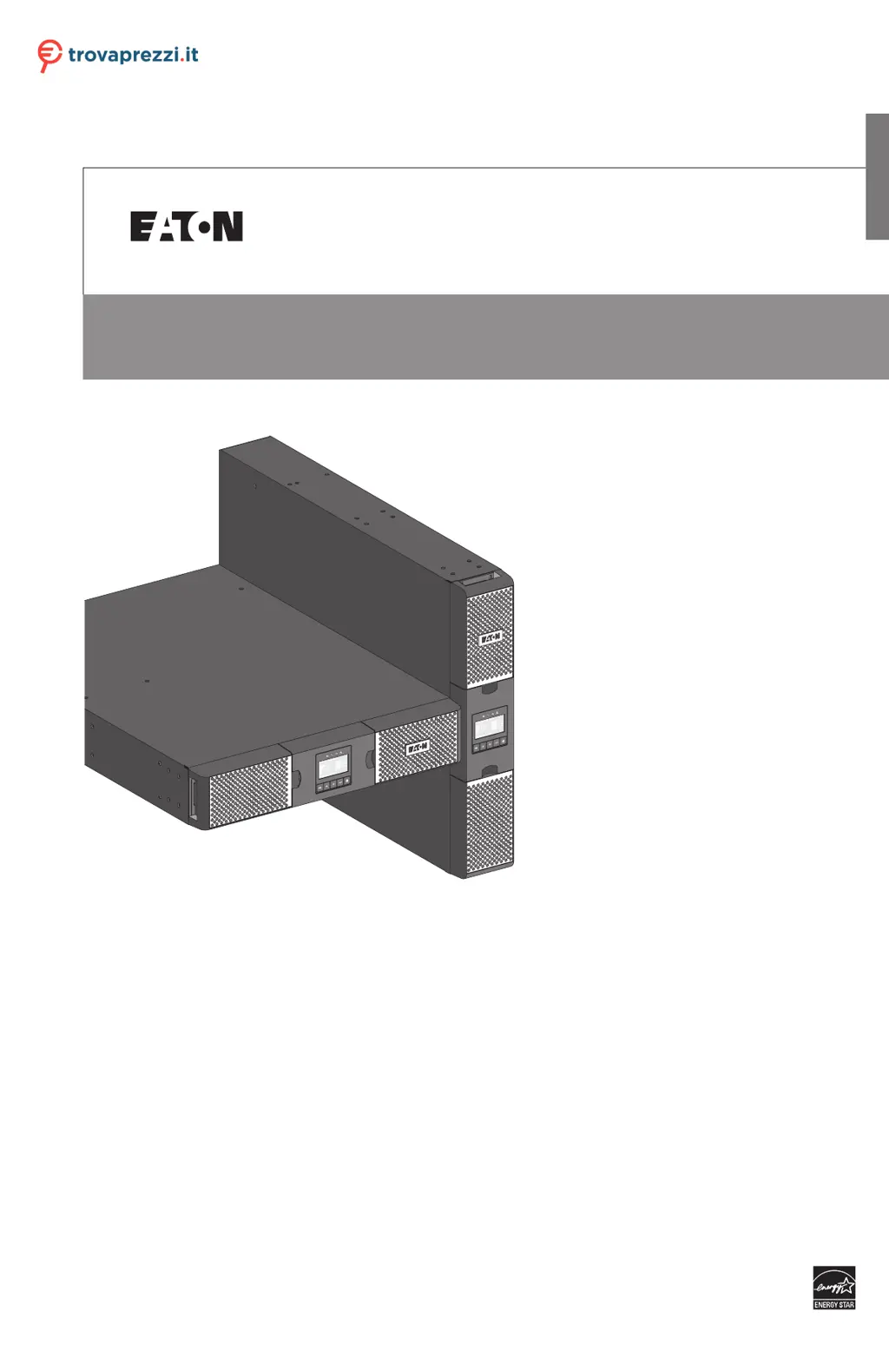
Eaton 9PX EBM 72V RT - User Manual

Eaton 9PX EBM 72V RT
46 pages
Print Icon
To Next Page IconTo Next Page
Loading...
ENGLISH
9PX 700 RT
9PX 1000 RT
9PX 1000GRT
9PX 1500 RT
9PX 1500GRT
9PX 2000 RT
9PX 2200 GRT
9PX 3000 RT
9PX 3000 GRT
9PX 3000 GLRT
9PX EBM 36V RT
9PX EBM 48V RT
9PX EBM 72V RT
Installation
and user manual
Copyright © 2016 EATON
All rights reserved.
9PX 1-3 KVA US_EN
Questo manuale d’istruzione è fornito da trovaprezzi.it. Scopri tutte le offerte per Eaton 9PX 1000i
RT2U o cerca il tuo prodotto tra le migliori offerte di Gruppi di Continuità

Questions and Answers

  • D
    David RichardsonAug 12, 2025
    What to do if no battery LED is on and my Eaton 9PX EBM 72V RT beeps continuously?
    • A
      Antonio VargasAug 13, 2025
      If no battery LED is on and the Eaton UPS beeps continuously, verify that all batteries are properly connected. If the condition persists, contact your service representative. The batteries are disconnected.
  • J
    james52Aug 16, 2025
    What to do if the Power overload LED is on and the Eaton UPS beeps continuously?
    • K
      Kylie WagnerAug 16, 2025
      If the Eaton UPS's power requirements exceed its capacity, remove some equipment from the UPS. The UPS will continue to operate, but it might switch to Bypass mode or shut down if the load increases. The alarm will reset once the condition is no longer active.
  • M
    Manuel DelacruzAug 20, 2025
    Why is the battery mode LED on and my Eaton 9PX EBM 72V RT UPS beeping every 10 seconds?
    • M
      monicaadamsAug 20, 2025
      When the battery mode LED is on and the Eaton UPS beeps every 10 seconds, it indicates a utility failure, and the UPS is running on battery power. Prepare your equipment for shutdown.
  • L
    Leslie GonzalezAug 25, 2025
    What does it mean when the bypass mode LED is on for my Eaton 9PX EBM 72V RT?
    • B
      Brittney AndersonAug 25, 2025
      If the bypass mode LED is on in your Eaton UPS, it means the equipment is powered but not protected by the UPS. Check for overtemperature, overload, or UPS failure alarms.
  • M
    Morgan Holmes PhDAug 27, 2025
    How to fix Eaton UPS overtemperature LED on and beeping?
    • K
      Kimberly GonzalesAug 28, 2025
      If the UPS internal temperature is too high or a fan has failed and the Eaton UPS overtemperature LED is on, and it beeps every 3 seconds: * Clear vents and remove any heat sources. * Ensure airflow around the UPS is not restricted. * Restart the UPS. If the condition persists, shut down the UPS and contact your service representative. If the UPS transferred to Bypass mode, it will return to normal operation when the temperature drops 5°C below the warning level.
  • A
    Allen MorenoSep 1, 2025
    Why does my Eaton 9PX EBM 72V RT not start?
    • W
      Wendy MaldonadoSep 1, 2025
      If the Eaton UPS does not start, check the input connections. Also, if the UPS Status menu displays the "Remote Power Off" notice, inactivate the RPO input, because the Remote Power Off (RPO) switch might be active or the RPO connector might be missing.
  • K
    Kelly PaulSep 4, 2025
    Why is my Eaton UPS not providing the expected backup time?
    • M
      Mason ValentineSep 4, 2025
      If the Eaton UPS does not provide the expected backup time, apply utility power for 48 hours to charge the batteries. If the condition persists, contact your service representative.
  • E
    Emily CastroSep 7, 2025
    What does it mean when the battery fault LED is on and my Eaton 9PX EBM 72V RT UPS is beeping continuously?
    • P
      paul66Sep 7, 2025
      If the battery fault LED is on and the Eaton UPS beeps continuously, verify that all batteries are properly connected. Start a new battery test: if the condition persists, contact your service representative. The battery test failed due to bad or disconnected batteries, or the battery minimum voltage was reached in ABM cycling mode.

Summary

Safety Instructions

Safety of Persons

Discusses safety precautions for personnel handling the UPS and its batteries.

Product Safety

Outlines safety guidelines for installing and operating the UPS unit.

Presentation

Control Panel

Explains the UPS control panel with its graphical LCD and indicators.

Installation

Inspecting the Equipment

Provides instructions for checking equipment for shipping damage and battery condition.

Connecting the Internal Battery

Step-by-step guide for connecting the internal batteries of the UPS.

Connecting the EBM(s)

Instructions for connecting Extended Battery Modules (EBMs) to the UPS.

UPS Connection Without HotSwap MBP Module

Step-by-step guide for connecting the UPS to the AC power source and loads.

Connection with a HotSwap MBP Module (Optional Accessory)

Explains how to connect the UPS with an optional HotSwap MBP module for serviceability.

Communication

UPS Remote Control Functions

Details programmable signal inputs for remote control functions like RPO and ROO.

Operation

Start-up and Normal Operation

Step-by-step guide for starting the UPS and operating it in normal mode.

Starting the UPS on Battery

Instructions on how to start the UPS using only battery power (cold start).

UPS Shutdown

Procedures for safely shutting down the UPS system.

UPS Maintenance

Replacing Batteries

Detailed instructions and safety precautions for replacing the UPS batteries.

Replacing the UPS Equipped with a HotSwap MBP

Steps for replacing the UPS unit without interrupting connected loads using HotSwap MBP.

Troubleshooting

Typical Alarms and Faults

A chart detailing common UPS alarms, their causes, and recommended actions.

Eaton 9PX EBM 72V RT Specifications

General IconGeneral
BrandEaton
Model9PX EBM 72V RT
CategoryUPS
LanguageEnglish

Related product manuals