EasyManua.ls Logo

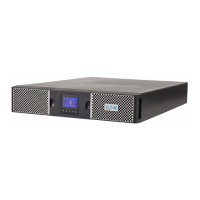
Eaton 9PX3000IRT2U - User Manual

Eaton 9PX3000IRT2U
96 pages
Print Icon
To Next Page IconTo Next Page
Loading...
9
PX 1000i
9PX 1500i
9PX 2200i
9PX 3000i
9PX EBM 48V
9PX EBM 72V
©
2015 EATON
版权
保留
有权
请致电您当地的服务代表

Questions and Answers

  • G
    Gabrielle DavisAug 13, 2025
    Why is the Bypass mode LED on in my Eaton 9PX3000IRT2U UPS?
    • S
      Sara BaileyAug 14, 2025
      The Bypass mode LED turns on when an overload or fault occurs, or when the UPS receives a command to enter Bypass mode. When this happens, your equipment is powered but not protected by the UPS. Check for alarms such as overtemperature, overload, or UPS failure.
  • D
    dennisperryAug 17, 2025
    What to do if my Eaton UPS doesn't provide the expected backup time?
    • M
      mccarthylauraAug 17, 2025
      If your Eaton UPS isn't providing the expected backup time, the batteries likely need charging or servicing. Connect the UPS to utility power for 48 hours to allow the batteries to charge. If the issue continues after charging, you may need to contact your service representative.
  • J
    Joseph GutierrezAug 21, 2025
    What to do if the battery fault LED is on and my Eaton UPS beeps continuously?
    • B
      Beth SmallAug 21, 2025
      If the battery fault LED is illuminated and your Eaton UPS is beeping continuously, it indicates that the battery test has failed. This can be due to bad or disconnected batteries, or because the battery minimum voltage has been reached in ABM cycling mode. First, verify that all batteries are properly connected. Then, initiate a new battery test. If the problem persists, contact your service representative.
  • M
    Mike WellsAug 25, 2025
    What to do if the UPS overtemperature LED is on and my Eaton 9PX3000IRT2U beeps every 3 seconds?
    • P
      Paul DennisAug 26, 2025
      If the UPS overtemperature LED is on and the UPS beeps every 3 seconds, it means the internal temperature is too high, or a fan has failed. If the UPS switched to Bypass mode, it will return to normal operation once the temperature drops 5°C below the warning level. If the problem persists, shut down the UPS, clear vents, remove heat sources, ensure proper airflow, and restart the UPS. If the issue continues, contact your service representative.
  • A
    Andrew MatthewsAug 29, 2025
    What to do if the battery low LED is on and my Eaton UPS beeps every 3 seconds?
    • C
      Chelsea RandallAug 29, 2025
      If the battery low LED is on and your Eaton UPS is beeping every 3 seconds, it indicates that the UPS is running on battery power and the battery is running low. This is an approximate warning, and the actual time until shutdown may vary. The 'Battery Low' warning might appear before the batteries reach 20% capacity, depending on the UPS load and the number of Extended Battery Modules (EBMs).
  • W
    wilsonmarciaSep 1, 2025
    How to fix an Eaton 9PX3000IRT2U UPS that does not start?
    • A
      Aaron GonzalezSep 1, 2025
      If your Eaton UPS isn't starting, there could be a few reasons: * The input source might not be connected correctly: Check the input connections. * The Remote Power Off (RPO) switch might be active or the RPO connector is missing: If the UPS Status menu displays the 'Remote Power Off' notice, inactivate the RPO input.
  • D
    David BanksSep 5, 2025
    What to do if the battery mode LED is on and my Eaton 9PX3000IRT2U UPS beeps every 10 seconds?
    • V
      Victoria WaltonSep 5, 2025
      If the battery mode LED is on and your Eaton UPS beeps every 10 seconds, it means a utility failure has occurred, and the UPS is now in Battery mode. The UPS is using battery power to keep your equipment running. Prepare your equipment for shutdown.
  • A
    anthony81Sep 9, 2025
    What to do if no battery LED is on and my Eaton UPS beeps continuously?
    • R
      Randy FoxSep 9, 2025
      If no battery LED is on and your Eaton UPS beeps continuously, it indicates that the batteries are disconnected. Verify that all batteries are properly connected. If the condition persists, contact your service representative.

Summary

Safety Instructions

Personnel Safety Precautions

Safety measures for individuals handling or operating the UPS.

Appearance and Control

Front Control Panel Interface

Explains the buttons, indicators, and LCD screen of the UPS.

Customizable User Settings

Guides on configuring user preferences like language, time, and alarms.

Installation Procedures

HotSwap MBP Module Installation

Connecting the UPS with the HotSwap MBP module for serviceability.

Operation and Modes

Startup and Normal Operation

Procedures for powering on the UPS and its normal operating states.

UPS Maintenance and Troubleshooting

Battery Replacement Procedure

Step-by-step instructions for safely replacing internal and external batteries.

Handling Typical Alarms and Faults

Identifying common UPS alarms, their causes, and troubleshooting steps.

Specifications and Glossary

Detailed UPS Model Specifications

Comprehensive technical data including power, dimensions, and electrical ratings.

Eaton 9PX3000IRT2U Specifications

General IconGeneral
Power Rating3000 VA / 2700 W
Form Factor2U Rackmount
Input Voltage200-240V
TopologyDouble Conversion Online
Frequency50/60 Hz
Warranty2 years
Output Voltage200-240V
Output Connections(8) IEC C13, (2) IEC C19
Battery TypeSealed, lead-acid
Typical Recharge Time3 hours
Management InterfaceLCD display, USB, RS-232
Network ManagementOptional network card
EfficiencyUp to 94%
Operating Temperature0 to 40 °C
Operating Humidity0% to 95% (non-condensing)

Related product manuals