EasyManua.ls Logo

Eaton ETN2000 - User Manual

Eaton ETN2000
33 pages
Print Icon
To Next Page IconTo Next Page
Loading...
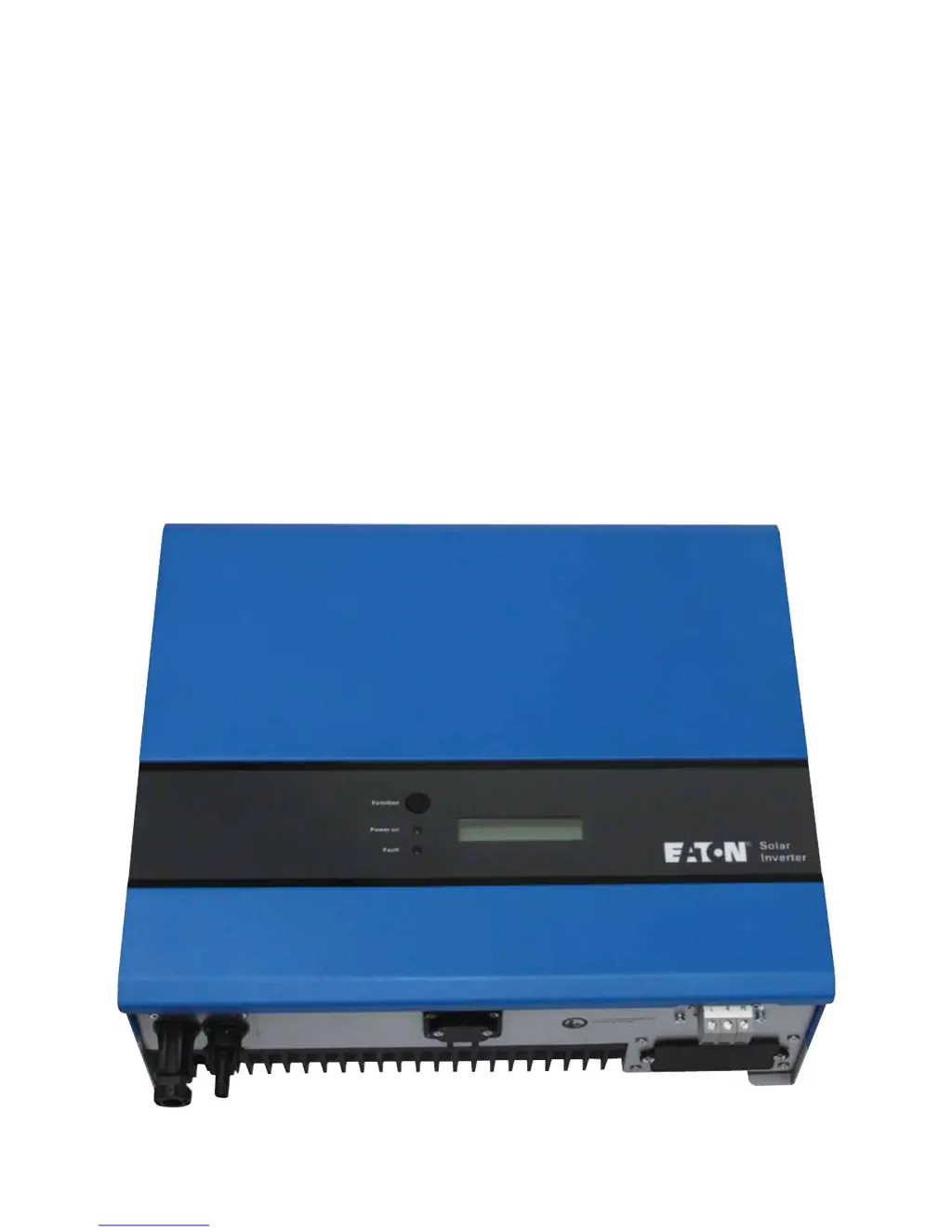
EATON ETN1000 / ETN2000
Grid PV-Inverter
Installation and Operation Manual
Version 1.6 E 2010.06

Questions and Answers

  • L
    lindacunninghamAug 13, 2025
    What to do if my Eaton ETN2000 shows 'Over Temperature'?
    • C
      Christopher SmithAug 13, 2025
      If your Eaton Inverter is showing an 'Over Temperature' error because the internal temperature is too high, try to reduce the ambient temperature around the unit or move the inverter to a cooler environment. If this doesn't resolve the issue, further assistance may be needed.
  • T
    Tina MitchellAug 17, 2025
    Why does my Eaton ETN2000 say 'No Utility'?
    • J
      John CunninghamAug 17, 2025
      If your Eaton Inverter displays a 'No Utility' message, first ensure that the grid is connected. Then, check the grid connection cables and verify the grid's usability.
  • A
    Andrew ThomasAug 21, 2025
    What to do if my Eaton Inverter shows a 'Grid Fault'?
    • S
      Sarah HardinAug 21, 2025
      If your Eaton Inverter is showing a 'Grid Fault', wait for 5 minutes to see if the grid returns to normal, as the inverter will automatically restart. Also, verify that the grid voltage and frequency meet the required specifications.
  • H
    hfloresAug 25, 2025
    How to fix 'PV over Voltage' on Eaton Inverter?
    • T
      Timothy CookAug 25, 2025
      If your Eaton Inverter is showing 'PV over Voltage', check the open PV voltage to ensure it is not greater than or too close to 450VDC.
  • Y
    yhortonAug 28, 2025
    What does 'Ground I Fault' mean on my Eaton ETN2000?
    • J
      James KellyAug 28, 2025
      If your Eaton Inverter is showing a 'Ground I Fault' because the ground current is too high, unplug the inputs from the PV generator and check the peripheral AC system. After clearing the cause, re-plug the PV panel and check the PV-Inverter status.
  • M
    murphyjonathanSep 1, 2025
    What to do for 'Relay Failure' on Eaton ETN2000?
    • A
      Adam NguyenSep 1, 2025
      If your Eaton Inverter is showing a 'Relay Failure', disconnect all PV (+) or PV (-), wait a few seconds until the LCD switches off, then reconnect and check again.
  • C
    calvin39Sep 5, 2025
    How to resolve 'Consistent Fault' on Eaton Inverter?
    • J
      Joanna LambertSep 5, 2025
      If your Eaton Inverter displays a 'Consistent Fault', disconnect PV (+) or PV (-) from the input and restart the inverter.
  • M
    mark32Sep 8, 2025
    How to fix 'Isolation Fault' on Eaton ETN2000?
    • X
      xhowardSep 8, 2025
      Check that the impedance is between PV (+) & PV (-) and the PV-Inverter is earthed, ensuring the impedance is greater than 5M?.

Summary

Before You Start

Safety Instructions

Risk of Electric Shock

Details hazards associated with high voltage and internal energy storage.

Hot Surfaces

Limited Warranty

Overview

Front View

Illustration and labels for the front panel.

Bottom View

Illustration and labels for the bottom panel.

Parts Description

Detailed labels for various components.

Features

Installation Instructions

Opening the package

Steps for unpacking the inverter and checking contents.

Before installation

Pre-installation considerations and environmental checks.

Mounting Inverter to the wall

Steps and considerations for physically mounting the inverter.

Hanging the Inverter on Frame

Process of attaching the inverter to the installed mounting frame.

Installation Condition Checks

Verifying mounting compliance, like ensuring no slanted surface.

Securing the Inverter

Ensuring proper fit on bracket and securing with screws.

Connecting to the Grid (AC Utility)

Procedure for connecting the inverter to the electrical grid.

AC Wire Requirements

Table specifying AC wire gauge requirements.

Connect to PV Panel (DC Input)

Steps for connecting the solar panels to the inverter.

Checking Installation

Verifying correct installation and initial operation.

System Diagram

Operating Your PV-Inverter

Modes of Operation

Explains normal, fault, and shutdown modes.

Front Panel Operations

Front Panel Arrangement

Diagram and labels of the inverter's front panel components.

LED Status Indicators

Explanation of the green and red status LEDs.

Function Key Operation

Description of the function key's operation for menu navigation.

LCD Reading Accuracy

Information on the LCD reading accuracy.

Automatic ON-OFF States

How the inverter starts and enters standby, waiting, or normal operation.

Starting-up Display Sequence

Flowchart of the display messages during startup.

Changing Display Information

How to navigate and change LCD information using the function key.

Holding Display Information

How to freeze the current display on the LCD.

LCD Backlight Control

How to manage the LCD backlight to save power.

Adjusting LCD Contrast

Steps to adjust LCD contrast for optimal readability.

LCD Display Sequence

Maximum Power Point Tracking (MPPT)

Inverter Status and Faults

Display Information Table

Table detailing operating conditions, English messages, and descriptions.

System Faults

Table of system fault messages and troubleshooting steps.

Inverter Faults

Table of inverter fault messages and troubleshooting steps.

System Information Parameters

Table of system information parameters and settings.

Communications

RS232 Port Details

Pin definition and use of the RS232 port for monitoring and firmware upgrades.

Optional Communication Ports

Information on RS485 card for advanced monitoring applications.

Firmware Upgrade Procedure

Steps and requirements for upgrading inverter firmware.

Trouble shooting

System Fault Diagnosis

Lists common system fault messages and troubleshooting steps.

Inverter Failure Diagnosis

Lists inverter-specific failure messages and troubleshooting steps.

Temperature and Component Faults

Troubleshooting for temperature and component-related issues.

Specifications

Electrical Specifications

Detailed electrical specifications for the inverter models.

Eaton ETN2000 Specifications

General IconGeneral
Continuous Power2000 W
Surge Power4000 W
Output WaveformPure Sine Wave
Efficiency>90%
Power Rating2000 VA
Frequency50 Hz

Related product manuals