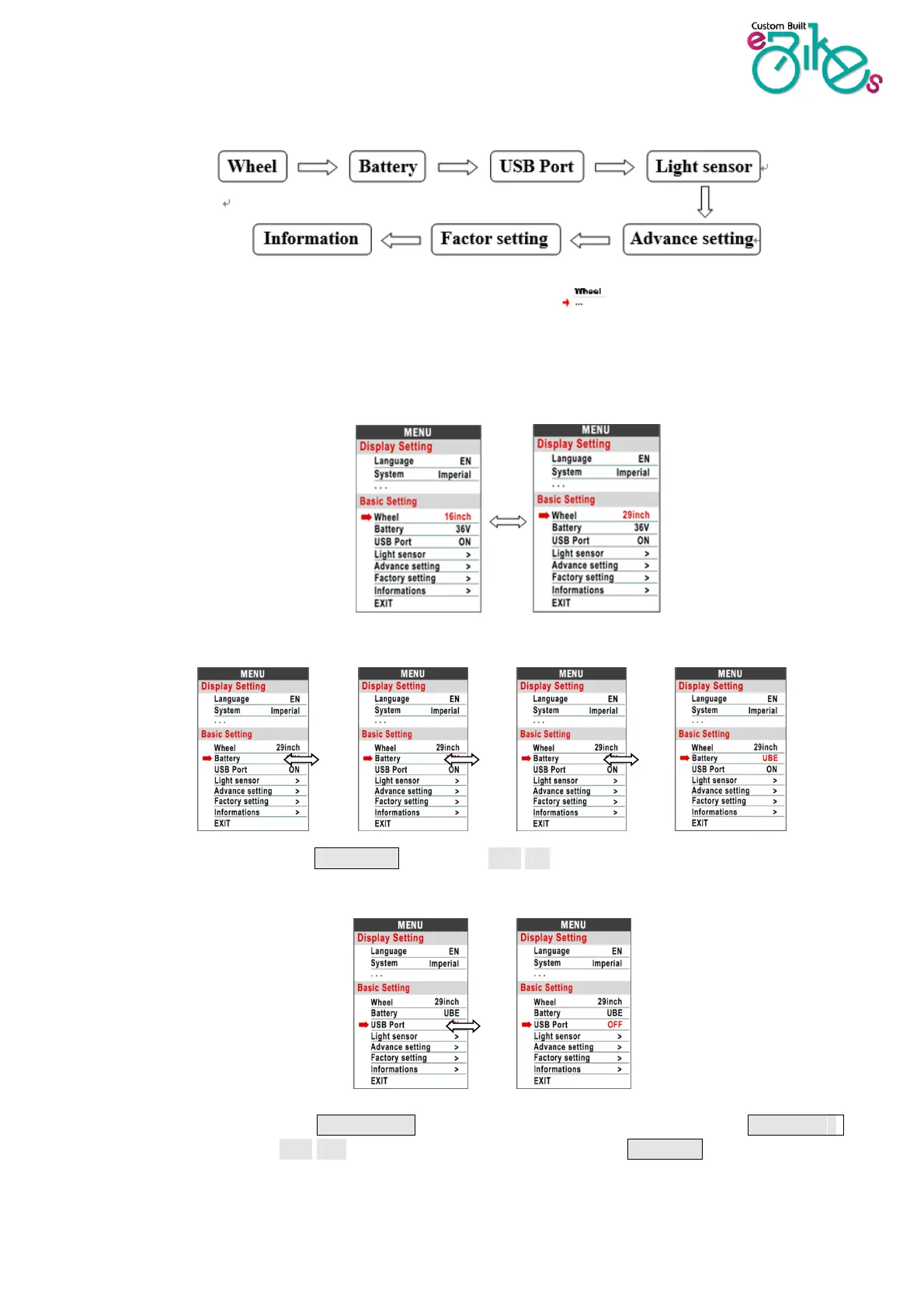
Basic Settings
*Press the DOWN button to move the red arrow to , press POWER button to show all
items of the Basic Setting.
8.10 Wheel : Press UP/DOWN to change the wheel size setting. The wheel diameter optionals are
16/18/20/22/24/26/27/27.5/28/29/30/31 inch,
8.11 Battery : This option is not set for a Bafang motor.
8.12 USB Port:press UP/DOWN level, select OFF/ON. When off is selected, the USB port is
disabled.
8.13 Light sensor:Press switch Button to adjust the light sensor options. Press the UP/DOWN
button to select OFF/ON. The sensitivity can then be sent using UP/Down to high, medium or


 To Next Page