7.5 Walking mode (6km)
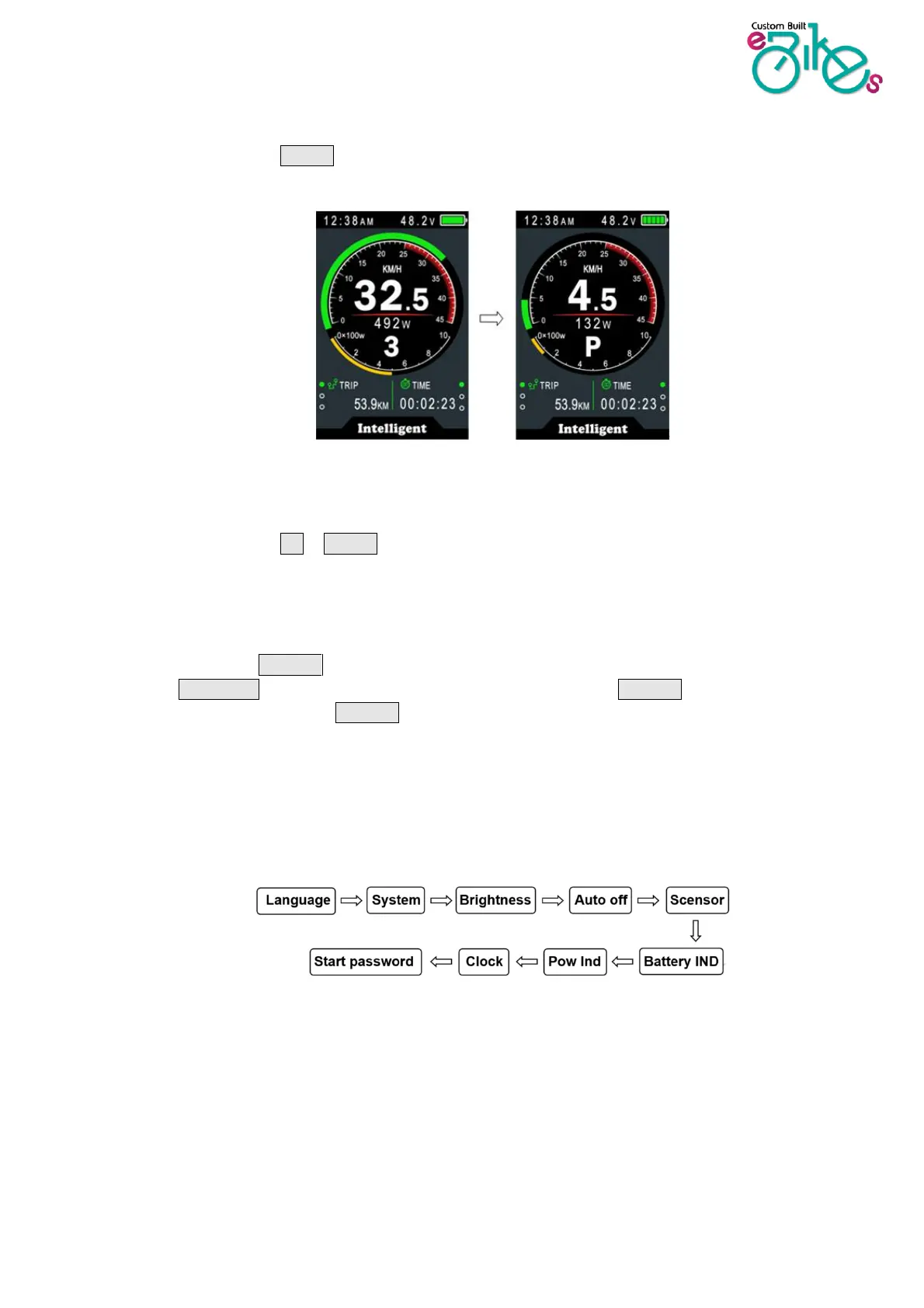
Press and hold DOWN button for 2 seconds to select walking mode. Walking mode provides a
small amount of power to help you push your bike along if walking.
* This feature needs to be supported by controller.
7.6 Data cleanup
Press and hold UP & DOWN buttons together for 1 second to reset your ride statistics such as
AVG Speed / MAX Speed / Trip / Time. These are not erased by power off.
4. Settings menu
Double press the POWER button (press interval less than 0.3 seconds) to enter the setting menus,
press UP/DOWN buttons to change the parameter setting, press POWER button to switch to the
next item. Double press the POWER button to exit from the menu.
* Display will automatically quit the settings menu when there is no operation for 30 seconds.
* For safety reasons, you can’t enter the settings menu when riding
* Display will quit the settings menu when you start riding.
The order of parameters are as follows.


 To Next Page