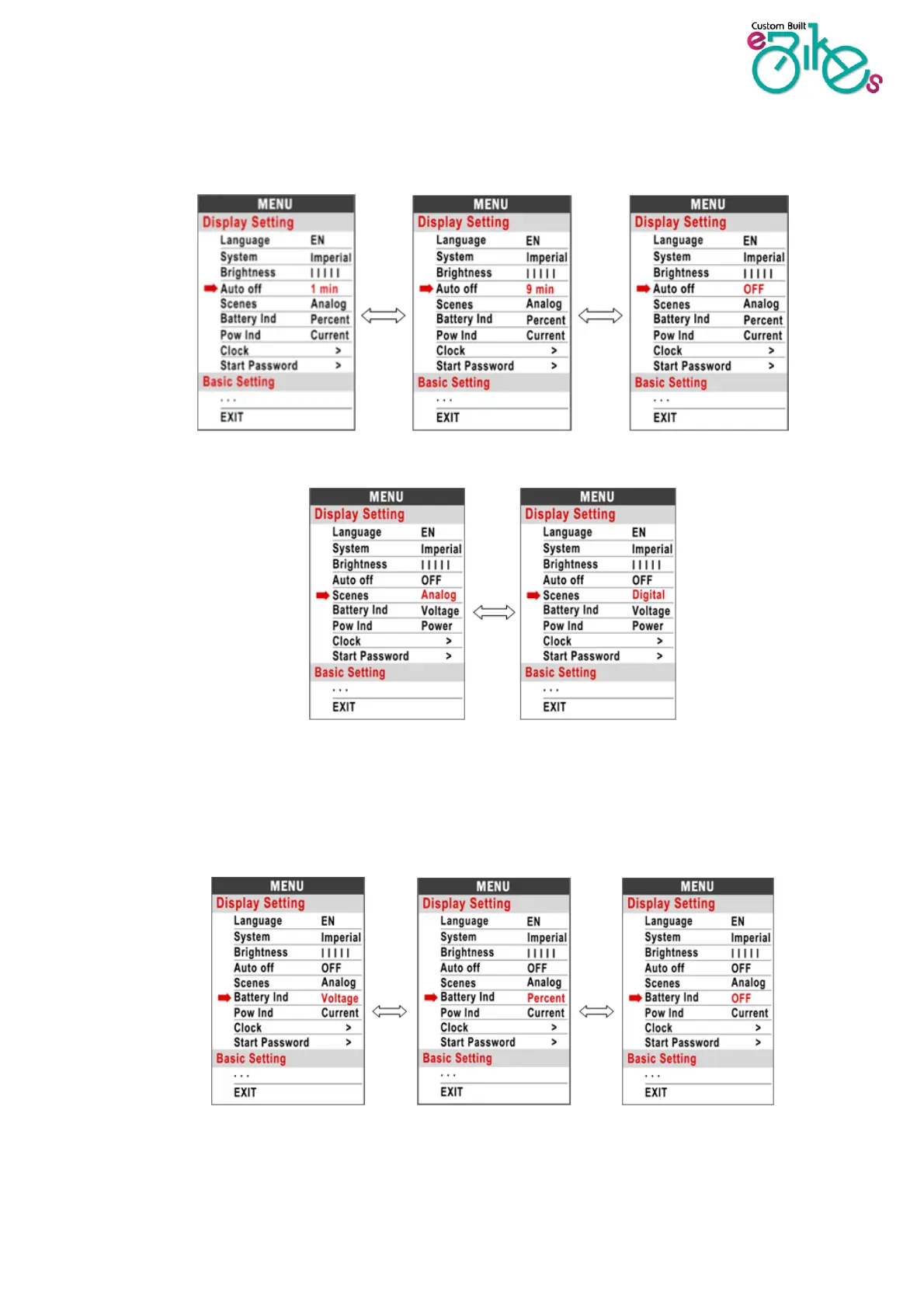
8.4 Auto off : Press UP/DOWN button to change the auto power off time, from 1 to 9/OFF. The
numbers represent minutes. When off is selected, the screen will only turn off when the on/off
button is pressed. By default, this is set to 5 minutes.
8.5 Scenes : Analogue only
8.6 Battery Ind : Press UP/DOWN button to change the battery indicator, Voltage / Percentage /
OFF.
*Accurate percentage needs a specialist battery


 To Next Page