USERS MANUAL
EBS STANLEY CLARKE PREAMP
www.ebssweden.com
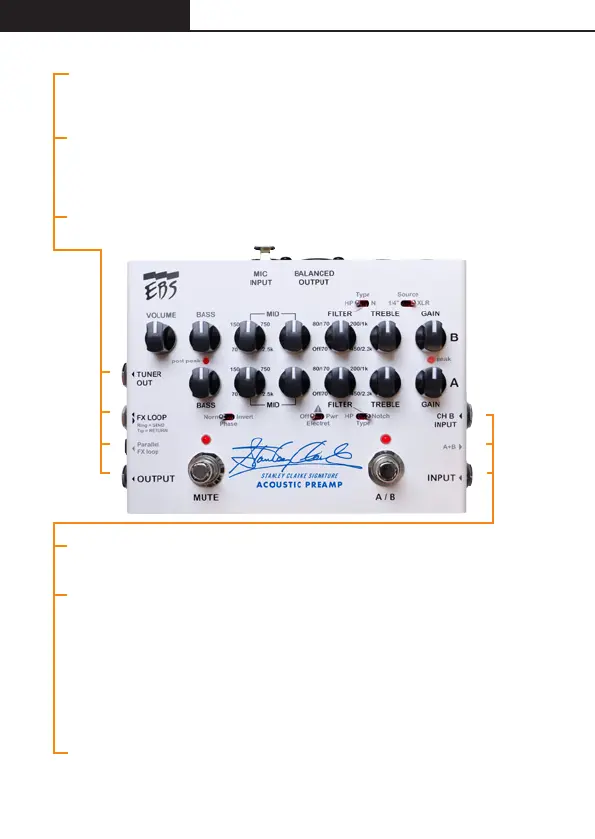
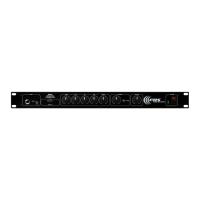
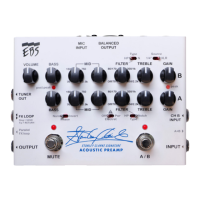
TUNER OUT. This output is taken at the FX send and can be used to connect
to a tuner. This output becomes active when Mute is on.
FX LOOP. Connect a TRS cable, such as the EBS ICY-30, to B to create an
Effects Loop where you can insert your effects. C offer the choice to set the
effects loop in parallel mode.
OUTPUT. This is the master output jack to be connected to another amp or
power amplifier.
CHANNEL B INPUT. This input is a direct input to the B channel or to both A+B
if the A+B switch is in its’ inner position.
A+B. When A+B push switch is in its’ OUTER position:
Selects between A or B channel when only the A input (INPUT) is used.
If XLR input or B channel 1/4” jack is used at the same time, B selects this source.
When A+B push switch is in its’ INNER position:
Selects between A or A+B, i.e. either only A or A in series with B channel when
only A input is used. When B channel input jack is used or XLR is selected for
channel B, both channels are mixed together and the A/B foot switch has no
effect.
INPUT - The A channel input is a low noise, high impedance instrument input.
A
E
F
G
A
B
C
B/C
D
D
E
F
G


 To Next Page