Once a M.O.L.E. thermal proler
has been selected, the software
automatically selects it if used again
on the same COM port.
③
④
⑤
12
SETUP
COMMUNICATIONS
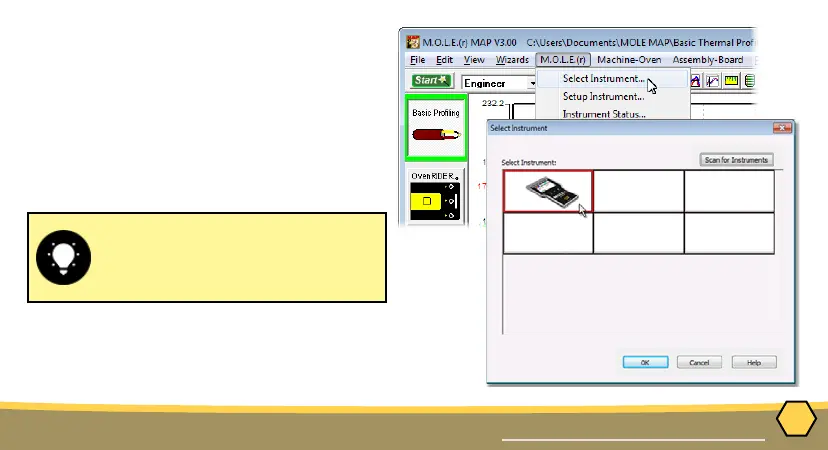
3. On the M.O.L.E. menu, click the
Select Instrument command.
4. Select the desired instrument
from the dialog box. If there are
none displayed, click the Scan for
Instruments command button to
detect all available instruments.
5. Click the OK command button to
accept.



 To Next Page