④
③
14
OPERATION
SETUP INSTRUMENT
STEP 1: SETUP INSTRUMENT
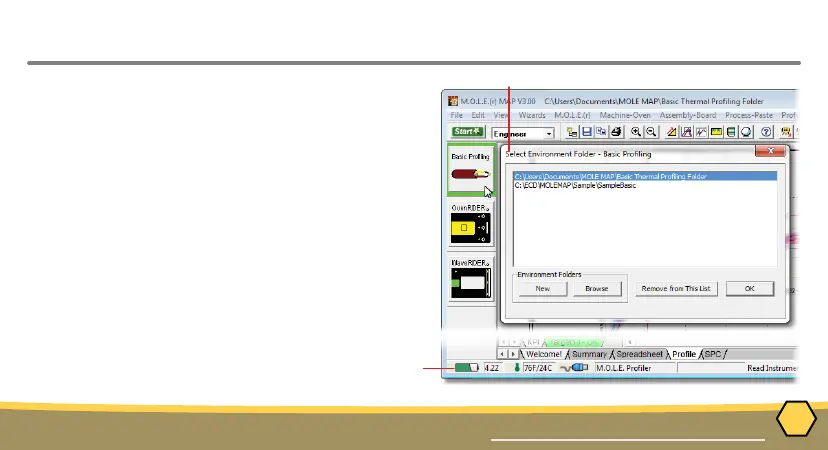
1. Open the M.O.L.E. MAP software.
2. Connect the M.O.L.E. thermal proler to the
computer.
3. Make sure the M.O.L.E. battery is fully
charged. When a M.O.L.E. thermal proler is
selected, the software status bar displays the
current battery voltage.
4. Set an Environment. Either open an existing
Environment Folder or create a new one.



 To Next Page