22
OPERATION
VIEW DATA
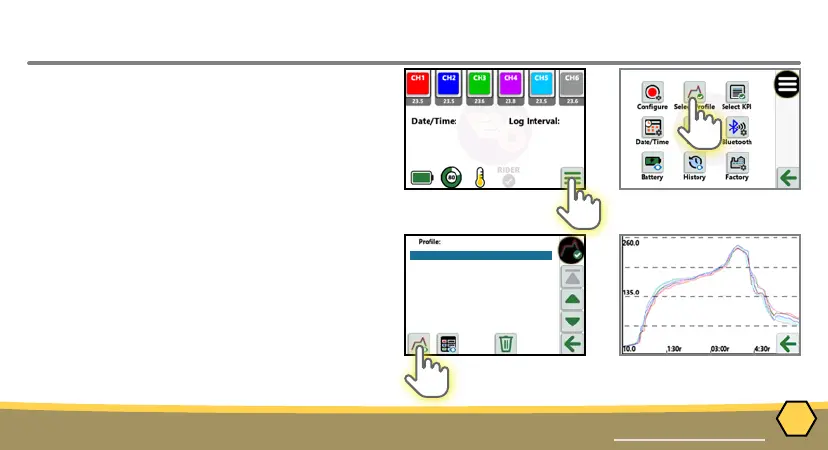
STEP 3: VIEW DATA
1. Turn ON the M.O.L.E. thermal proler by
pressing the ON/OFF button.
2. From the Home Screen, press the Main
Menu button.
3. Press the Select Prole button.
4. Select the desired thermal prole from
the list.
5. Press the View Prole or View KPI
button.
11_16_2023(23:08:40)6 min long
11_16_2023(22:15:47)8 min long



 To Next Page