If sensors are removed before the M.O.L.E.
thermal proler has stopped collecting data, it
may cause the data to become distorted.
⑧
21
OPERATION
DOWNLOAD DATA
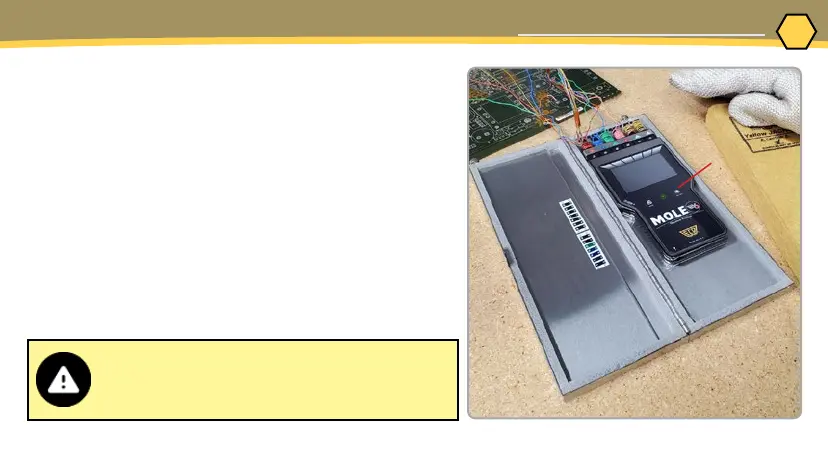
7. As the M.O.L.E. thermal proler and test product
emerge from the process, retrieve the sensors
from the test product and lay the thermal barrier
on a table or at surface.
8. Open the thermal barrier and if the Record
button is still ashing this means the M.O.L.E.
thermal proler is still logging and it should be
stopped.
9. Remove the M.O.L.E. thermal proler from the
thermal barrier and wait a few minutes for it to
cool. Handle it carefully, as the case may still be
warm.
10. Disconnect M.O.L.E. thermal proler from the
sensors and place it near the PC that has MAP
installed.



 To Next Page