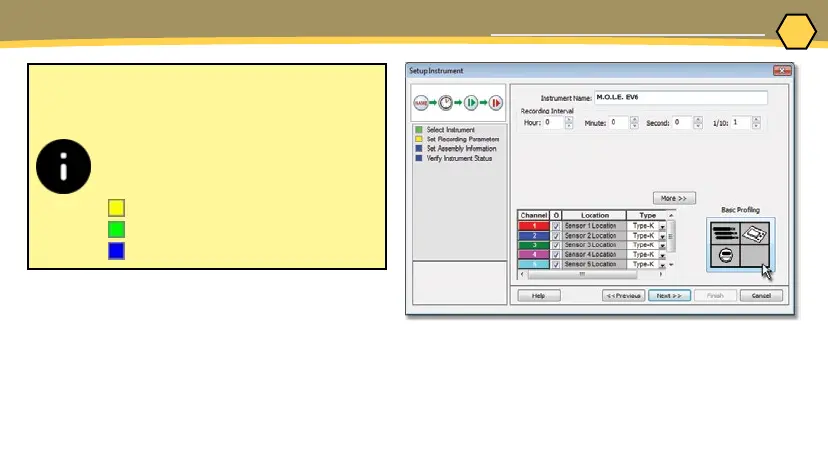
When navigating through the
wizard, the step list on the left of
the dialog box uses a color key to
inform the user of the progression
through the wizard.
Current
Completed
Remaining
⑥
15
OPERATION
SETUP INSTRUMENT
5. On the M.O.L.E. menu, select Setup
Instrument and the workow wizard appears.
6. Set the Instrument Name.



 To Next Page