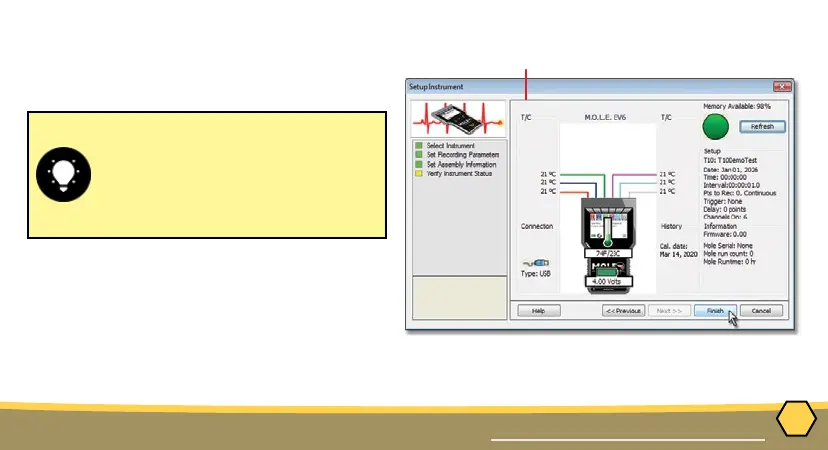
If everything is OK, the dialog box
displays a GREEN sign. If there are
any items that may prevent the user
from collecting good data, they
are highlighted and a RED sign is
displayed.
⑬
⑫
18
OPERATION
SETUP INSTRUMENT
12. Verify the instrument status. This dialog box
displays the health of the M.O.L.E. thermal
proler such as battery charge, internal
temperature, thermocouple temperatures.
13. Select the Finish command button to
complete the Setup Instrument wizard.



 To Next Page