Operation
Section 5
Digital Satellite Receiver Page 5 - 19
© 2002 EchoStar International Corporation
All rights reserved
5
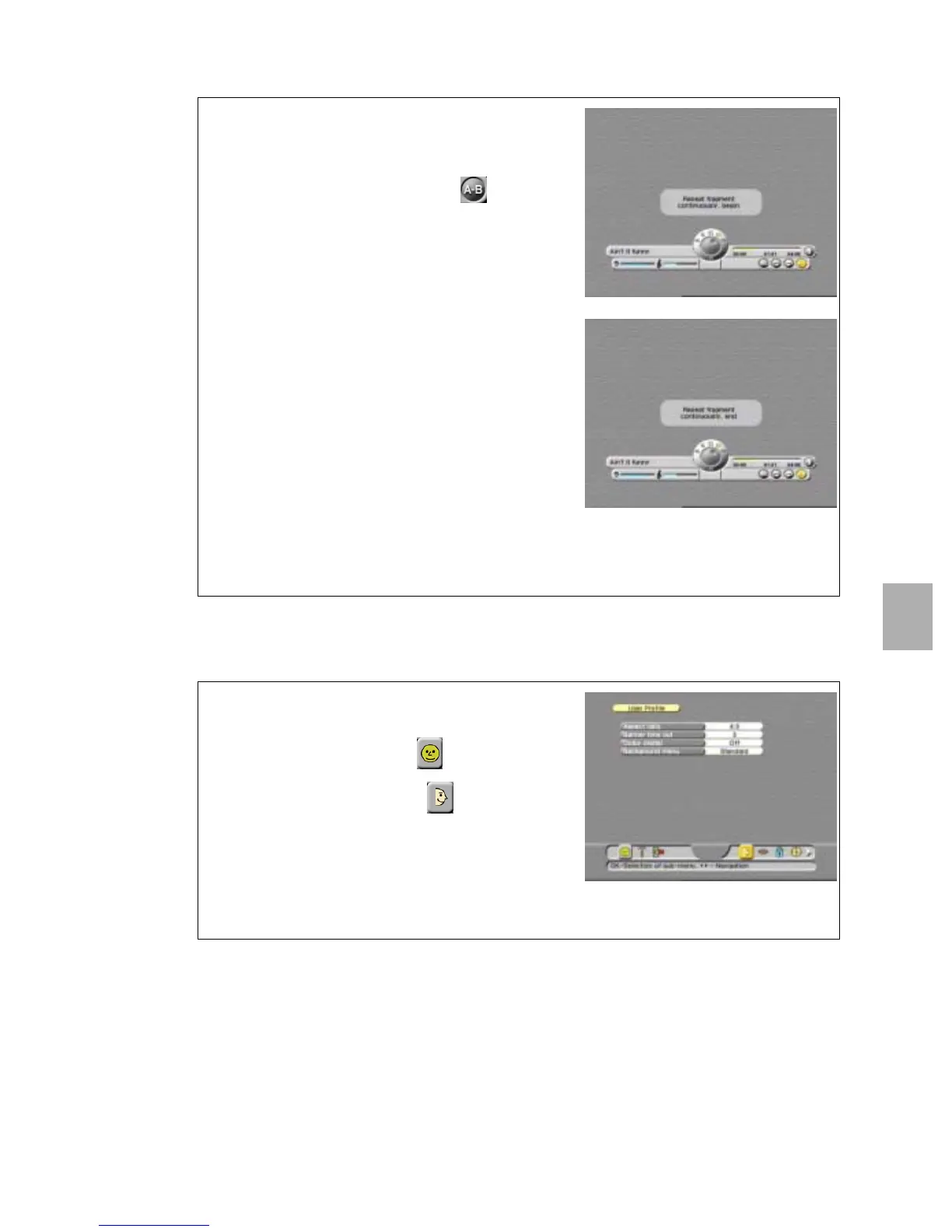
5.2. USE THE A-B MARKER
6. TO SET THE USER PREFERENCES
6.1. TO CHANGE THE USER PROFILE
1. Play back a song.
2. On the RCU:
a. press the MENU key to activate the menu;
b. use thekeys to select the button.
3. Wait for the fragment that you want to repeat.
4. On the RCU, press the OK key.
5. Wait for the popup to disappear.
6. Wait for the end of the fragment you want to
repeat.
7. On the RCU, press the OK key.
8. Wait for the popup to disappear.
9. Note that the marked fragment repeats
continuously.
10. On the RCU, press the OK key to cancel the
marker.
11. Wait for the popup to disappear.
12. On the RCU, press the MENU key to leave the
menu.
13. Note that none of the buttons is highlighted.
1. On the RCU, press:
a. the MENU key;
b. the key to select the menu;
c. the OK key, to select the menu.
2. Press the OK key and make the selections.
3. Read the available help text for information.
4. On the RCU:
a. press the MENU key to save the settings;
b. press the EXIT key to leave the menu.












 To Next Page