5. CLEANING
The eCA120 must not be cleaned with solvents or abrasive substances which may damage the
prints. Clean using a cloth moistened in water and a neutral liquid detergent, then dry with a clean cloth.
Under no circumstances allow water to enter any of the orifices in the equipment.
6. LIST OF FUNCTIONS
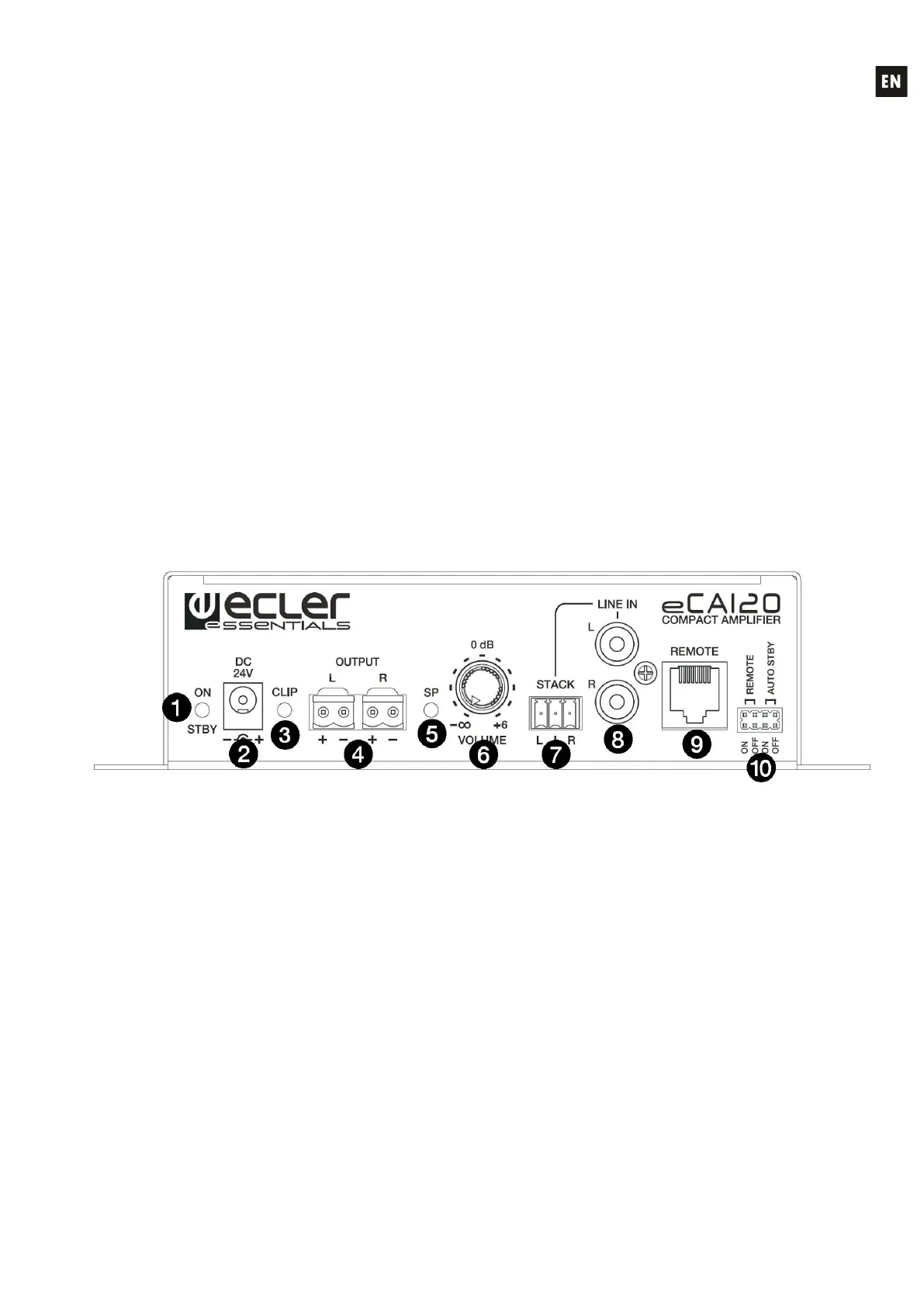
1. ON/STBY on or standby indicator light
2. DC24V power connector
3. CLIP indicator light
4. OUT L / R amplified output
5. SP input signal presence indicator light
6. VOLUME knob
7. Euroblock input line, LINE
8. RCA input line, LINE1
9. RJ-45, REMOTE connector
10. REMOTE & AUTO STANDBY jumpers
7. DIAGRAM OF FUNCTIONS



 To Next Page