18
Front panel controls / on-screen information
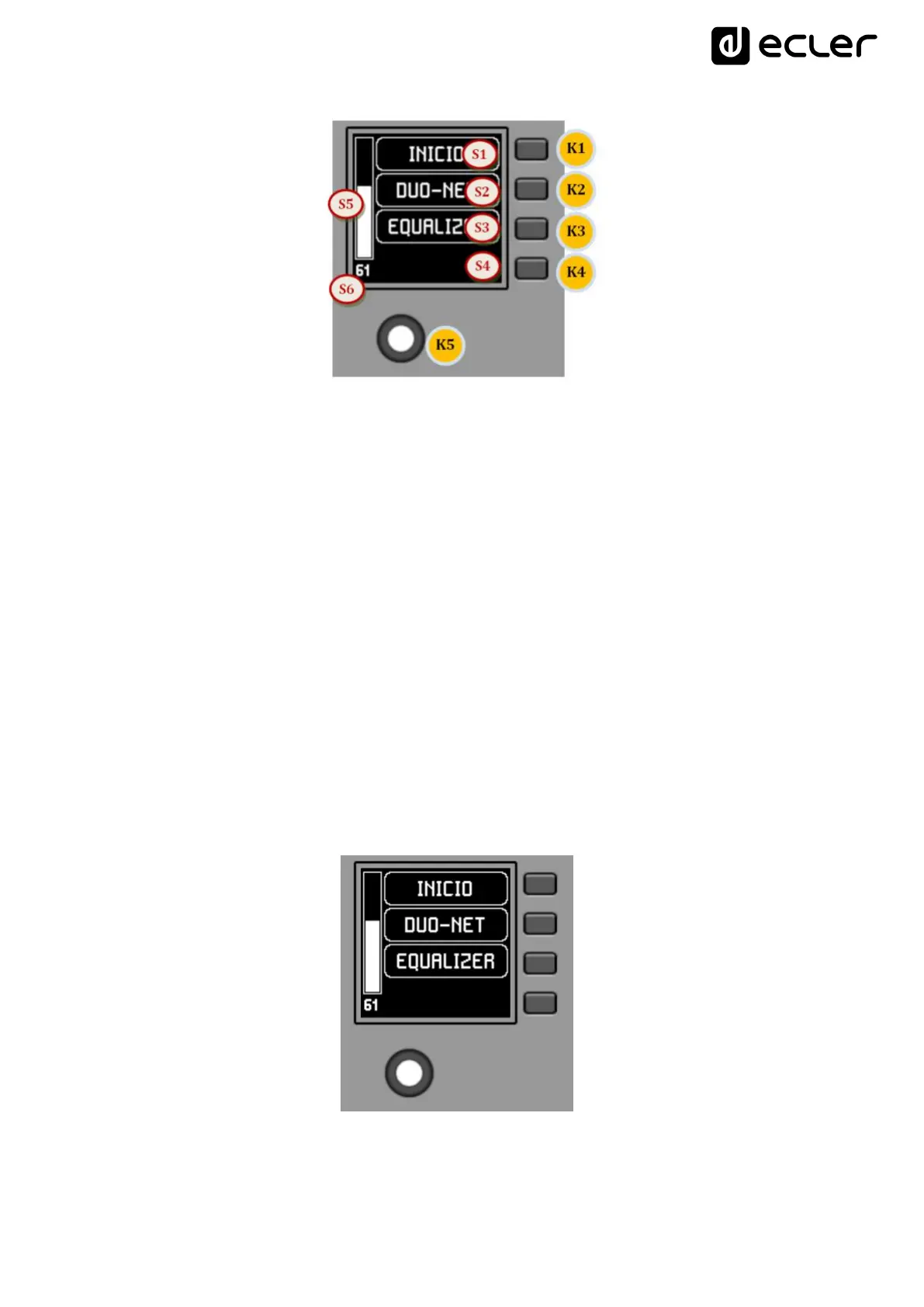
In the previous image on the front panel, the available physical controls are:
K1 to K4: keys associated with menu selection / adjacent option S1 to S4
displayed on screen
K5: digital rotary control, or encoder, with rotary and pulsation functions
And the information fields shown on the screen are:
S1 to S4: text fields 1 to 4
S5: Adjusted volume indicator (signal level)
S6: textual value of the adjusted volume (signal level)
Once the unit is connected to the network, powered (via PoE or optional external power
supply) and correctly configured from the EclerNet Manager application, the main screen
will display an image similar to the following:
Main screen, example



 To Next Page