23
6.4.3. Equalization settings
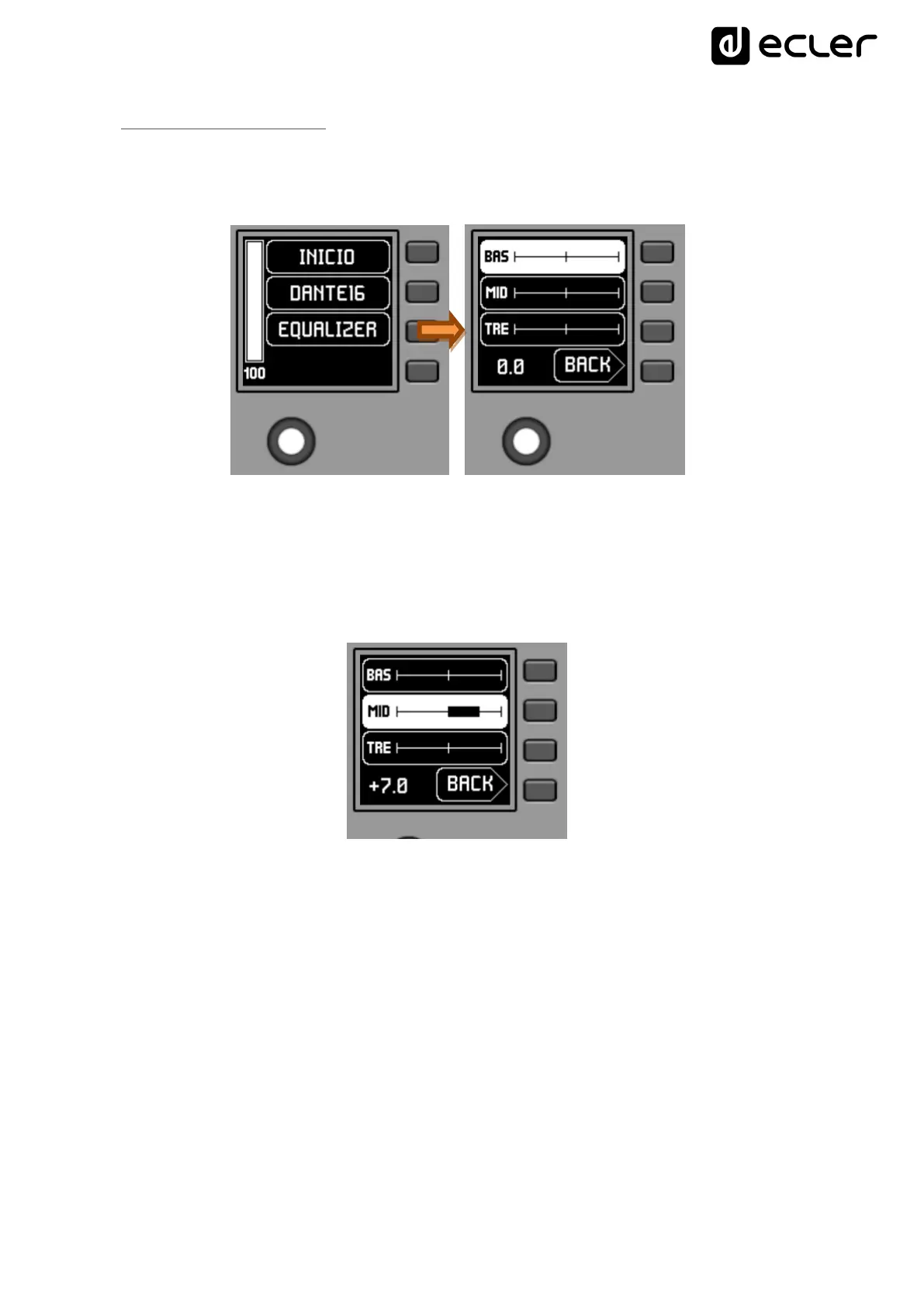
On the main screen, text field S3 shows the text accessing the equalization menu.
Pressing K3 gives access to this menu:
This new screen shows the equalization filters available for adjustment, with the names
defined in the EclerNet project (3-character names, in the previous example BAS
(BASS), MI (MID) and TRE (TREBLE)). Pressing keys K1 to K3 selects one of them, so
that the rotation of K5 allows its gain adjustment (enhancement or attenuation).
Example for the MID filter after pressing K2 and rotating K5:
Changes to these settings are in real time and do not require K5 to be pressed or any
other action to confirm. However, a long press of K5 (>3 seconds) within this menu
resets the EQ filters to 0 (flat equalization).
Pressing K4 forces the output from this menu to the main screen.



 To Next Page