EasyManua.ls Logo

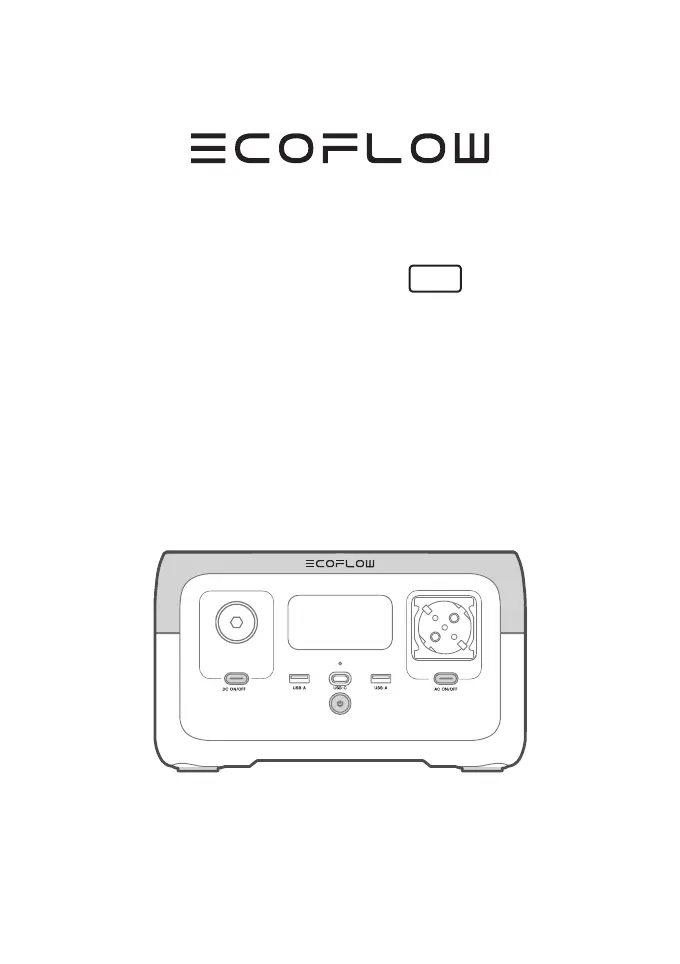
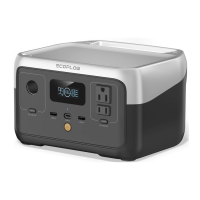
EcoFlow RIVER 2 - User Manual

EcoFlow RIVER 2
16 pages
Print Icon
To Next Page IconTo Next Page
Loading...
ECOFLOW RIVER 2
User Manual
V1.0

Other manuals for EcoFlow RIVER 2

Questions and Answers

  • R
    Robert LewisAug 30, 2025
    What to do if my EcoFlow Power Pack AC output experiences overload protection?
    • M
      Michelle RubioAug 30, 2025
      If the EcoFlow Power Pack's AC output is experiencing overload protection, normal operation will resume after you remove the over-powered device and restart the machine. Ensure electrical appliances are used within the rated power. For the power limit of electrical appliances in the X-Boost mode, please refer to the X-Boost function introduction.
  • B
    Brandon WashingtonAug 29, 2025
    What to do if my EcoFlow Power Pack shows USB-C or car charging overload protection?
    • M
      Meghan FitzgeraldAug 29, 2025
      If the EcoFlow Power Pack experiences USB-C or car charging overload protection, normal operation will resume once you remove the over-powered device and restart the unit.
  • K
    Kristin SalazarAug 28, 2025
    What to do if EcoFlow RIVER 2 Power Supply shows failure of communication between main control board and AC?
    • S
      steven70Aug 28, 2025
      If there is a failure of communication between the main control board and AC in your EcoFlow Power Supply, normal operation will resume automatically after restarting it.
  • C
    Courtney NicholsAug 27, 2025
    What to do if the EcoFlow Power Supply fan is blocked?
    • A
      Anthony BrownAug 27, 2025
      If you're experiencing a fan blocking issue with your EcoFlow Power Supply, check whether the fan is blocked by any foreign objects and remove them to resolve the error.
  • S
    Sean WalkerAug 26, 2025
    Why is my EcoFlow Portable Generator fan blocked and what should I do?
    • B
      Brian LandryAug 27, 2025
      If your EcoFlow Portable Generator's fan is blocked, check whether it is obstructed by foreign objects and remove them to resolve the issue.
  • L
    Leah JamesAug 25, 2025
    What to do if EcoFlow Power Supply shows charging overload protection?
    • L
      Lindsay MartinAug 26, 2025
      If your EcoFlow Power Supply indicates charging overload protection, remove the charger. Normal operation will resume automatically after restarting the device.
  • G
    gomezjeanAug 25, 2025
    What to do if my EcoFlow Power Supply has USB-C or car charging overload?
    • C
      Candice PerezAug 25, 2025
      If your EcoFlow Power Supply experiences USB-C or car charging overload protection, normal operation will resume after you remove the over-powered device and restart the machine.

Summary

Product Specifications

Safety and Disposal

Usage Safety Precautions

Lists critical safety guidelines for product operation, avoiding hazards like heat, liquid, and impact.

Basic Operation

Charging the RIVER 2

AC Charging (Grid)

Instructions for recharging the device from a standard wall outlet using AC power.

Solar Charging

Guide for recharging the device using solar panels and appropriate cables.

Alternative Charging and Features

Advanced Capabilities

X-Boost Functionality

Explanation of how to power higher-wattage devices using the X-Boost feature.

Emergency Power Supply (EPS)

Description of the device's UPS-like automatic switchover during power outages.

Troubleshooting

Troubleshooting Guide

Solutions for common problems indicated by device indicators and error messages.

EcoFlow RIVER 2 Specifications

General IconGeneral
WaveformPure sine
BluetoothYes
Input voltage220-240 V
Output voltage5/9/12/12.6/15/20/24/230 V
Charging sourceAC, Cigar lighter, Solar, USB
Battery capacity- mAh
Solar panel power110 W
Battery technologyLithium Iron Phosphate (LiFePO4)
Solar panel current800 mA
Solar panel voltage11 - 30 V
USB Type-A output power12 W
USB Type-C output power60 W
Battery charge time (AC)1 h
Number of charging cycles3000
Number of simultaneously connected devices (max)-
ShapeRectangle
Control typeButtons
Product colorBlack, Grey
Quantity per pack1 pc(s)
Cables includedAC, Cigar lighter
USB connector typeUSB Type-A, USB Type-C
AC outlets quantity1 AC outlet(s)
USB Type-A output ports2
USB Type-C ports quantity1
Storage temperature (T-T)-10 - 45 °C
Weight and Dimensions IconWeight and Dimensions
Depth214 mm
Width245 mm
Height142 mm
Weight3500 g

Related product manuals