44
3.18. EcoSILENCE. (STOVES ONLY).
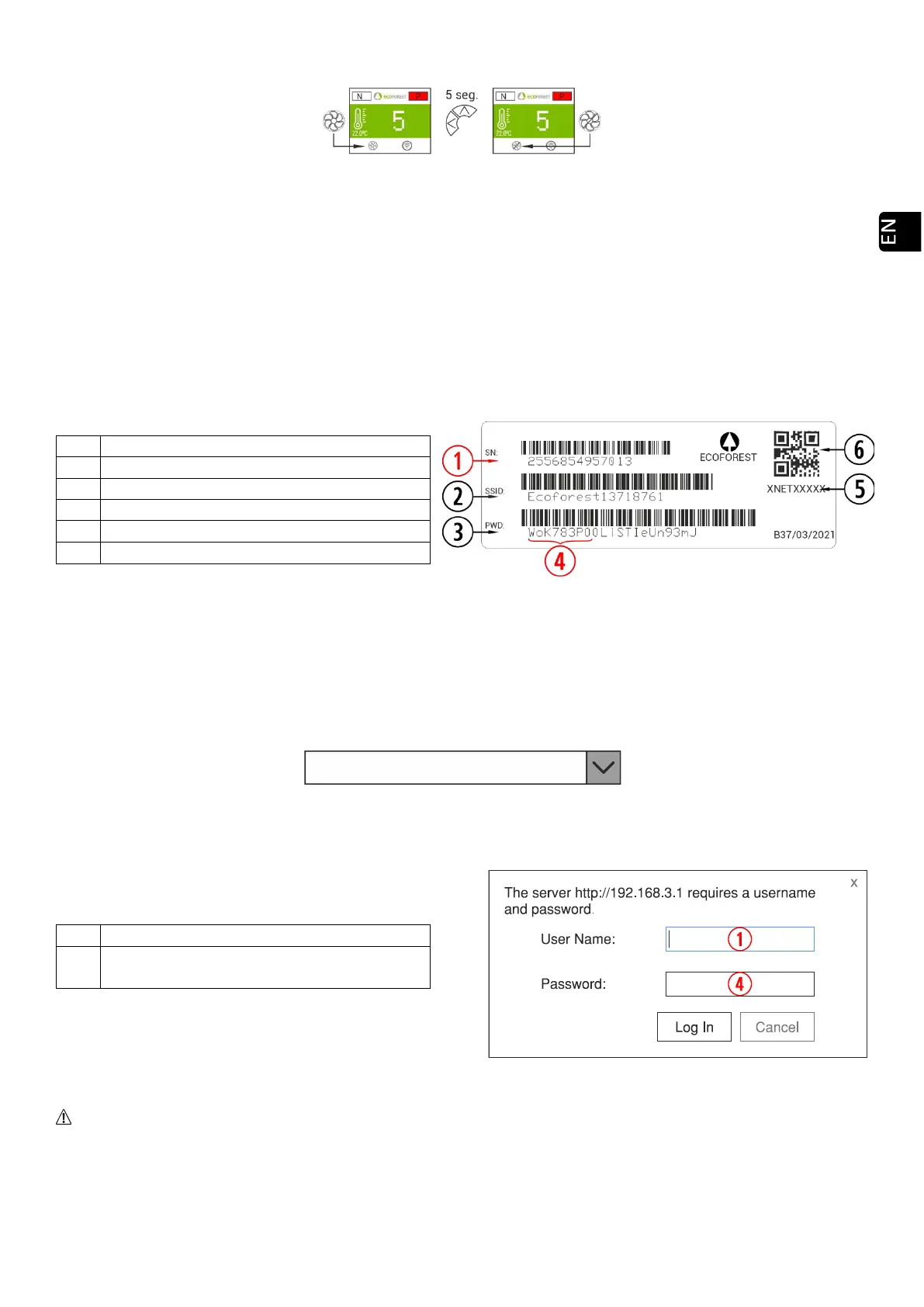
Drawing 28
On: Fan crossed out. It limits the maximum power level of the stove to 3. The convector fan remains off, being
able to turn on momentarily only.
4. ACCESS FROM ANY DEVICE THAT ALLOWS WiFi CONNECTIONS.
First of all we need to know the ID of the stove’s WiFi net (SSID) and the net’s password. These data can be
found on a label, similar to the one in figure 5 here below in 3 places:
• Page 1 of this manual.
• In the stove’s CPU.
• Next to the label with the stove’s serial number.
SN: CPU serial number - Name - User.
SSID: Original WiFi Network.
PWD: Password for WiFi network.
Password for Access to Stove’s website (8 digits)
Drawing 29
We have to seek and connect with the stove’s WiFi network.To do so, we need to type the password shown in
the label, paying special attention to the alphanumeric characters and the lower and upper cases.
If the device used to connect has a camera and an application for QR code scanning, you may directly connect
the Wi-Fi or copy the password from the application, focusing on the label’s QR
Once the connection has been stablished, we need to introduce in our device’s web browser the following URL
address: 192.168.3.1
Drawing 30
Authentication may be necessary when accessing the web interface.
SN: CPU serial number - Name - User.
Password for Access to Stove’s website (8
digits).
Drawing 31
If we use the device with several networks (stove, home’s WiFi, work’s WiFi, et.c) we must ensure that we
are connected to the stove’s WiFi network before doing anything in the stove.



 To Next Page