46
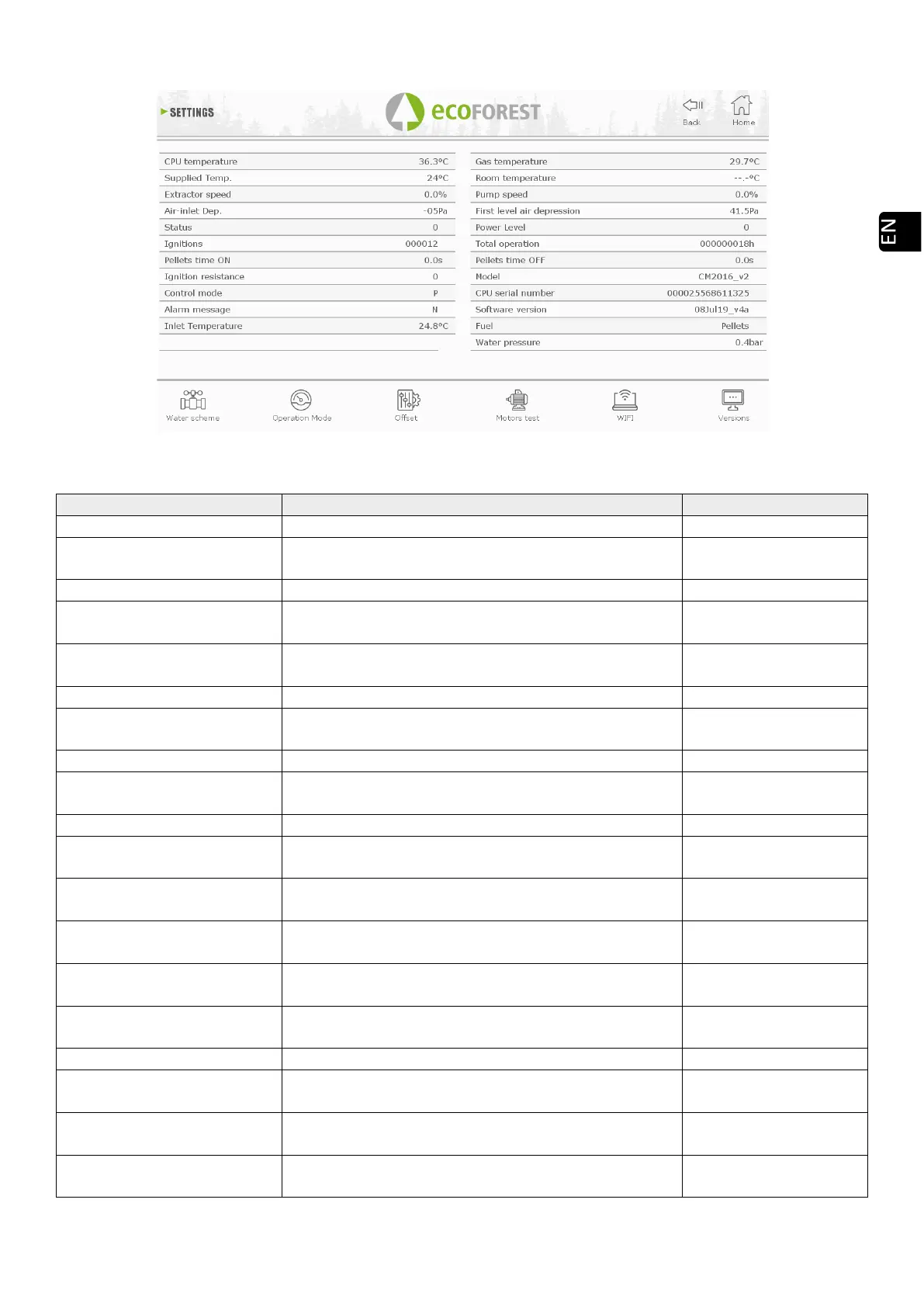
5.4. DATA VISUALISATION MENU.
Drawing 35
NTC sensor. Temp / Heat sup. Temperature detecting the convector operation
-10 to 70°C air models. -
10 to 83°C in water
Voltage percentage (according to the power grid).
Air intake Dep. It is the pressure detected in the air intake pipe.
0 to 250Pa (according to
model).
Status Operational status*
from -4 to 20 (check
with SAT).
Number of times the stove has been turned on.
T. pellet ON
Seconds during which the engine works without
stopping.
It varies depending on
the power level.
Power on (1) or off of the resistance (0).
Control mode
Operational mode according to power (P) or
temperature (T).
See section 3.7 onwards
Inlet temperatura
Temperature that detects the operation of water in the
heating return (water models).
--10 to 83°C
Gas temperature Gas outcome temperature.
-10 to 250°C, according
to models.
Room temperature
Room temperature, only if the room sensor is
connected.
-10 a 40°C
Convector Speed /Water
pump
Voltage percentage (according to the power grid)
received by the convection fan/water pump.
0 to 100%
First air dep. level Value recorded by the manufacturer.
70 to 250Pa (according
to model).
Total operation
As the name implies, number of operational hours of
the stove.
Counted hours from
status 0.
T. pellet OFF Time during which the engine remains off.
It varies depending on
the fuel quality.
Model Model of our stove.
It varies depending on
the model.



 To Next Page