48
• The mode configuration from the web is reserved for the technical service, being necessary to enter the
corresponding credentials. To configure the mode, select “SETTINGS”.
5.5.1. AIR MODELS.
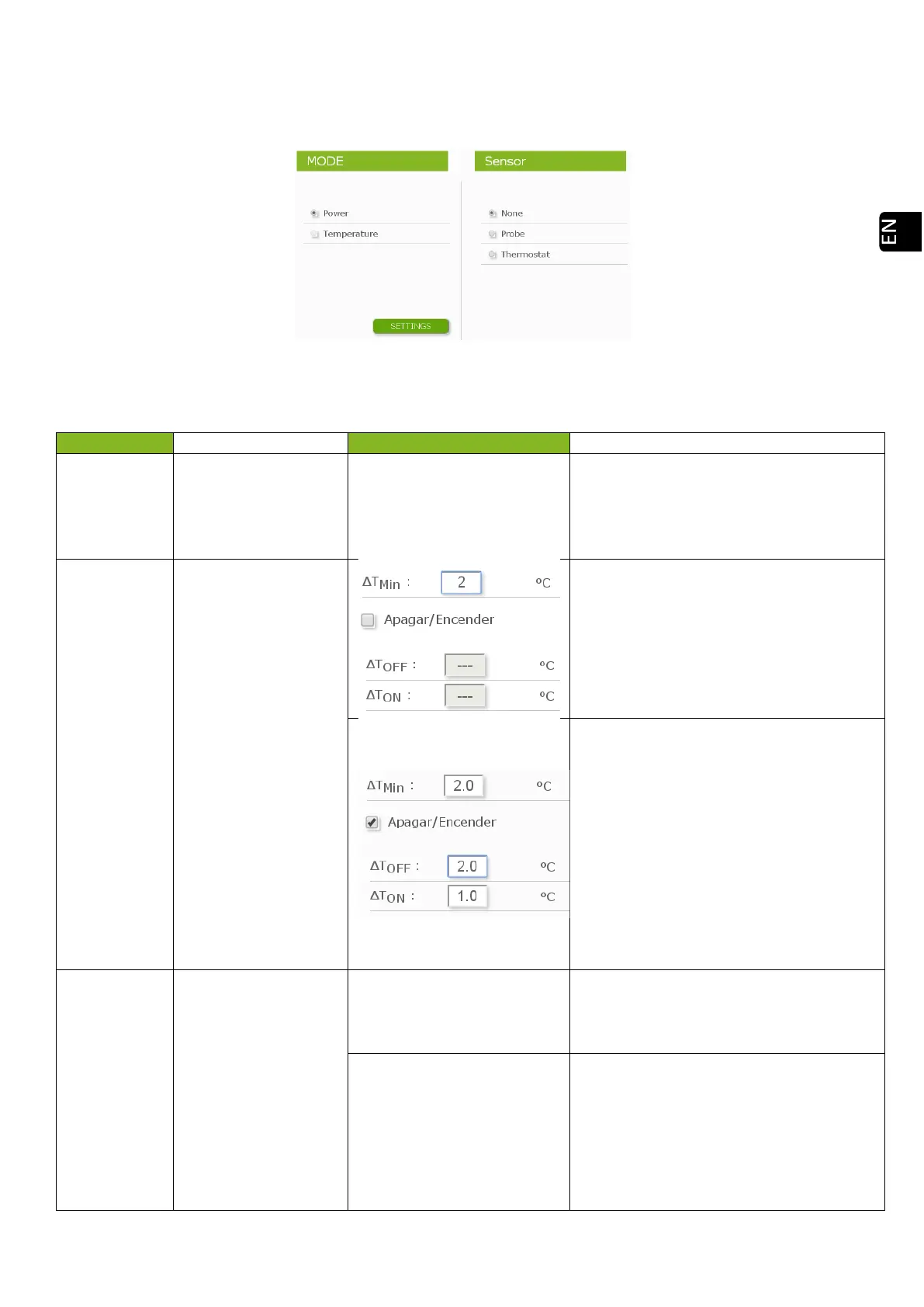
Drawing 37
When accessing the configuration, the control terminal option must be selected.
None
Option when no
control terminal has
been connected (room
probe, thermostat or
THT).
Probe
The room probe must
be connected in order
to operate in this
mode and must be
away from sources of
height.
ΔT
MIN
: Default value = 1. The device
reduces power when it reaches the room
temperature setpoint, regulating it so that
the room temperature is maintained
between the setpoint and the ΔT
MIN
value.
See figure 39.
This mode of operation is only advisable in
well insulated homes.
Δ
T
OFF
: Default value = 2. Shutdown
differential. If the room temperature
exceeds the ΔTOFF value over the ambient
temperature, it goes off by standby.
Δ
T
ON
: Default value = 2 Ignition differential.
If th
e room temperature falls below the
ΔTON value below the setpoint, the device
switches on.
Thermostat
The ON/OFF Mode is
meant to operate a
thermostat or contact.
It shall always operate
appropriate
connection, such
connection shall
always be voltage-
free.
Minimum level
The machine will work at the selected
power level with closed contact (demand)
and at minimum with open contact
(without demand).
Turned Off
The on / off function will turn on the
machine or switch it to standby if the
contact is closed (demand) or open (no
demand) respectively. To activate this
system, press the button. Its use is only
advisable with a maximum of
ignitions/switch offs twice a day.



 To Next Page