49
In order to avoid continuous signals in
biomass systems, the thermostat must
work with hysteresis, trying to avoid signal
changes in the contact in less than 40
minutes
5.5.2. WATER MODELS.
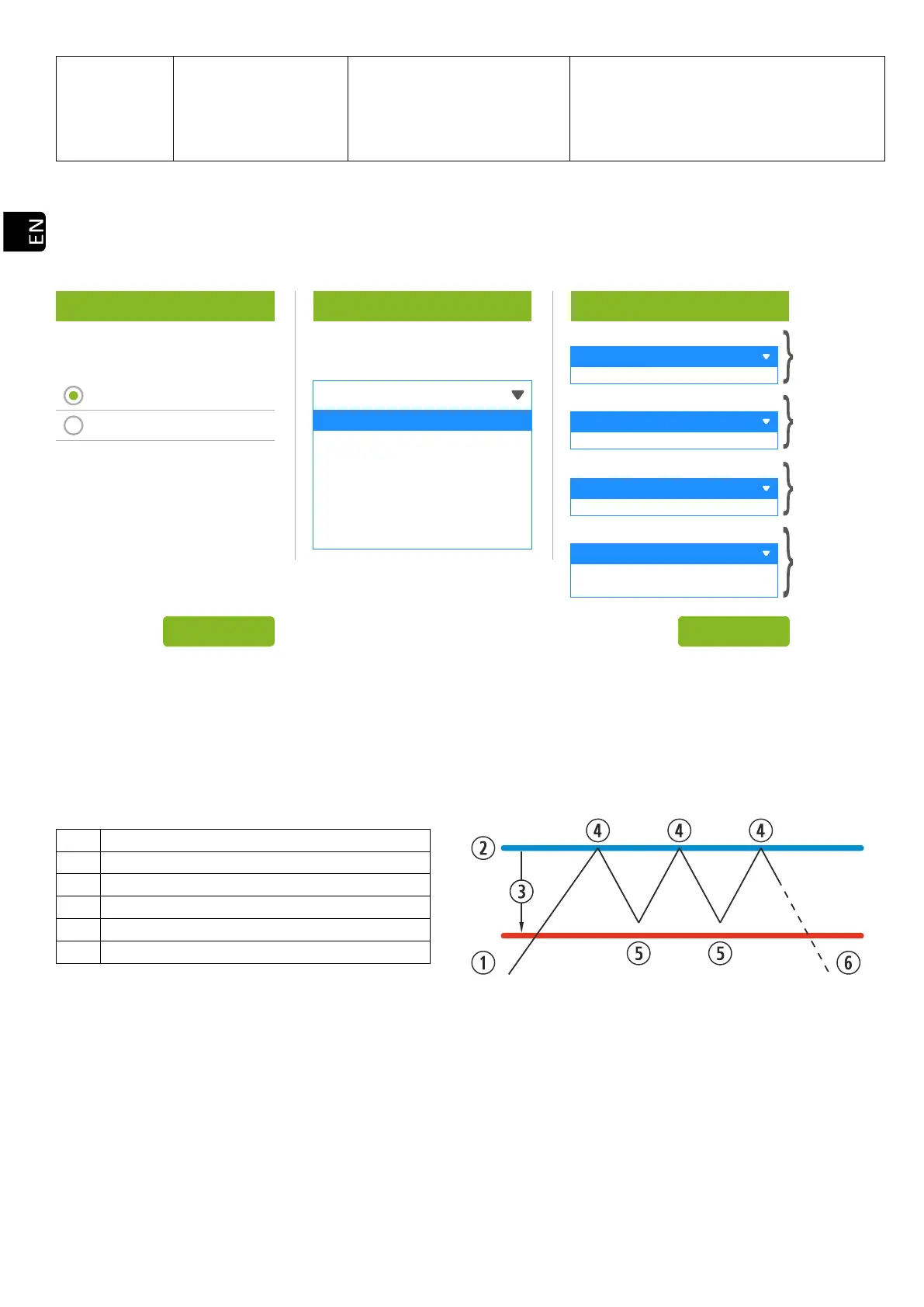
Once we have entered the username and password, we will access the screen for selecting the type of hydraulic
scheme, being the single zone selected by default from the factory.
Below are the drop-down menus with the different configurable schemes.
Drawing 38
Once the scheme is selected, press ‘SET’. The hydraulic scheme will appear with default values to be modified
if they do not meet our needs. In section 5.8. the options shown on the user screen are displayed.
5.5.3. OPERATION AND BEHAVIOR OF ROOM SENSOR CONFIGURATIONS.
Graphical display of room sensor control where the “On/Off” option is disabled:
The user turns on the stove manually.
Target temperature selected in the main menu.
It changes to level 1 (minimum).
It changes to working level 9.
The user turns off the stove manually.
Drawing 39
Graphical display of room sensor control where the “On/Off” option is enabled:
Select...
Select...
Single Zone
Single Zone + DHW
DHW + Buffer Tank
Buffer Tank
Multizone
Multizone + DHW
Buffer tank sensors
One sensor
Two sensors
Select number of zones
1
2
3
Buffer tank
Multizone*
Optional
Zone control terminal
Probe
Thermostat
DHW tank sensors
One sensor
Two sensors
Single zone
DHW
Power
Temperature
MODE SCHEME DEFINITION
SET
SETTINGS



 To Next Page