EcoNet
®
Smart Thermostat User Guide 14> Return to Table of Contents
Settings (con’t)
Settings (con’t)
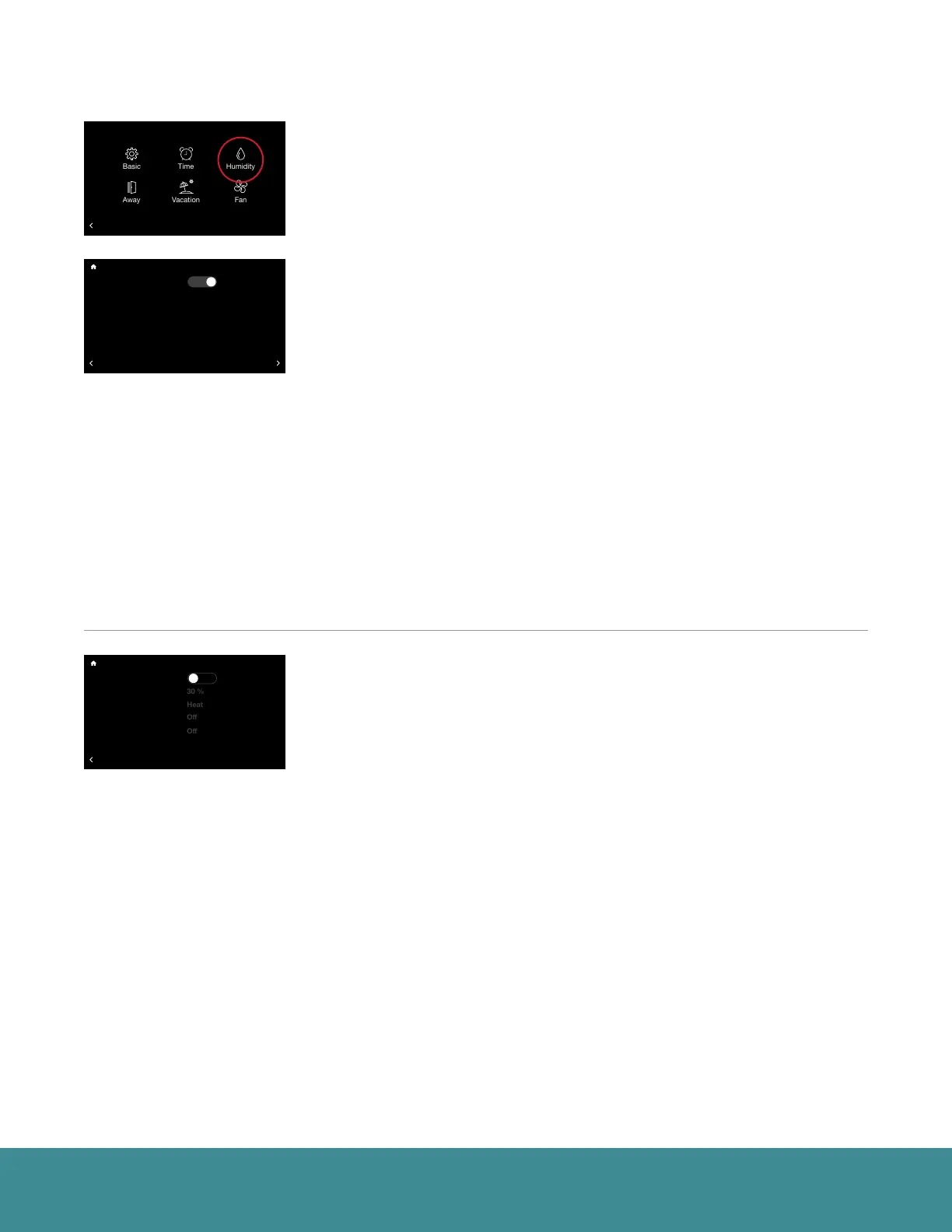
Humidity Settings (Menu > Settings > Humidity)
Control your home’s humidity settings for more ideal comfort.
Dehumidification (Menu > Settings > Humidity)
Enable Dehumidification – The system will attempt to reduce humidity
in cooling mode by reducing fan speed and over-cooling the space (when
allowed by the Over-Cooling setting). The system will only reduce airflow if
the room temperature is within one degree of set point, otherwise, full cooling
airflow will be performed.
Dehumidify Set Point – The indoor relative humidity to be controlled to while
in cooling mode.
Over-Cooling Amount – The system will activate cooling, and possibly over-
cool the space by the desired number of degrees to improve dehumidification
performance in an effort to reach the dehumidify set point. The factory setting
for over-cooling is zero (no over-cooling) and can be adjusted up to 5 degrees
of over-cooling.
Dehumidify Drain Timer – At the end of a cooling cycle, if set, the continuous
fan setting will be turned off for the selected amount of time in order to drain
water from the indoor coil.
Humidification (Menu > Settings > Humidity > Humidification)
Enable Humidification – The system can control a humidifier attached to the
furnace or air handler to increase humidity in the space. It is important to note
you cannot humidify above the dehumidification set point.
Humidification Set Point – This setting allows you to choose the indoor
relative humidity desired, under which humidification will activate. The default
is humidification set point is 30% and is configurable between 15 and 45%.
Humidify During – Select the modes in which humidification will be
performed. Humidification can occur during heating, continuous fan and/or
cooling mode.
• Heat – Humidifier will operate with equipment during Heat if a
humidification demand is present.
• Heat/Fan – Humidifier will operate with equipment during these modes if
a humidification demand is present.
• Heat/Fan/Cool – Humidifier will operate with equipment during these
modes if a humidification demand is present.
36
UNITS
34
Group 1
Refrigeration
!
75
44%
80
65
Away
Resume Schedule
71
Home 44%
70
80
Cooling to
BACK
Settings
Installer
36
UNITS
34
Group 1
Refrigeration
!
75
44%
80
65
Away
Resume Schedule
71
Home 44%
70
80
Cooling to
Enable Humidification?
Humidify Set Point
Humidify During...
Smart Control
Humidity With Fan
BACK
Humidification
No
36
UNITS
34
Group 1
Refrigeration
!
75
44%
80
65
Away
Resume Schedule
71
Home 44%
70
80
Cooling to
Enable Dehumidification?
Dehumidify Set Point
Over-Cooling Amount
Dehumidify Drain Timer
BACK
HUMIDIFICATION
Dehumidification
52 %
0 ºF
5 min.
Yes



 To Next Page