EcoNet
®
Smart Thermostat User Guide 8> Return to Table of Contents
System Modes (con’t)
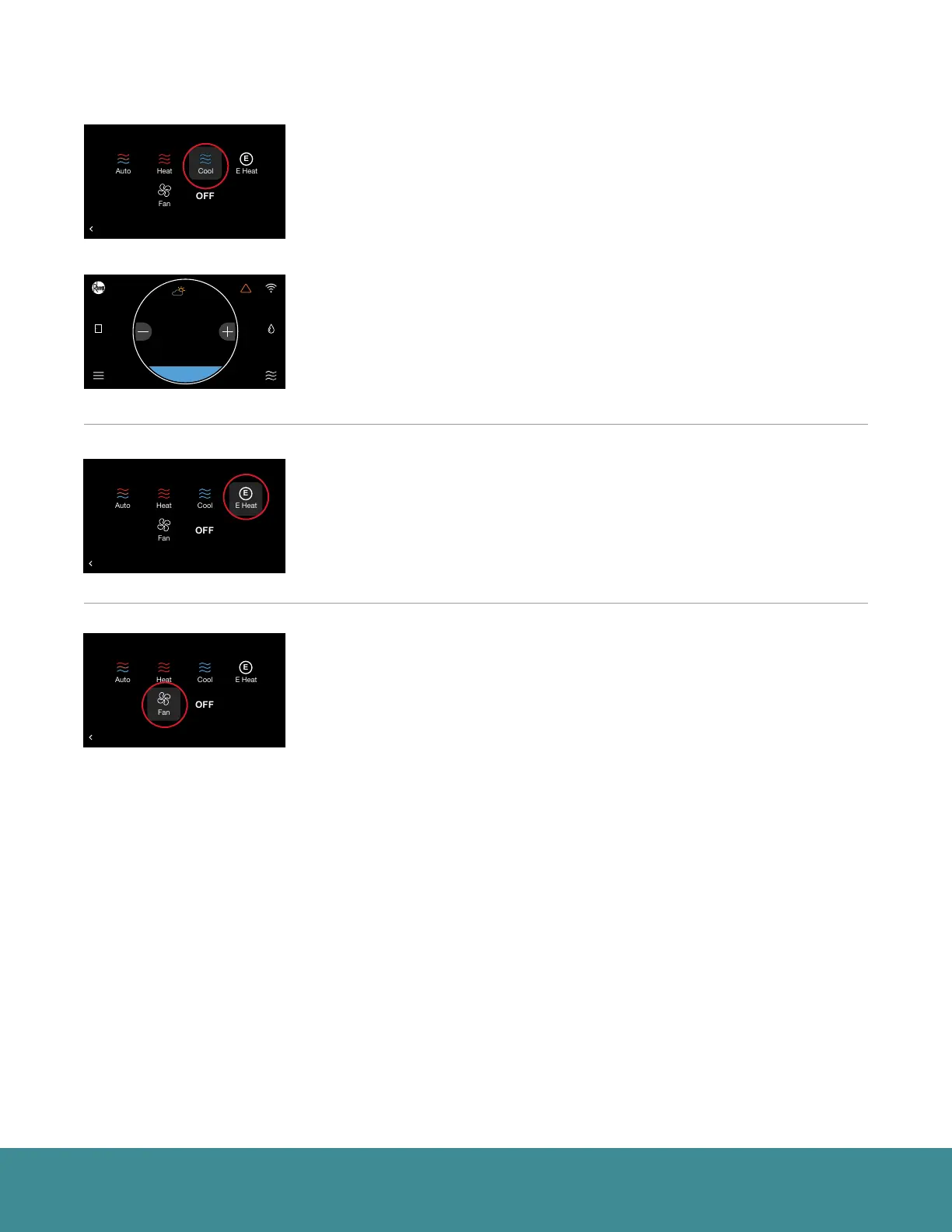
Cool – Turns on cooling when the current temperature rises above your set
point temperature. When there is an active call for cooling, the words ‘Cooling
To’ will appear above the cooling set point.
(Cooling set point screen)
E-Heat (Heat Pump Systems Only) – The emergency heat option is a manual
setting, not an automatic function initiated by the heat pump thermostat. The
purpose of the emergency heat setting is to bring the backup heat source
online immediately to deliver 100% of the home’s heating demand while
simultaneously locking out the heat pump.
Fan Only – While in Fan Only mode, the heating/cooling equipment is turned
off. Use the plus or minus adjustment buttons to navigate between fan
speeds from Low to High. Press Mode again to reactivate a heating or cooling
mode. Fan only is a manual override of a set schedule. If a schedule is being
followed, the fan speed will return to the scheduled fan speed when you
reactivate the heating/cooling equipment. You can set continuous fan when in
Heating, Cooling or Auto mode from the Settings screen.
36
UNITS
34
Group 1
Refrigeration
!
75
44%
80
65
Away
Resume Schedule
71
Home 44%
70
80
Cooling to
75
Home
!
44%
85
80
36
UNITS
34
Group 1
Refrigeration
!
75
44%
80
65
Away
Resume Schedule
71
Home 44%
70
80
Cooling to
BACK
Select a Mode
36
UNITS
34
Group 1
Refrigeration
!
75
44%
80
65
Away
Resume Schedule
71
Home 44%
70
80
Cooling to
BACK
Select a Mode
36
UNITS
34
Group 1
Refrigeration
!
75
44%
80
65
Away
Resume Schedule
71
Home 44%
70
80
Cooling to
BACK
Select a Mode



 To Next Page