EasyManua.ls Logo

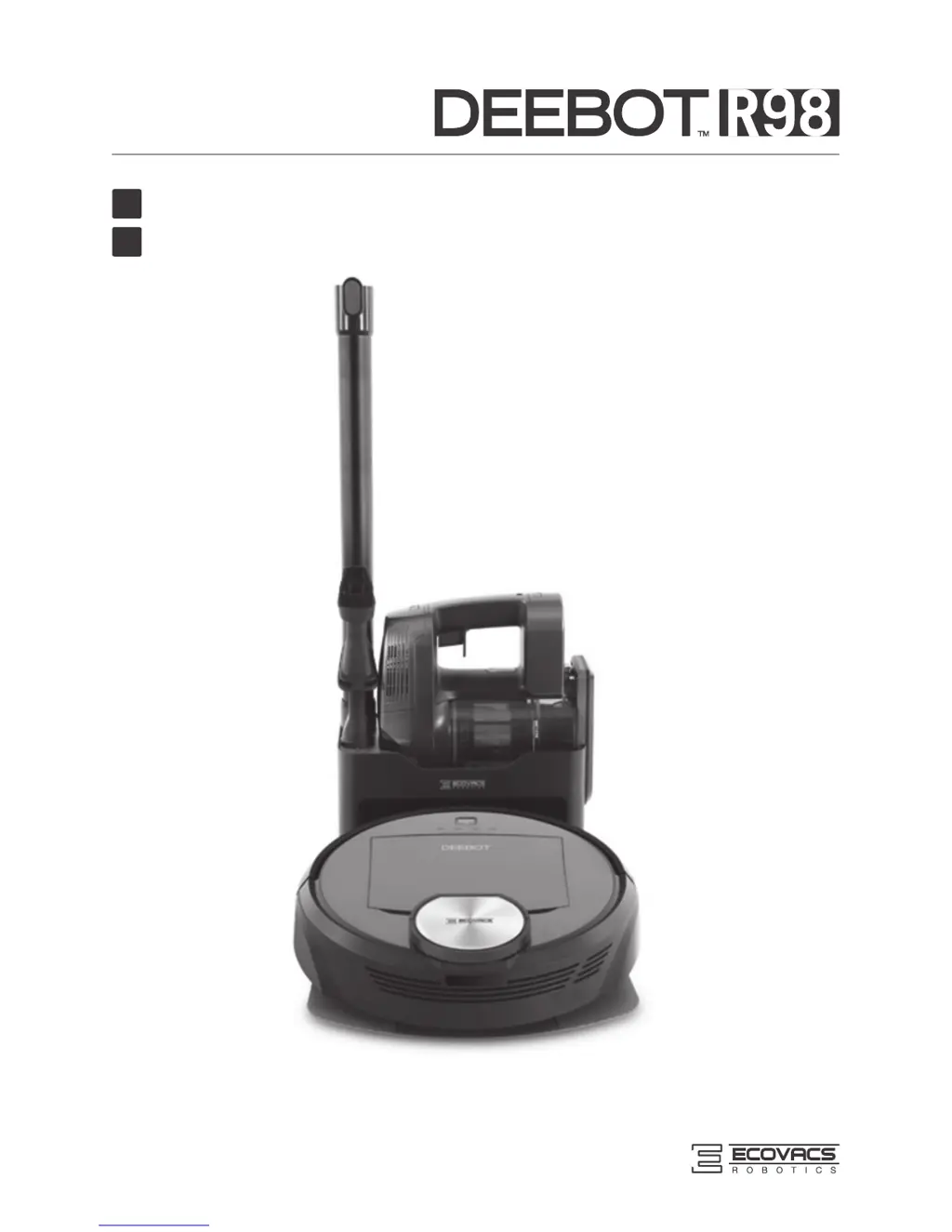
ECOVACS DEEBOT R98 - User Manual

ECOVACS DEEBOT R98
66 pages
Print Icon
To Next Page IconTo Next Page
Loading...
Instruction Manual
사용 설명서
EN
KO

Questions and Answers

  • M
    Manuel LeeAug 14, 2025
    What to do if ECOVACS Vacuum Cleaner DEEBOT will not charge?
    • A
      Allison HarrisAug 14, 2025
      If your ECOVACS DEEBOT isn't charging, here's what you can check: * First, ensure that the DEEBOT is powered ON. * Make sure the robot's Charging Contacts are properly connected to the Charging Dock Pins. Manually adjust the robot's position if necessary to establish a connection. * Verify that the Charging Dock is plugged in and the DEEBOT is powered ON. Keeping the DEEBOT on the Charging Dock ensures it has a full battery. * If the battery is completely discharged, try re-activating it. Power the DEEBOT ON, place it on the Charging Dock by hand, remove it after charging for 3 minutes, and repeat this process three times. Then, charge it normally.
  • J
    Jose LarsonAug 17, 2025
    How often replace main brush ECOVACS DEEBOT R98?
    • R
      rebecca49Aug 17, 2025
      For optimal performance of your ECOVACS Vacuum Cleaner, replace the main brush every 6-12 months.
  • M
    Matthew SkinnerAug 21, 2025
    How often replace side brush ECOVACS DEEBOT R98 Vacuum Cleaner?
    • J
      Joshua CastilloAug 21, 2025
      Replace the side brushes on your ECOVACS Vacuum Cleaner every 3-6 months to maintain optimal cleaning performance.
  • S
    Stephen AndersonAug 25, 2025
    How often replace sponge filter ECOVACS DEEBOT R98 Vacuum Cleaner?
    • R
      Ryan BrayAug 25, 2025
      Replace the sponge filter/high efficiency filter in your ECOVACS Vacuum Cleaner every 4-6 months.
  • I
    ihardingAug 28, 2025
    How often replace cleaning cloth ECOVACS Vacuum Cleaner?
    • R
      Richard CarlsonAug 28, 2025
      To maintain the cleaning performance of your ECOVACS Vacuum Cleaner, replace the cleaning cloth every 50 washings.
  • T
    tcardenasSep 1, 2025
    Why ECOVACS Vacuum Cleaner DEEBOT is not able to connect to home Wi-Fi network?
    • N
      natasha62Sep 1, 2025
      There could be several reasons why your ECOVACS DEEBOT isn't connecting to your home Wi-Fi: * You may have entered an incorrect Wi-Fi username or password. Double-check your credentials and try again. * The DEEBOT might be out of range of your Wi-Fi signal. Ensure the robot is within the Wi-Fi signal's reach. * The network setup might have been started before the DEEBOT was ready. In this case, turn the power switch ON, press the RESET button using a needle. The DEEBOT is ready for network setup when it plays a musical tune and its Wi-Fi Indicator light flashes slowly. * Your smartphone's operating system may need an update. The ECOVACS App requires iOS 9.0 and above, or Android 4.0 and above.
  • J
    Jason EdwardsSep 5, 2025
    Why ECOVACS DEEBOT R98 Vacuum Cleaner DEEBOT will not clean automatically at scheduled time?
    • K
      kaitlynwoodSep 5, 2025
      Your ECOVACS DEEBOT might not be cleaning automatically at the scheduled time due to the following reasons: * The scheduled cleaning time may have been cancelled. * The DEEBOT might be powered OFF. Ensure it is powered ON. * The robot's battery may be low, or it might not be on the Charging Dock. Keep the DEEBOT powered ON and on the Charging Dock to ensure it has a full battery. * The DEEBOT's components may be tangled with debris. Power OFF the DEEBOT and clean the Dust Bin.
  • K
    Kimberly GonzalezSep 8, 2025
    What to do if ECOVACS DEEBOT R98 Vacuum Cleaner DEEBOT gets into trouble while working and stops?
    • H
      Hannah KimSep 8, 2025
      If your ECOVACS DEEBOT gets tangled and stops working, it's likely due to an obstruction. The DEEBOT will attempt to free itself. If it cannot, manually remove any obstacles such as electrical cords, curtains, or carpet fringe. Then, return the DEEBOT to its original location and restart it.

Summary

Safety Guidelines

General Safety Precautions

Covers essential safety precautions for using the appliance safely, including warnings for children and proper usage.

Package Contents & Specifications

Package Contents

Lists all items included in the product package for user reference.

Product Specifications

Details technical specifications of the robot, charging dock, and handheld vacuum.

Robot Component Diagram

Illustrates and labels the various components of the robot for identification.

Control Panel & Charging Dock

Identifies and explains the functions of the robot's control panel and charging dock.

Handheld Vacuum Cleaner

Identifies and explains the components of the detachable handheld vacuum cleaner.

Operation and Programming

Preparation for Cleaning

Provides essential tips and precautions before starting a cleaning session.

Initial Setup and Quick Start

Guides through the initial steps for setting up and starting the robot.

Selecting Cleaning Modes

Explains how to select different cleaning modes for various cleaning needs.

Robot Scheduling

Details how to schedule cleaning times using intelligent and time-based scheduling.

Advanced Settings

Describes advanced features like Virtual Boundary and Do Not Disturb.

Mopping System Usage

Explains how to attach and use the optional mopping function.

Handheld Vacuum Cleaner Usage

Guides on assembling and using the detachable handheld vacuum cleaner.

Voice Alerts

Lists voice reports and their corresponding situations or solutions.

Device Maintenance

Dust Bin & Filter Maintenance

Instructions for cleaning and maintaining the dust bin and filters.

Cleaning Cloth Care

Details how to clean and maintain the cleaning cloths and plate.

Brush Maintenance

Guide on cleaning and maintaining the main and side brushes.

Handheld Vacuum Care

Instructions for cleaning and emptying the handheld vacuum cleaner.

Other Component Care

Maintenance guide for other components like wheels and sensors.

Maintenance Schedule

Provides a schedule for maintenance and replacement of robot parts.

Troubleshooting Guide

Troubleshooting Issues

Lists common malfunctions, their possible causes, and recommended solutions.

ECOVACS DEEBOT R98 Specifications

General IconGeneral
RechargeableYes
Charging time4 h
AC input voltage100-240 V
Battery capacity2850 mAh
AC input frequency50 - 60 Hz
Battery technologyLithium
Power consumption (typical)50 W
Noise level69.5 dB
Number of brushes4
Dust capacity (total)0.4 L
HEPA filtration system-
ShapeRound
Product colorBlack
Dust container typeDust bag
Weight and Dimensions IconWeight and Dimensions
Height102 mm
Weight7500 g
Diameter354 mm

Related product manuals