EasyManua.ls Logo

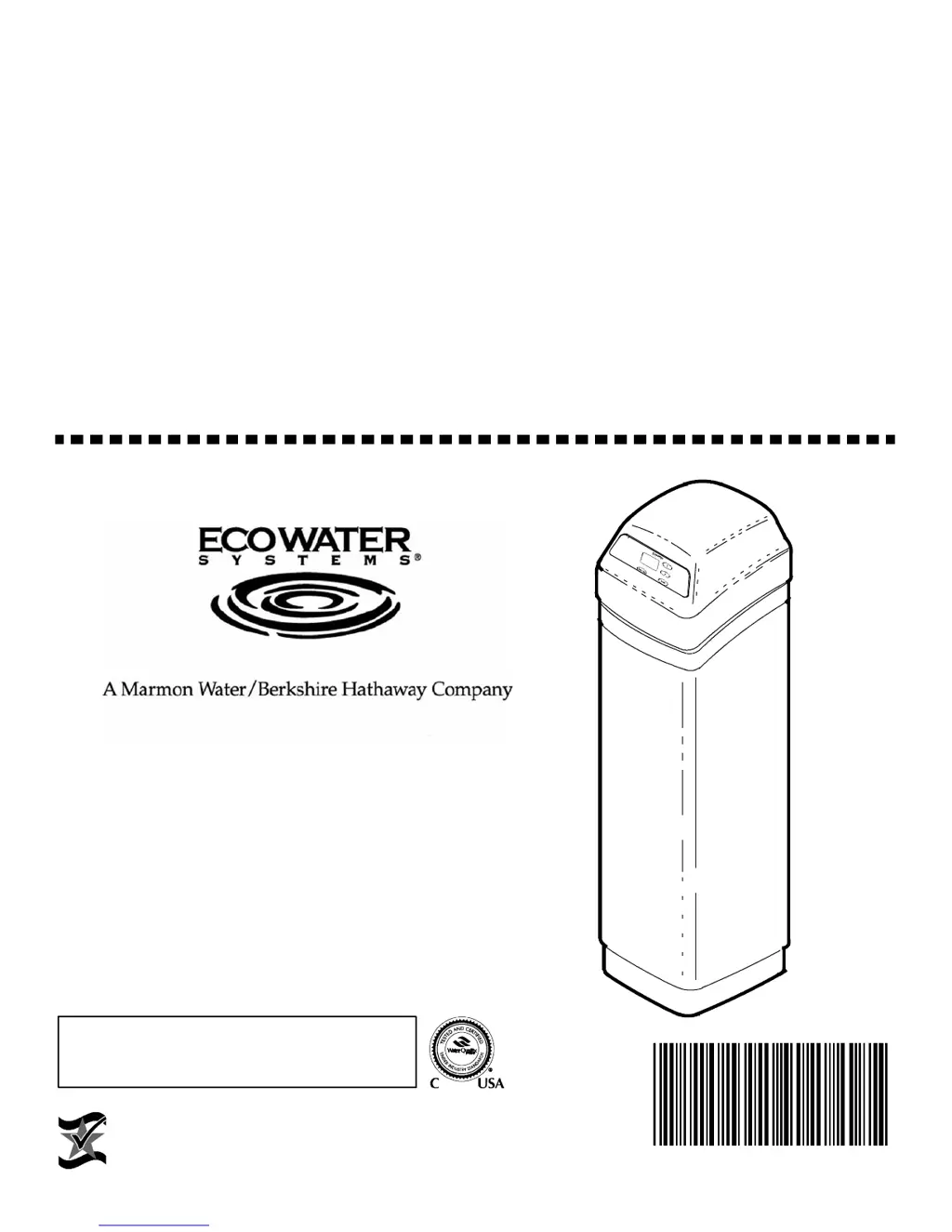
EcoWater ETF2100 PF series - User Manual

EcoWater ETF2100 PF series
24 pages
Print Icon
To Next Page IconTo Next Page
Loading...
OWNERS
MANUAL
How to maintain and operate your
EcoWater multi--purpose filter
SERIES
ETF2100 PF
EcoWater Systems LLC
P.O. Box 64420, St. Paul, MN 55164--0420
www.ecowater.com
Part No. 7283536 (Rev. L 7/9/15)
Designed, Engineered &
Assembled in the U.S.A.
ETF2100PF10 and ETF2100PF12 are tested and
certified without media by the Water Quality Assoc i ation
against CSA B483.1, NSF/ANSI Standard 61,
and NSF/ANSI Standard 372 for low lead content
.

Questions and Answers

Summary

Unpacking and Safety Guidelines

Unpacking the Water Filter

Procedure for removing and checking filter components from the master carton.

General Safety Guidelines

Important safety precautions and warnings for installation and operation of the water filter.

Specifications and Dimensions

Assembly Instructions

Filling the Mineral Tank

Steps for adding gravel, sand, and mineral to the filter tank.

Sanitizing the Filter

Procedure for sanitizing the filter to ensure water safety after installation.

Planning the Installation

Inlet and Outlet Plumbing Options

Details on connecting inlet and outlet pipes, including bypass valve and fitting types.

Other Installation Requirements

Requirements for drain connection, electrical outlet, and overall installation.

Selecting the Installation Location

Installation Steps

Connecting Inlet and Outlet Plumbing

Connecting the filter's inlet and outlet ports using appropriate fittings and securing them.

Turning Off Water Supply

Procedure to shut off the main water supply and drain existing water from pipes.

Installing 3-Valve Bypass System

Guide for plumbing a 3-valve bypass system for maintenance and service.

Moving the Filter into Place

Positioning the filter on a level surface and ensuring stability, with caution about shimming.

Installation Steps

Cold Water Pipe Grounding

Ensuring ground continuity for electrical safety, especially with plastic bypass valves.

Connecting Inlet and Outlet Plumbing Types

Detailed instructions for connecting plumbing using soldered copper, threaded pipe, or CPVC plastic.

Installing Valve Drain Hose

Connecting and routing the drain hose for regeneration discharge water, ensuring proper air gap.

Installation Steps

Pressure Testing for Leaks

Procedure to test the installed system for leaks and ensure proper water flow after installation.

Connecting Electrical Leadwires

Connecting the wire harness and motor leadwires to the timer and control board.

Connecting to Electrical Power

Plugging the power supply into a grounded household outlet to power the unit.

Programming the Face Plate Timer

Setting the Time of Day

Instructions for setting the current time on the timer display using UP/DOWN and SELECT buttons.

Setting Days Between Recharges

Configuring the number of days between automatic filter regeneration cycles.

Programming the Face Plate Timer

Setting the Recharge Time

Setting the specific time of day for the filter to perform its regeneration cycle.

Filter Features and Options

Details on using RECHARGE NOW and VACATION modes for immediate recharge or temporary shutdown.

Programming the Face Plate Timer

Adjusting Regeneration Cycle Parameters

Adjusting fill, brine draw, backwash, and fast rinse times for regeneration cycles.

Setting 12 or 24 Hour Clock Format

Changing the display format between 12-hour (AM/PM) and 24-hour time.

Power Outage Memory Function

Information on how the timer retains settings during power interruptions and how to reset.

Programming the Face Plate Timer

Auxiliary Output Control

Configuring the auxiliary output for external equipment like chemical feeders during recharge cycles.

Setting Chemical Feeder Trip Volume

Setting the water volume trigger for the chemical feeder auxiliary output.

Setting Chemical Feeder Operation Time

Setting the duration in seconds for the chemical feeder auxiliary output.

Filter Operation Explained

Sediment Filter Function

How sediment filters remove particles and the function of 'Filter Aggregate' mineral.

Acid Neutralizer Function

How acid neutralizers correct water pH and the lifespan of the mineral bed.

Taste and Odor Filter Function

How activated carbon filters remove tastes, odors, and organic colors, and their lifespan.

Filter Operation Explained

Service, Backwash, and Fast Rinse Cycles

Explanation of the service, backwash, and fast rinse cycles for filter cleaning and maintenance.

Service Cycle Operation

How water flows during the service cycle, filtering through the mineral bed.

Backwash Cycle Operation

How water flow during backwash cleans the mineral bed by flushing out sediments.

Fast Rinse Cycle Operation

How water flow during fast rinse packs the mineral bed for return to service.

Service Information and Maintenance

Checking Neutralizing Filter Mineral Level

Procedure to check and add mineral to the neutralizing filter tank to maintain its effectiveness.

Replacing Taste and Odor Filter Carbon Bed

Steps to replace the activated carbon bed when it no longer removes tastes or odors.

Troubleshooting Common Issues

Initial Troubleshooting Checks

Basic checks to perform before advanced diagnostics, such as verifying time, plumbing, and power.

Manual Electronics Diagnostics

Procedure to enter diagnostic mode and check switch operation and model code.

Troubleshooting Common Issues

Manual Advance Diagnostic Steps

Advancing the filter valve through regeneration cycles to check operation and diagnose issues.

Automatic Electronic Diagnostics

Understanding error codes displayed by the faceplate for system malfunctions.

Clearing Faceplate Error Codes

Steps to clear error codes after diagnosing and correcting the underlying defect.

Resetting to Factory Defaults

Procedure to reset the electronic controller to its original factory default settings.

Repair Parts List

Product Warranty Information

Warranty Coverage Details

Details on the warranty period for different components like the mineral tank, valve body, and electronics.

General Warranty Provisions

Conditions and limitations on the warranty, including operating requirements and exclusions.

EcoWater ETF2100 PF series Specifications

General IconGeneral
BrandEcoWater
ModelETF2100 PF series
CategoryWater Filtration Systems
LanguageEnglish

Related product manuals