EasyManua.ls Logo

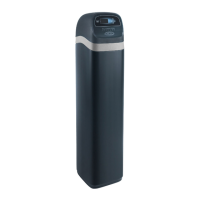
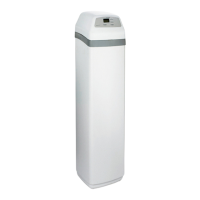
EcoWater ETF2300EIV10 - User Manual

EcoWater ETF2300EIV10
36 pages
Print Icon
To Next Page IconTo Next Page
Loading...
OWNER’S MANUAL
How to install, operate and maintain your
EcoWater Systems
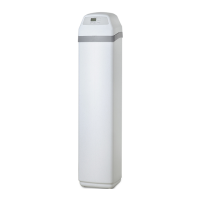
Air Aspirated Iron Filter
Models
ETF2300AIV10
ETF2300AIV12
ETF2300EIV10
ETF2300EIV12
7355286 (Rev. A 9/7/16)
EcoWater Systems LLC
P.O. Box 64420, St. Paul, MN 55164-0420
www.ecowater.com
Designed, Engineered &
Assembled in the U.S.A.
ETF2300AIV10 and ETF2300AIV12 are tested and
certified by the Water Quality Association against
NSF/ANSI Standard 372 for low lead content.
ETF2300EIV10 and ETF2300EIV12 are tested and
certified without media by the Water Quality
Association against CSA B483.1, NSF/ANSI 61,
and NSF/ANSI Standard 372 for low lead content.

Questions and Answers

Summary

EcoWater Air Aspirated Iron Filter Owners Manual

General Safety Guidelines

Installation Safety Precautions

Follow installation instructions, check codes, use lead-free solder, handle with care, avoid freezing, etc.

Pre-Installation Preparation

Filter Installation Location Guidelines

Guidelines for choosing the installation site, considering drain access, temperature, and power.

Core Installation Steps

Water Supply Shutoff

Instructions to shut off the main water supply and drain pipes before starting.

Bypass Valve and Plumbing Installation

Guide for installing the bypass valve, adaptors, and copper or plastic tubing.

Final Plumbing Connections

Advice on connecting inlet/outlet plumbing, soldering, pipe compound, and support.

Installation Procedures and Startup

Valve Drain Hose Installation

Details on attaching and positioning the drain hose, including air gap requirements.

Piping Flush and Leak Testing

Procedure for flushing pipes and checking all connections for leaks after installation.

Initial System Startup

Steps for initiating the filter's first operational cycle and checking for leaks.

Initial Setup Wizard

Wireless Network Setup Options

Guides through connecting the filter to a wireless network via WPS or browser.

Wireless Network Connection

Finalizing System Setup

Filter Status Screen Overview

Filter Control Menu Navigation

Managing the Lockout Feature

Manual Filter Recharging

Initiating a Manual Recharge

How to manually start a recharge cycle for immediate capacity restoration.

Setting Maximum Days Between Recharges

Special Features and Service Reminders

Setting the Service Reminder

How to program a reminder for professional service.

Auxiliary Control and Chemical Feed Setup

Troubleshooting and System Reset

Viewing Diagnostic Information

How to access diagnostic screens to check component states and error codes.

Service: Cleaning Nozzle & Venturi

Nozzle and Venturi Cleaning

Detailed steps for cleaning the nozzle and venturi to ensure proper suction.

Service: Relieving Water Pressure

Depressurizing with Bypass Valves

Procedures for relieving water pressure using 3-valve or EcoWater bypass valves.

Troubleshooting Guide

Common Problems and Corrections

A table listing common problems, their causes, and corrective actions.

Automatic and Manual Diagnostics

Understanding Error Codes

Explains how error codes are displayed and what they signify.

Checking Turbine and Flow Sensor

Procedure to test the turbine and sensor for proper water flow indication.

Manual Advance Recharge Check

Verifying Valve Position and Operation

Steps to manually advance the valve through cycles and check switch operation.

Wiring Schematic

Filter Parts Identification

Filter Parts List

A list of filter components with part numbers for ordering.

Valve Assembly Exploded View

Valve Parts List

Valve Parts List with Numbers

A list of valve assembly parts with their corresponding part numbers.

Limited Warranty Information

Warranty Coverage Details

Outlines what parts are covered and for how long, including lifetime and multi-year warranties.

EcoWater ETF2300EIV10 Specifications

General IconGeneral
BrandEcoWater
ModelETF2300EIV10
CategoryWater Filtration Systems
LanguageEnglish

Related product manuals