EasyManua.ls Logo

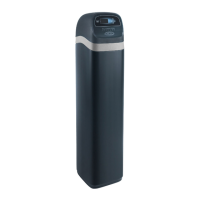
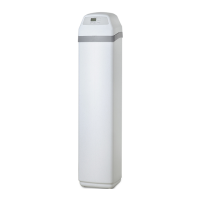
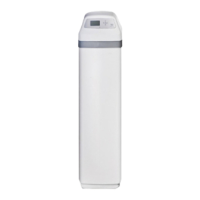
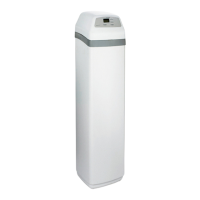
EcoWater ETF2300AIV10 - User Manual

EcoWater ETF2300AIV10
36 pages
Print Icon
To Next Page IconTo Next Page
Loading...
OWNER’S MANUAL
How to install, operate and maintain your
EcoWater Systems
Air Aspirated Iron Filter
Models
ETF2300AIV10
ETF2300AIV12
ETF2300EIV10
ETF2300EIV12
7355286 (Rev. A 9/7/16)
EcoWater Systems LLC
P.O. Box 64420, St. Paul, MN 55164-0420
www.ecowater.com
Designed, Engineered &
Assembled in the U.S.A.
ETF2300AIV10 and ETF2300AIV12 are tested and
certified by the Water Quality Association against
NSF/ANSI Standard 372 for low lead content.
ETF2300EIV10 and ETF2300EIV12 are tested and
certified without media by the Water Quality
Association against CSA B483.1, NSF/ANSI 61,
and NSF/ANSI Standard 372 for low lead content.

Questions and Answers

  • M
    Marcus DavidsonJul 31, 2025
    What to do if my EcoWater Water Filtration System has iron bleed?
    • M
      Melinda JohnsonJul 31, 2025
      If your EcoWater Water Filtration System experiences iron bleed, several factors could be responsible. First, try reseating or replacing the riser o-ring. If that doesn't resolve the issue, consider increasing the recharge frequency and backwash time, as the filter bed may be over-running. Also, ensure the time clock is set correctly. Check for a restricted drain line or drain flow control and clear any obstructions. Finally, a plugged nozzle & venturi can cause iron bleed, so clean the nozzle & venturi.
  • A
    awilliamsAug 5, 2025
    Why is there air in my EcoWater Water Filtration System house lines?
    • C
      Catherine MillerAug 5, 2025
      If you find air in your house lines connected to the EcoWater Water Filtration System, it could be due to the riser tube o-ring. Try reseating or replacing the riser o-ring to resolve this issue.
  • C
    Carlos SparksAug 9, 2025
    What to do if my EcoWater Water Filtration System has water to drain?
    • D
      dawncoffeyAug 9, 2025
      If your EcoWater Water Filtration System is draining water, the cause may be defective rotor disc and seals. To fix this, replace the rotor disc and seals.
  • D
    Daisy LopezAug 13, 2025
    What to do if my EcoWater Water Filtration System motor is stalled or clicking?
    • A
      ann64Aug 13, 2025
      If the EcoWater Water Filtration System motor is stalled or clicking, this may indicate a motor malfunction or an internal valve fault causing high torque on the motor. Contact your dealer for service.
  • C
    Calvin OneillAug 17, 2025
    What does error code E5 mean on my EcoWater Water Filtration System?
    • J
      Jamie OwensAug 17, 2025
      Error code E5 on your EcoWater Water Filtration System indicates an electronic control malfunction. Contact your dealer for service.
  • P
    pkingAug 21, 2025
    What does error code E1, E3 or E4 mean on my EcoWater Water Filtration System?
    • G
      gordongregoryAug 22, 2025
      Error codes E1, E3, or E4 displayed on your EcoWater Water Filtration System indicates a fault in the wiring harness, connections to position switch, switch, valve or motor. Contact your dealer for service.
  • P
    parkermatthewAug 27, 2025
    Why does the EcoWater Water Filtration System status screen show 'No automatic recharges'?
    • J
      Jason LevineAug 27, 2025
      The EcoWater Water Filtration Systems status screen displays “No automatic recharges” because the recharge is set to “Off” (vacation mode). If you want automatic recharges, set recharge to either “Schedule” or “Automatic”.

Summary

Safety Guides

Before Starting Installation

Media Loading

Typical Installation Illustrations

Installation

Complete Plumbing to and from the Filter

Guidelines for connecting inlet and outlet plumbing, including cautions for materials and support.

Flush Pipes and Test for Leaks

Procedure for flushing system, testing for leaks, and connecting electrical power.

Start Up Procedure

Steps to place the valve in service, check for leaks, and initiate the first recharge cycle.

Sanitizing Procedure

Setup Procedure

Connect via Browser and Set System Units

Connecting via browser, setting system units, and configuring current time.

How to Create Account and Register System as Customer

Create Account and Register System

Steps for creating an EcoWater account and registering the filter system online.

Normal Operation

Filter Operation

Lockout Feature

Enabling and disabling the lockout feature to prevent parameter modifications.

Recharging the Filter

Initiating manual recharges to restore conditioned water capacity and understanding recharge options.

Setting Maximum Days Between Recharges

Adjusting the number of days between automatic recharges based on water usage and iron content.

Cycle Times

Adjusting backwash time and fast rinse (aspirate) time for regeneration cycles.

Auxiliary Control

Selecting modes for the auxiliary output to control external devices like chlorine generators.

Diagnostics

Checking operating states of components and troubleshooting problems using diagnostic screens.

Setting the Current Time

Instructions for setting the current time on the filter's electronic control.

Chemical Feed

Setting chemical feed volume and timer for automated chemical dosing during recharges.

Service Information

Troubleshooting Guide

Guide to identify problems, their causes, and recommended corrections.

Automatic Electronic Diagnostics

Using the filter's self-diagnostic function to identify malfunctions via error codes.

Troubleshooting - Manual Advance Recharge Check

Advancing the filter through recharge cycles to check cam and switch operation.

Troubleshooting - Initial Checks

Performing initial checks like display, time, and bypass valve position for troubleshooting.

Repair Parts

Warranty

Limited Warranty

Details of the warranty coverage, duration, exclusions, and how to obtain service.

EcoWater ETF2300AIV10 Specifications

General IconGeneral
BrandEcoWater
ModelETF2300AIV10
CategoryWater Filtration Systems
LanguageEnglish

Related product manuals