10
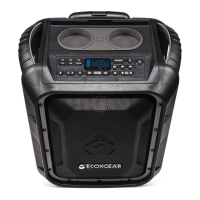
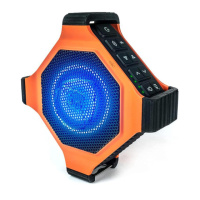
Display + Controls
1. Power Button: Turns EcoBoulder+ on or off.
2. Bluetooth Button: When in Bluetooth mode, if the Bluetooth icon is not
flashing on the LED screen, press this button to enter pairing mode. If your device
is paired (solid icon on LED screen), press button to disconnect. Press and hold this
button for 5 seconds to clear all pairing records.
3. Source Button: Press this button to cycle through the following modes:
Bluetooth, FM, AM, and AUX.
4. Play/Pause: Press to play or pause a track from a paired Bluetooth device.
5. Track Buttons: Press these buttons to go to the previous/next track on a paired
Bluetooth device.
6. Microphone Volume Control: Press to adjust the microphone volume. Press
and hold to adjust the volume continually (volume levels are 0 to 30).
12 13 123
4
7891011 6
5
TOP
Cup Holders Secure Cradle
for Devices



 To Next Page