Need help?
Do you have a question about the ECS C51GM-M and is the answer not in the manual?
Step-by-step instructions for installing the motherboard and its components.
Guide to navigating and configuring the system's BIOS settings.
Instructions for installing motherboard drivers and utility software.
Details about the CPU socket and compatible processors for the motherboard.
Information about the nVIDIA C51PV/G Northbridge and MCP51/G Southbridge chipsets.
Specifications for DDR2 SDRAM memory modules supported by the motherboard.
Details on available expansion slots and connectors on the motherboard.
Description of integrated input/output ports on the motherboard.
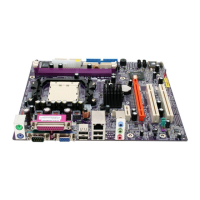
Detailed list and description of motherboard components.
Essential safety guidelines for motherboard installation to prevent damage.
Step-by-step instructions for installing the motherboard into a case.
Instructions for connecting case components to the motherboard.
General guide to installing hardware components.
Step-by-step guide for installing the CPU onto the motherboard.
Instructions for installing DDR2 SDRAM memory modules.
Instructions for installing IDE devices like hard drives and CD-ROMs.
Guide to installing Serial ATA (SATA) hard drives.
Instructions for installing expansion cards like PCI Express and PCI.
How to access the BIOS Setup Utility.
 General
| Brand | ECS |
|---|---|
| Model | C51GM-M |
| Category | Motherboard |
| Language | English |

 To Next Page