Chapter 2
16
H110I-C4P USER MANUAL
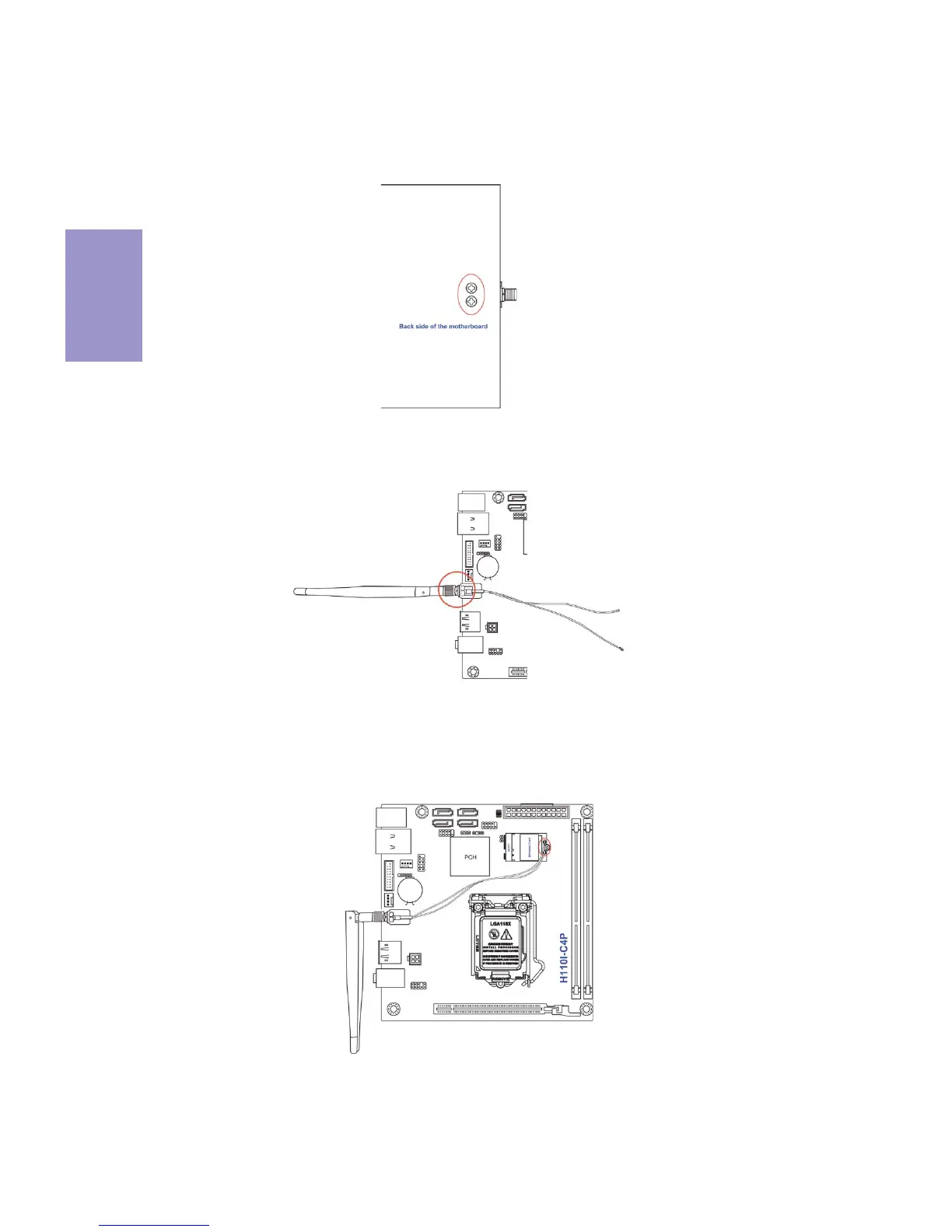
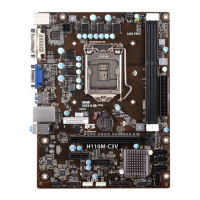
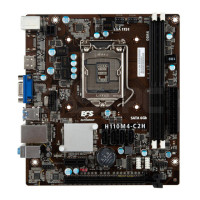
Follow these instructions to install the WiFi antenna (Optional):
1 Fix the WiFi antenna connector with the two screws on the back side of
the motherboard.
2 Screw down the WiFi antennas on to the gold screws of the WiFi antenna
connector.
3 Press the two metal connectors of the WiFi antenna connector cables
into the connectors on the wireless card, and ensure that the metal
connectors are correctly seated.


 To Next Page