54
JMB361 RAID Setup Guide
Entering the JMB361 RAID BIOS utility
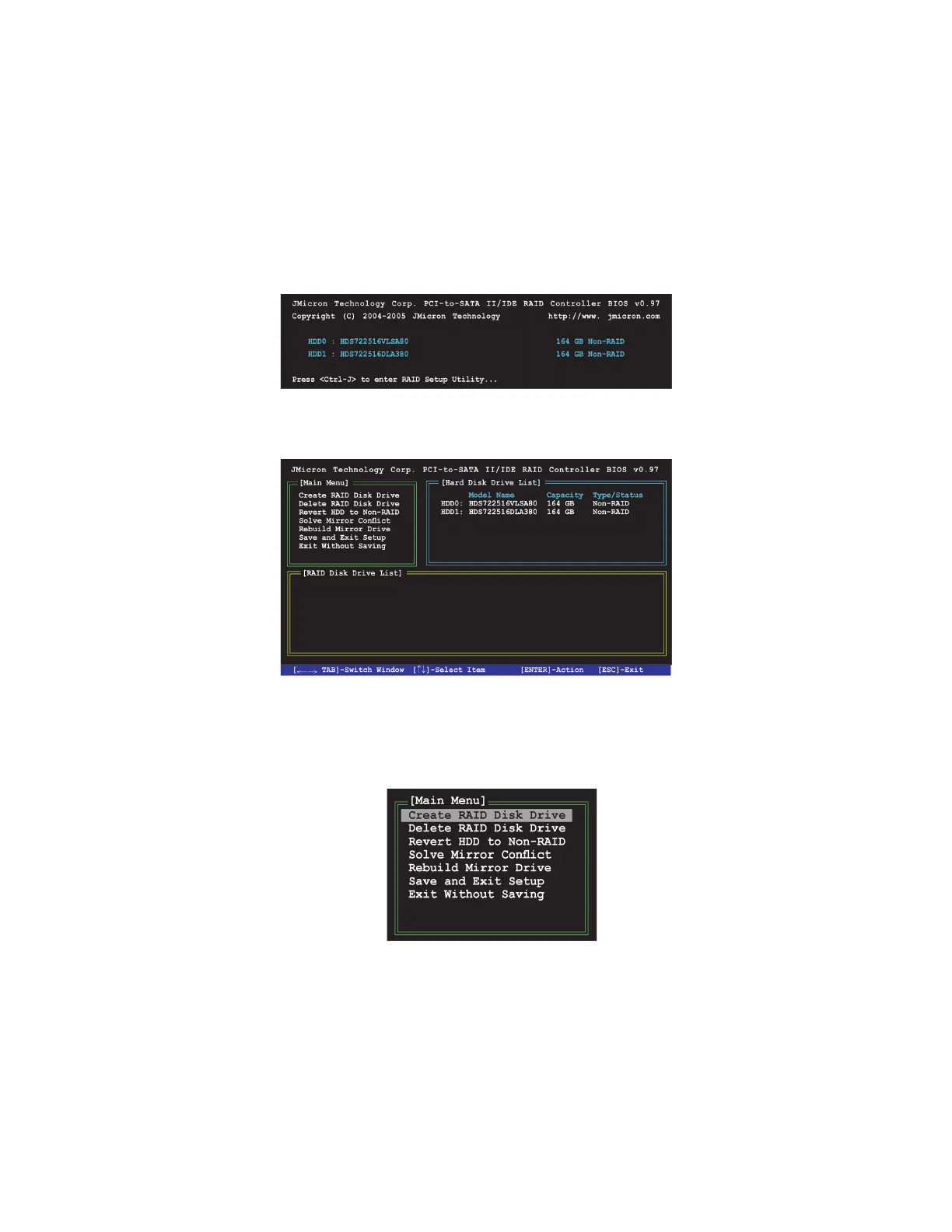
1 During POST, press <Ctrl-J> to enter the JBM361 RAID BIOS menu.
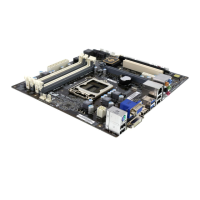
2 The main JMB361 RAID BIOS menu appears.
3. Use the arrow keys to move the color bar and navigate through the items.
Creating a RAID set
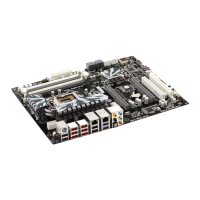
1 In the main JMB361 RAID BIOS menu, highlight Create RAID Disk Drive using
the up/down arrow key then press <Enter>.



 To Next Page