55
VIA VT8237 SATA RAID Setup Guide
Delete Array
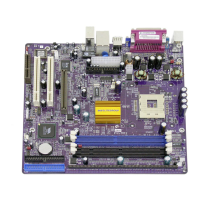
1 In the VIA RAID BIOS utility main menu, select Delete Array then press the
<Enter> key. The focus is directed to the list of channel used for IDE RAID
arrays.
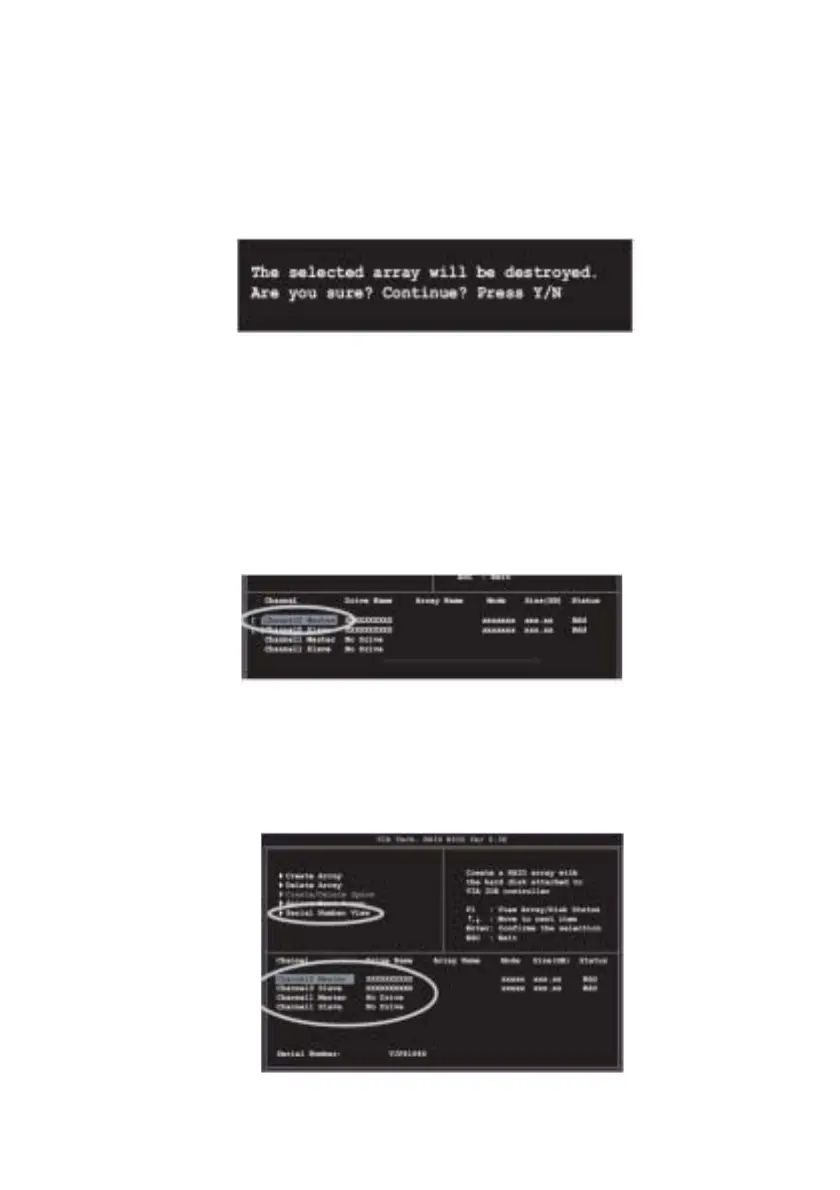
2 Press the <Enter> key to select a RAID array to delete. The following confir-
mation message appears.
Press “Y” to confirm or “N” to return to the configuration options.
Select Boot Array
1 In the VIA RAID BIOS utility main menu, select Select Boot Array then press the
<Enter> key. The focus is directed to the list of channel used for IDE RAID
arrays.
2 Press the <Enter> key to select a RAID array for boot. The Status of the
selected array will change to Boot. Press <ESC> key to go return to menu
items. Follow the same procedure to deselect the boot array.
Serial Number View
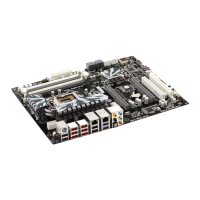
1 In the VIA RAID BIOS utility main menu, select Serial Number View then press
the <Enter> key. The focus is directed to the list of channel used for IDE RAID
arrays. Move the selection bar on each item and the serial number is dis-
played at the bottom of the screen. This option is useful for identifying same
model disks.


 To Next Page