Chapter 3
Z77H2-AX USER MANUAL
45
The chipset menu items allow you to change the settings for the North chipset,
South chipset and other system.
Chipset Menu
/Click: Select Item
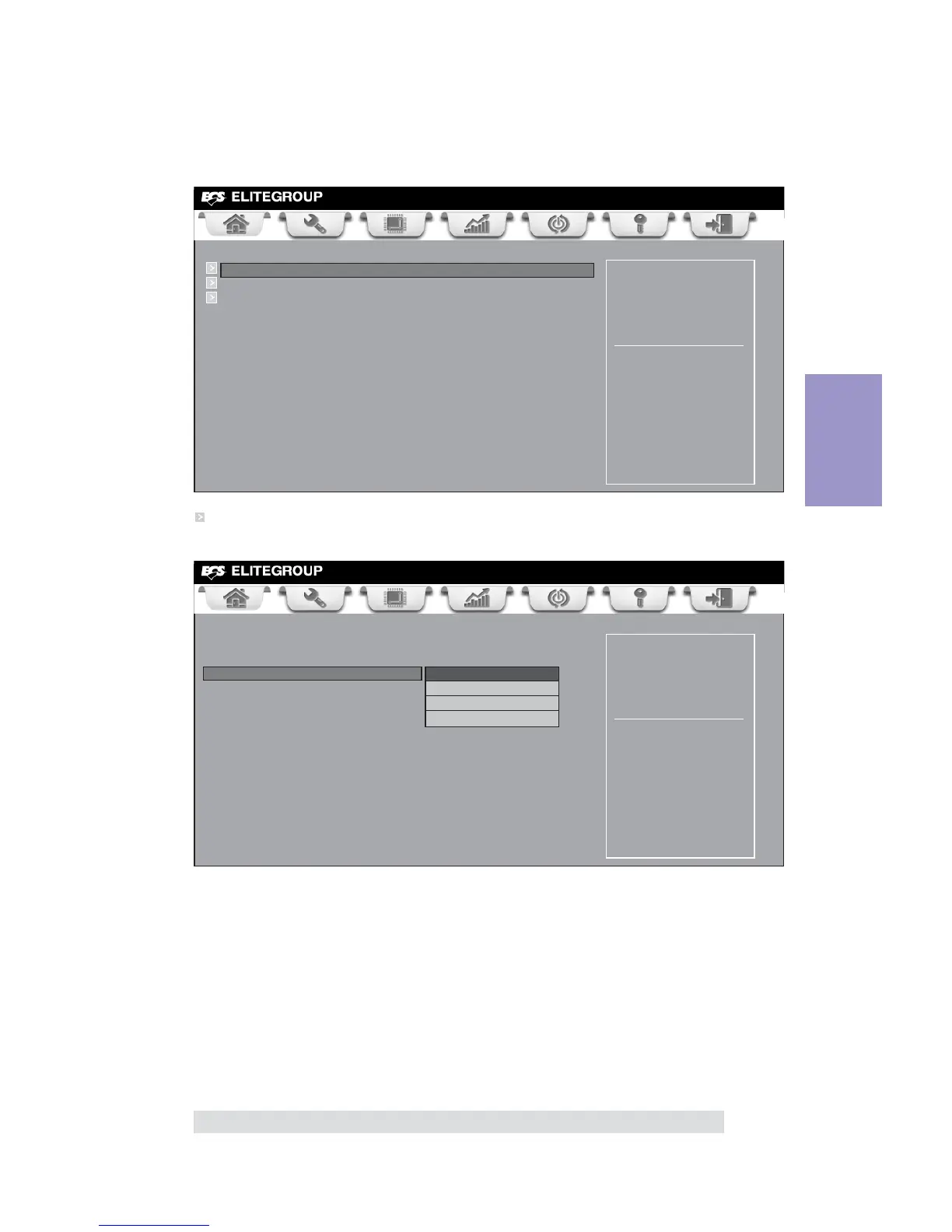
North Bridge Parameters.
Scroll to this item and press <Enter> and view the following screen:
System Agent (SA)
Parameters
Main Advanced Chipset M.I.B X Boot Security Exit
+/- : Change Opt.
Enter/Dbl Click : Select
lk
mn
: Select Screen
F1: General Help
F2: Previous Values
F3: Optimized Defaults
F4: Save & Exit
ESC/Right Click: Exit
System Agent Configuration
PCH Configuration
ME Configuration
/Click: Select Item
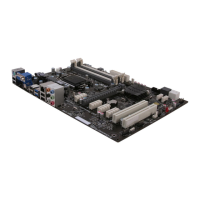
System Agent Configuration
IGD Memory (64M)
This item shows the information of the IGD (Internal Graphics Device) memory.
This item allows you to select graphics controller to use as the primary boot device.
DVMT Memory (256M)
When set to Fixed Mode, the graphics driver will reserve a fixed position of the sys-
tem memory as graphics memory, according to system and graphics requirements.
Initate Graphic Adapter (Auto)
IGD Multi-Monitor (Disabled)
This item enables or disables IGD (Internal Graphics devices) multi-monitor.
Press <Esc> to return to the Chipset Menu page.
North Bridge Parameters.
Select which of
IGFX/PEG/PCI Graphics
device should be Primary
Display or Select SG for
Switchable Gfx.
Main Advanced Chipset M.I.B X Boot Security Exit
+/- : Change Opt.
Enter/Dbl Click : Select
lk
mn
: Select Screen
F1: General Help
F2: Previous Values
F3: Optimized Defaults
F4: Save & Exit
ESC/Right Click: Exit
/Click: Select Item
System Agent Configuration
Initate Graphic Adapter Auto
IGD Memory 64M
DVMT Memory 256M
IGD Multi-Monitor Disabled



 To Next Page