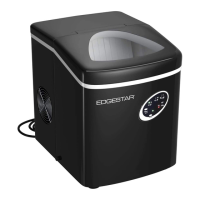
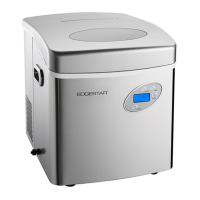
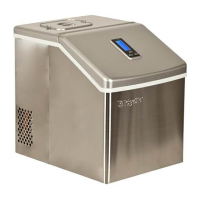
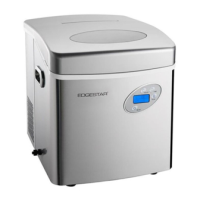
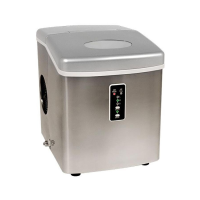
The EdgeStar Portable Ice Maker (PIM300SS) is designed for domestic indoor use, providing a convenient way to produce ice. It is a free-standing unit that requires proper grounding and ventilation for optimal performance.
Function Description:
The ice maker operates by rotating an ice case into a horizontal water fill position under an evaporator. A water pump fills the ice case, and after a few seconds, the compressor activates, pumping refrigerant while the fan turns on to cool the condenser. This process forms bullet-shaped ice around the evaporator. Once a batch of ice is fully formed, the unit enters a harvest cycle. A valve opens, diverting hot refrigerant gas to heat the evaporator, causing the ice cubes to slide off. An ice shovel then pushes the ice into the ice basket, and the ice case returns to the water fill position for the next batch. The unit continues to produce ice until the ice full sensor is triggered or the water reservoir is empty. The ice bin compartment is insulated, but not refrigerated, so ice will slowly melt and the water will be reused, allowing the unit to automatically restart ice production when enough ice has melted.
Usage Features:
The ice maker features an intuitive control panel with several buttons and an LCD display. The "Select Button" allows users to cycle through desired ice cube sizes: small, medium, and large. For optimal results, it's recommended to select the small size setting if the room temperature is below 60°F to prevent ice cubes from sticking together. The "Timer Button" enables users to set a delayed start time for ice production when the unit is off, or a set duration for ice production before the unit turns off when it's already running. The time delay can be adjusted in 0.5-hour increments, ranging from 0.5 to 18 hours. The "ON/OFF Button" simply powers the unit on or off. The LCD display window shows current settings and indicators, with the backlight automatically turning off after a few seconds of inactivity, though the unit continues to operate normally.
Indicators on the LCD display provide important information:
- POWER: Indicates the unit is plugged into a power source. This light remains on even when the unit is powered off.
- ICE FULL: Illuminates when the ice basket is full, automatically pausing ice production until space is available.
- ADD WATER: Flashes when the water reservoir is empty and remains on during self-clean mode or while filling water.
- WARNING LIGHT: Indicates a problem with the unit's operation, directing users to the troubleshooting section of the manual.
- SELF-CLEAN: Illuminates when the unit is in self-clean mode.
- ICE SIZE INDICATOR: Displays the selected ice cube size (small, medium, or large). This indicator is not visible when the unit is powered off.
- TIMER: Shows the remaining time when the timer function is active.
For first-time operation, users should pour potable water into the reservoir, ensuring the level stays below the "MAX" mark, insert the ice basket, close the lid, and plug the unit into a grounded outlet. After pressing the "On/Off" button and selecting an ice size, the first two batches of ice produced should be discarded. It's crucial not to power on the unit without water, as the "Add Water" indicator will flash, and the unit will stop automatically if the water pump cannot detect or pump water. Adding a pinch of salt to purified, filtered, reverse osmosis, or distilled water may be necessary if the electronic sensor struggles to detect the water's mineral content.
Maintenance Features:
The EdgeStar ice maker includes a "Self-Clean Function" for regular maintenance, especially recommended for first-time use or after prolonged storage. To initiate this, the ice basket should be removed, and a 10:1 mixture of water and vinegar added to the reservoir. With the unit plugged in but not powered on, holding the "CLEAN" button for six seconds starts the 5-6 minute self-cleaning process, during which the "ADD WATER" and "CLEAN" symbols illuminate. After the cycle, the water/vinegar mixture is drained by unplugging the drain cap on the unit's left side. The process is then repeated with fresh water to rinse the system, followed by another draining and drying of the interior and exterior.
Routine maintenance also involves:
- Regularly cleaning the ice basket.
- Cleaning the interior with a mild cleaning solution (e.g., 10:1 warm water and baking soda or vinegar mixture) and a soft cloth, avoiding caustic or abrasive solutions.
- Cleaning the exterior with a mild detergent and warm water.
- Draining the unit by unscrewing the cap and removing the drain plug from the side. An extra drain plug is provided.
- If ice develops a strange taste or a musty odor, running several cycles with a mild white vinegar or lemon juice solution, followed by plain water rinses, is recommended. For persistent odors, a solution of 2 tablespoons of baking soda in a full water reservoir left overnight can absorb remaining smells.
- The ice scoop should be washed regularly like any other utensil.
It is important to never turn the ice maker upside-down during cleaning or drying, as this can shift the oil in the compression unit and render the unit inoperable. If the unit will not be used for an extended period, it should be unplugged, drained, and dried.


 To Next Page
 General