3-3
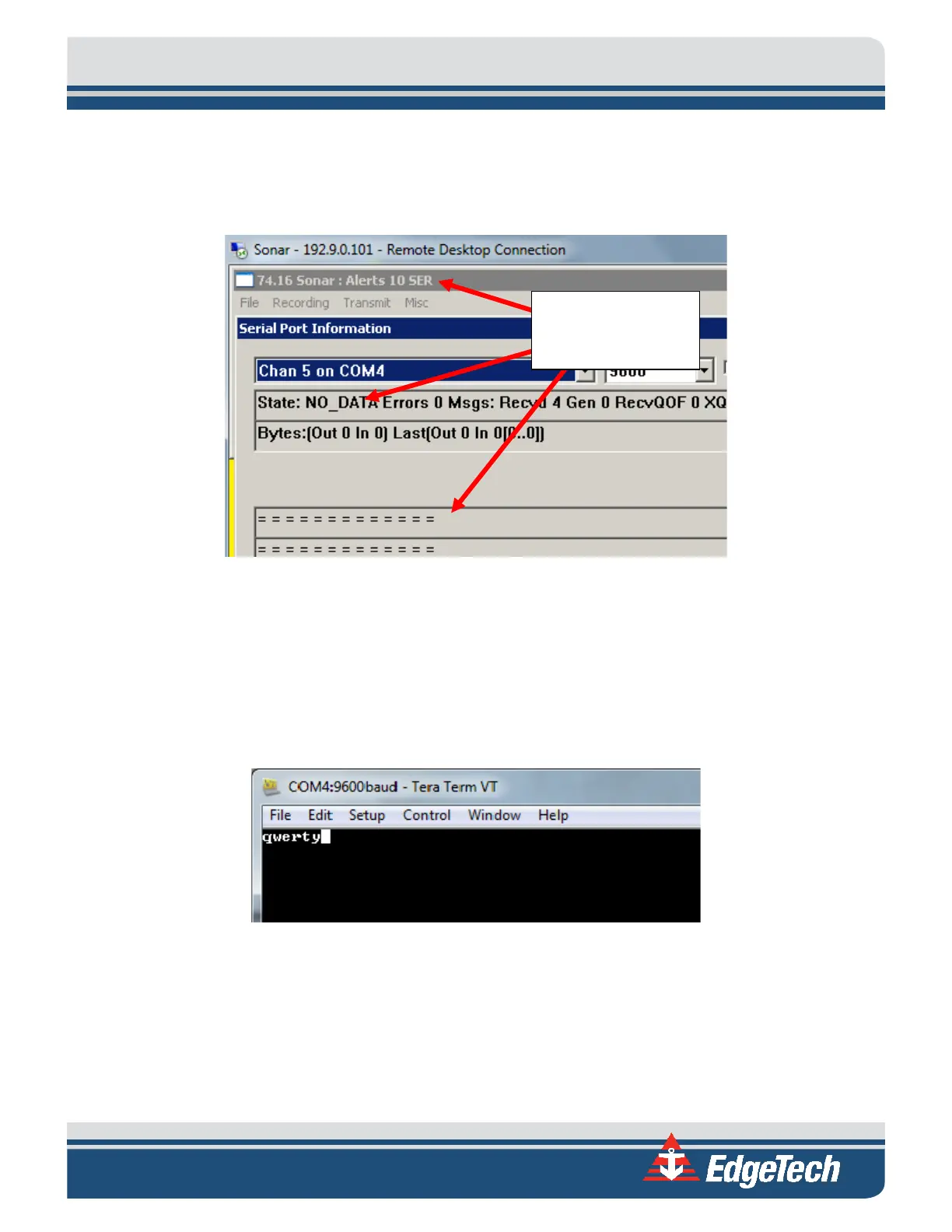
5. If Serial Port Information has no other dropdown other than Chan 1 or there are errors
displayed (see screen capture below) then double check the setup per procedure describe in
Section 2: MAGETOMETER SETUP.
Figure 3-2: No Data with Error Displayed
6. If Sonar is displaying errors check to see if your magnetometer is properly connected to the side
scan system. You can also check your COM port by shorting pin 3 and 4 on the 8 pin Micro
Subconn connection from the Y-Splice and opening TeraTerm to Com 4. Once you have
connected to the COM type in arbitrary keys (e.g. q w e r t y) this should display in TeraTerm
when pins 3 and 4 are shorted.
Figure 3-3: TeraTerm COM Port Test
Sonar with no



 To Previous Page