Need help?
Do you have a question about the EDIFIER NeoBuds Pro and is the answer not in the manual?
Place the earbuds in the case and close the case for charging.
Connect the case to a power source with the included charging cable.
Open/close the charging case to show the case's battery level using LED indicators.
Connect to 'EDIFIER NeoBuds Pro' via mobile phone's Bluetooth settings.
Triple click case button to enter TWS pairing or clear records.
Double click for call answer/end, pause/play; triple click for mode switch, game mode, next track.
Use fingertip taps within the effective tapping area for controls.
Addresses issues like charging indicator off, no sound, poor call quality, and connection problems.
Switch to game mode by triple clicking the left earbud for reduced delay.
Instructions on charging, avoiding humidity, temperature extremes, and physical damage.
Details compliance with FCC Rules and Industry Canada's license-exempt RSS standards.
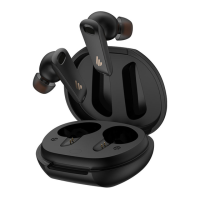
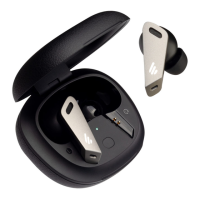
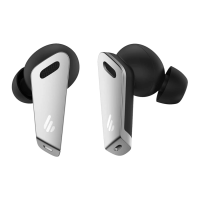
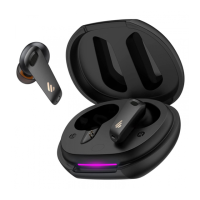
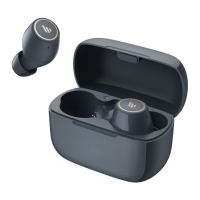
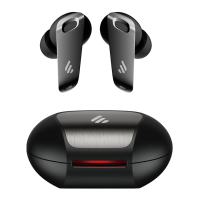
The EDIFIER NeoBuds Pro are True Wireless Stereo Earbuds with Active Noise Cancellation, designed for an immersive audio experience. Users can download the EDIFIER CONNECT APP from app stores to enhance their experience and customize settings.
The NeoBuds Pro earbuds are designed for wireless audio playback and communication. They feature active noise cancellation, allowing users to block out ambient sounds for a more focused listening experience. The earbuds also support an ambient sound mode, which allows users to hear their surroundings while still enjoying their audio. A standard mode is also available.
The charging case serves as both a power source for the earbuds and a storage solution. It includes an indicator light strip that displays the battery level of the case and provides visual feedback during charging. The earbuds automatically power on when the case is opened and power off when placed back in the case and the lid is closed.
The earbuds feature intuitive tapping controls within a designated "tap zone" on each earbud. Users can adjust the tapping sensitivity via the EDIFIER CONNECT APP.
The product comes with 7 pairs of ear tips of different sizes, allowing users to select the most suitable fit for comfort and optimal sound. A storage bag and a charging cable are also included.
The rechargeable batteries that power this product must be disposed of properly for recycling. Do not dispose of batteries in fire to prevent an explosion.
 General
| Game mode | Yes |
|---|---|
| Control type | Touch |
| Product type | Headphones |
| Certification | Hi-Res Audio |
| Product color | Black |
| Wearing style | In-ear |
| Recommended usage | Calls/Music |
| Protection features | Dust resistant, Water resistant |
| International Protection (IP) code | IP54 |
| Bluetooth version | 5.0 |
| Bluetooth profiles | AAC, LDAC, LHDC, SBC |
| Connectivity technology | True Wireless Stereo (TWS) |
| Microphone type | Built-in |
| Battery type | Built-in battery |
| Battery capacity | 40 mAh |
| Continuous audio playback time | 24 h |
| Battery capacity (charging case) | 500 mAh |
| Battery recharge time (charging case) | 1 h |
| Quick start guide | No |
| Charging case type | Wired |
| Charging case connector type | USB Type-C |

 To Next Page