15
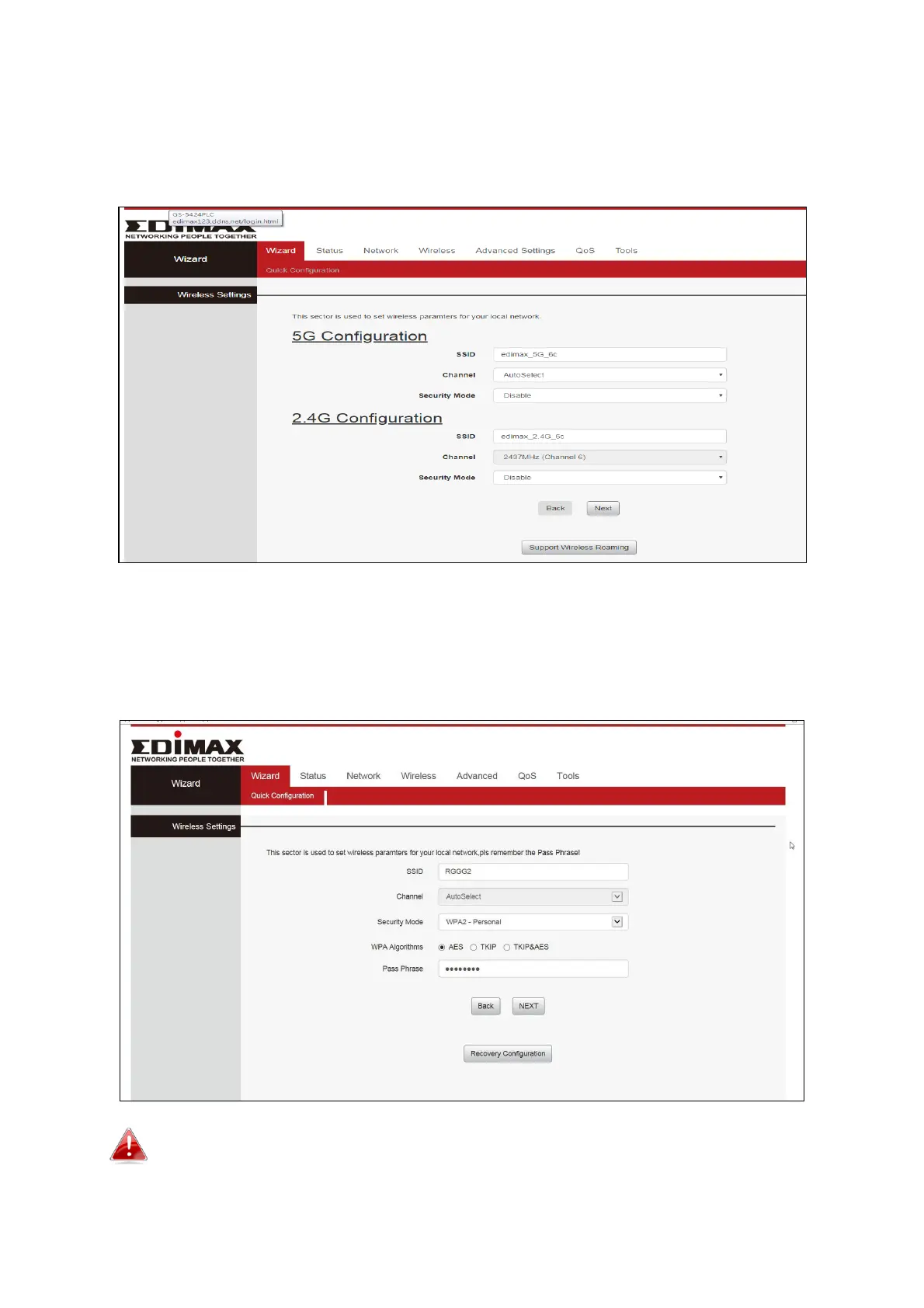
3. The device will search for nearby wireless networks to connect to. If you
cannot find the access point you wish to connect to, click “Site Survey” to
refresh the list of wireless networks. Select the wireless network you wish
to connect to, and click “NEXT” to continue.
4. A summary of your wireless configuration will be displayed, as shown
below. Check that all of the details are correct and then click “NEXT” to
proceed. Click on Support Wireless Roaming to display the existing wireless
configuration.
The device will use the same wireless password/security key as
the existing wireless network.






 To Next Page