70
Set Click to set security settings for this connection
Security (Please go to section ‘2-7-3 Wireless Security’
for detailed instructions).
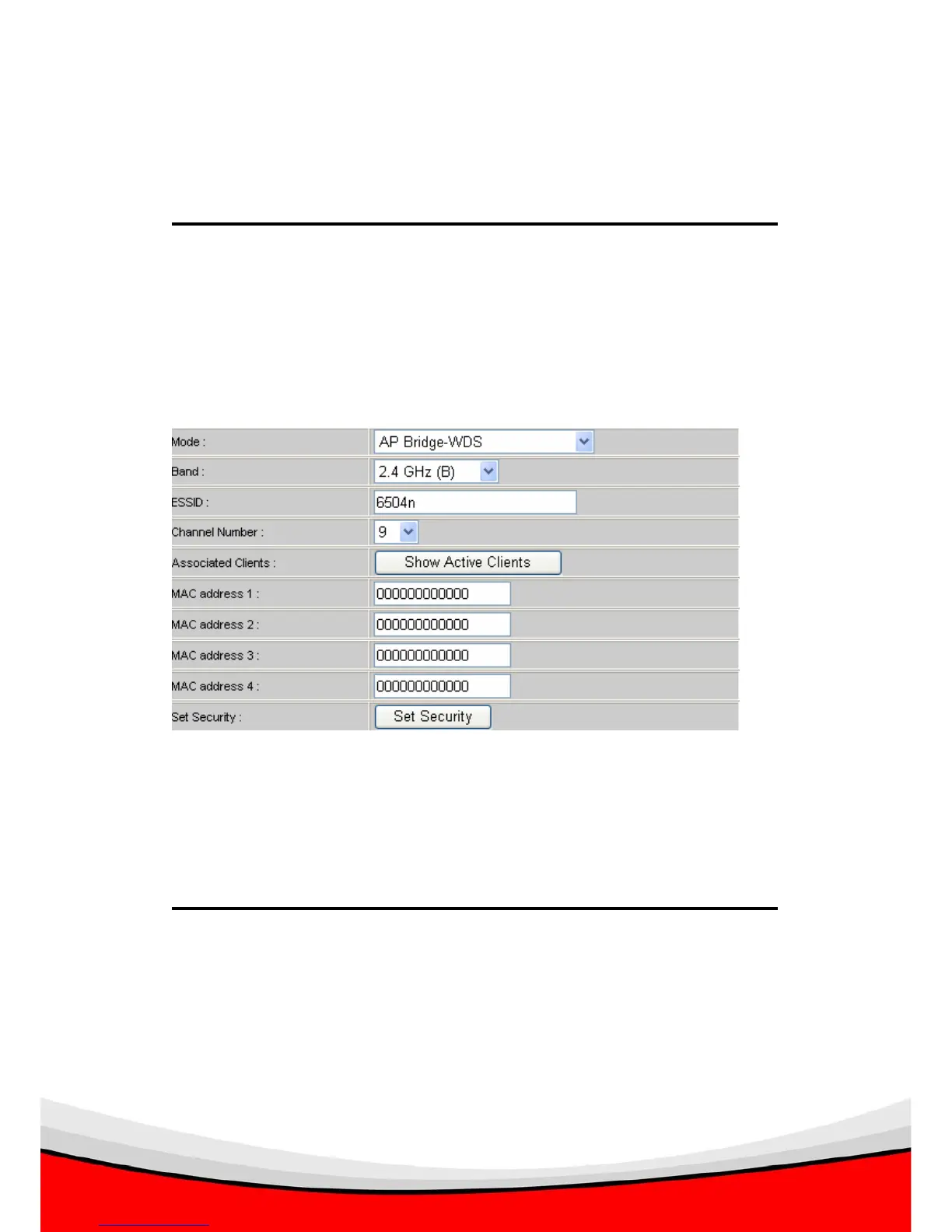
2-7-1-4 Setup procedure for ‘AP Bridge – WDS’
In this mode, you can expand the scope of network by combining up to four
other access points together, and every access point can still accept wireless
clients.
Here are descriptions of every setup items:
Band Select the band you want to use, two wireless routers
must use the same setting.
ESSID Input the ESSID of your wireless router, it can be the
same with other wireless routers for the convenience of
roaming, or different with other wireless routers so you
can identify each of them.


 To Next Page