8
III-3. Connect to a Wi-Fi Network
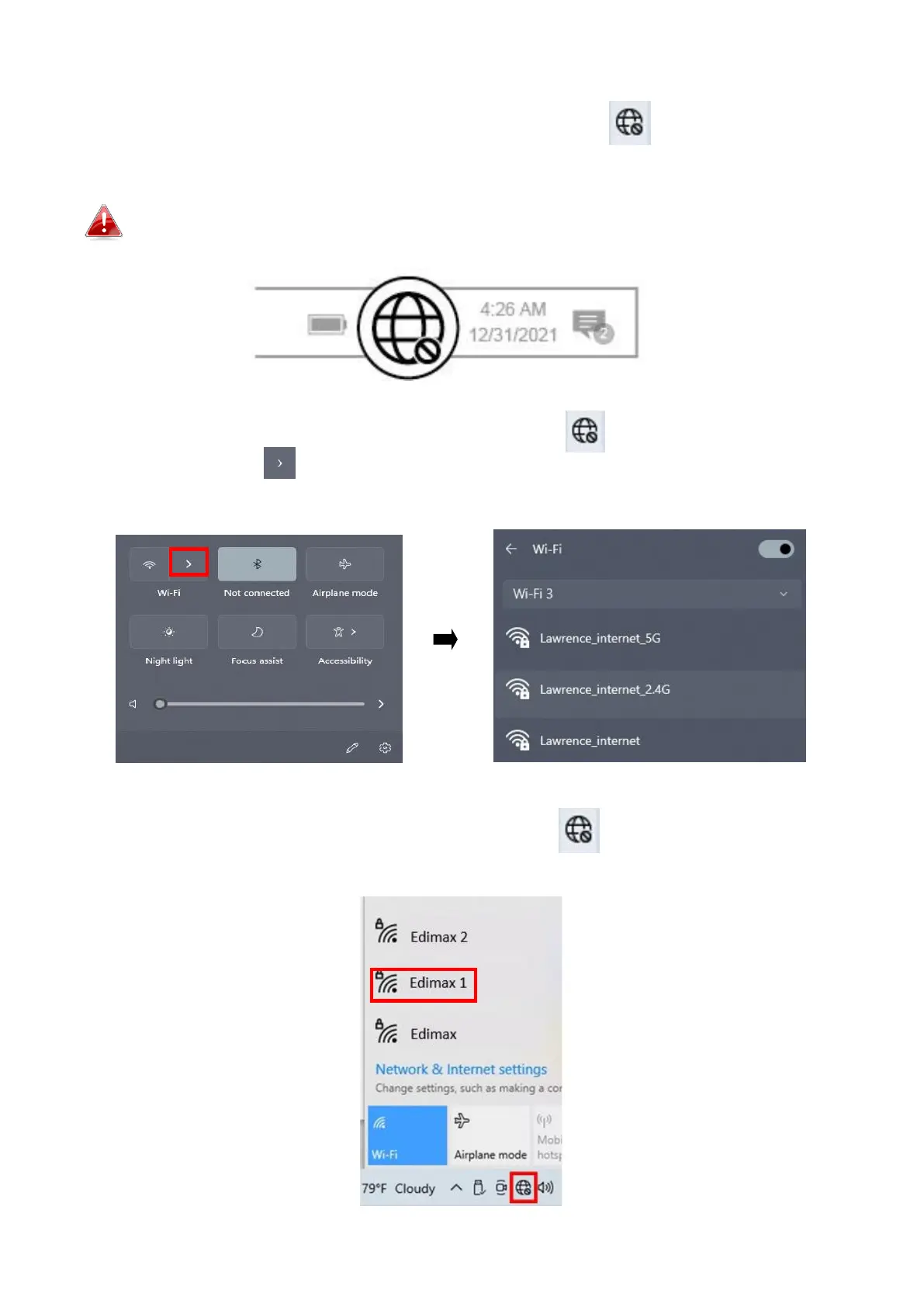
1. After you restart your computer, the Network icon will be displayed
on the bottom-right corner of the Windows taskbar. (Refer to VI. FAQ->Q2 )
Notice that the Network icon might be different depending on your
Operating System version.
2. For Windows 11 users, click the Network icon and then click
right-arrow icon to show the existing Wi-Fi Network (SSID) and select
one you want to connect. Move to step 4 if a password is required.
3. For Windows 10 users, click the Network icon to show the existing
Wi-Fi Network (SSID) and select the one you want to connect.


 To Next Page
 Loading...