3
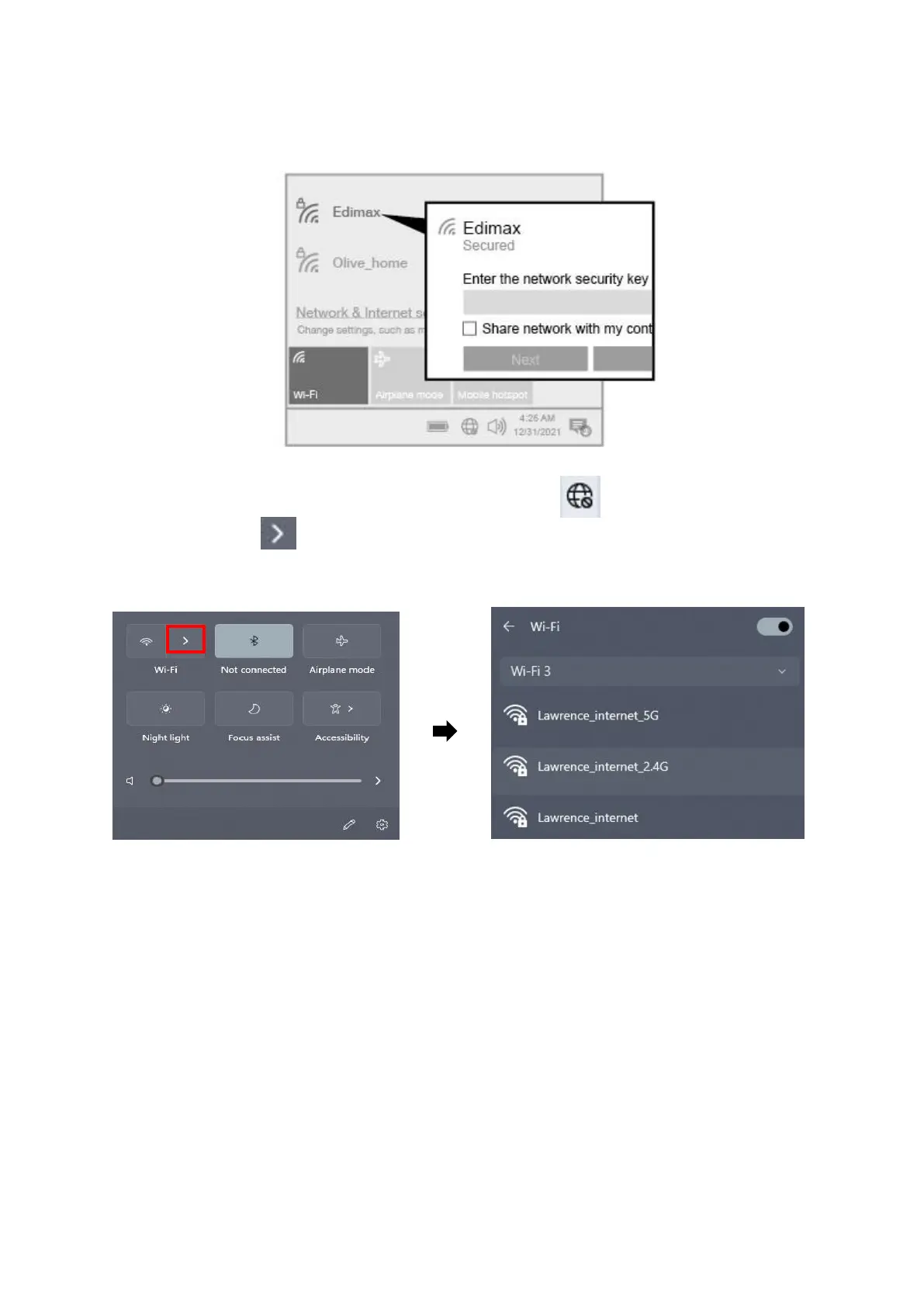
II-3. Select & Connect the Wi-Fi Network
Select your Wi-Fi Network (SSID), click “Connect” and enter the password if it
is required.
1. For Windows 11 users, click the Network icon and then click the
right-arrow icon to show the existing Wi-Fi Network (SSID) and select
the one you want to connect. Move to step 3 if a password is required.


 To Next Page
 Loading...