13
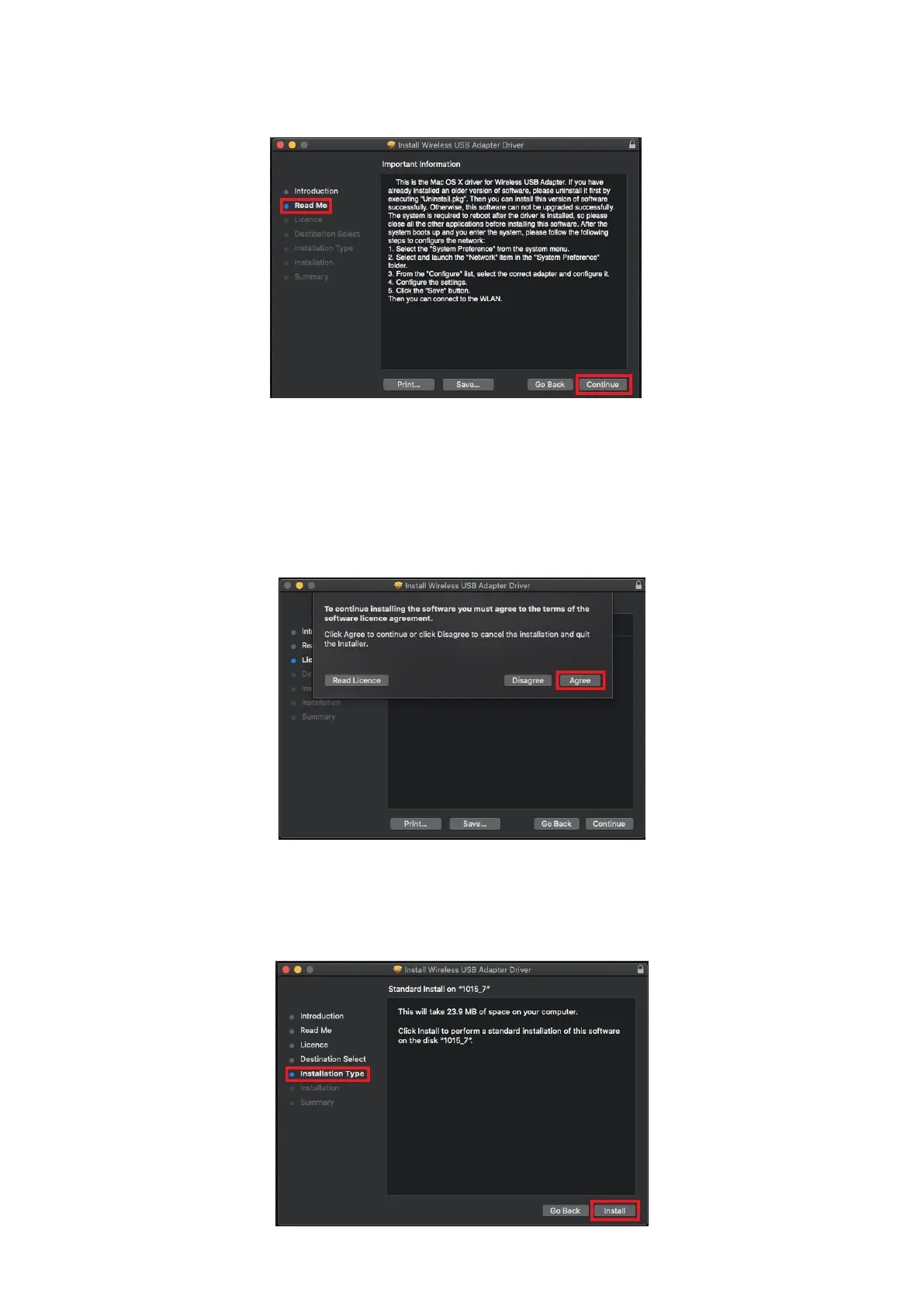
10. The screen displays important information, please read it carefully. Click
“Continue” when you are ready.
11. To read the software license click “Read License” and then click “Agree” to
confirm you agree to the terms. You must agree to the terms to continue
installing the software.
12. Once the information about the disk space prompts, click “Install” to
continue.


 To Next Page
 Loading...