6
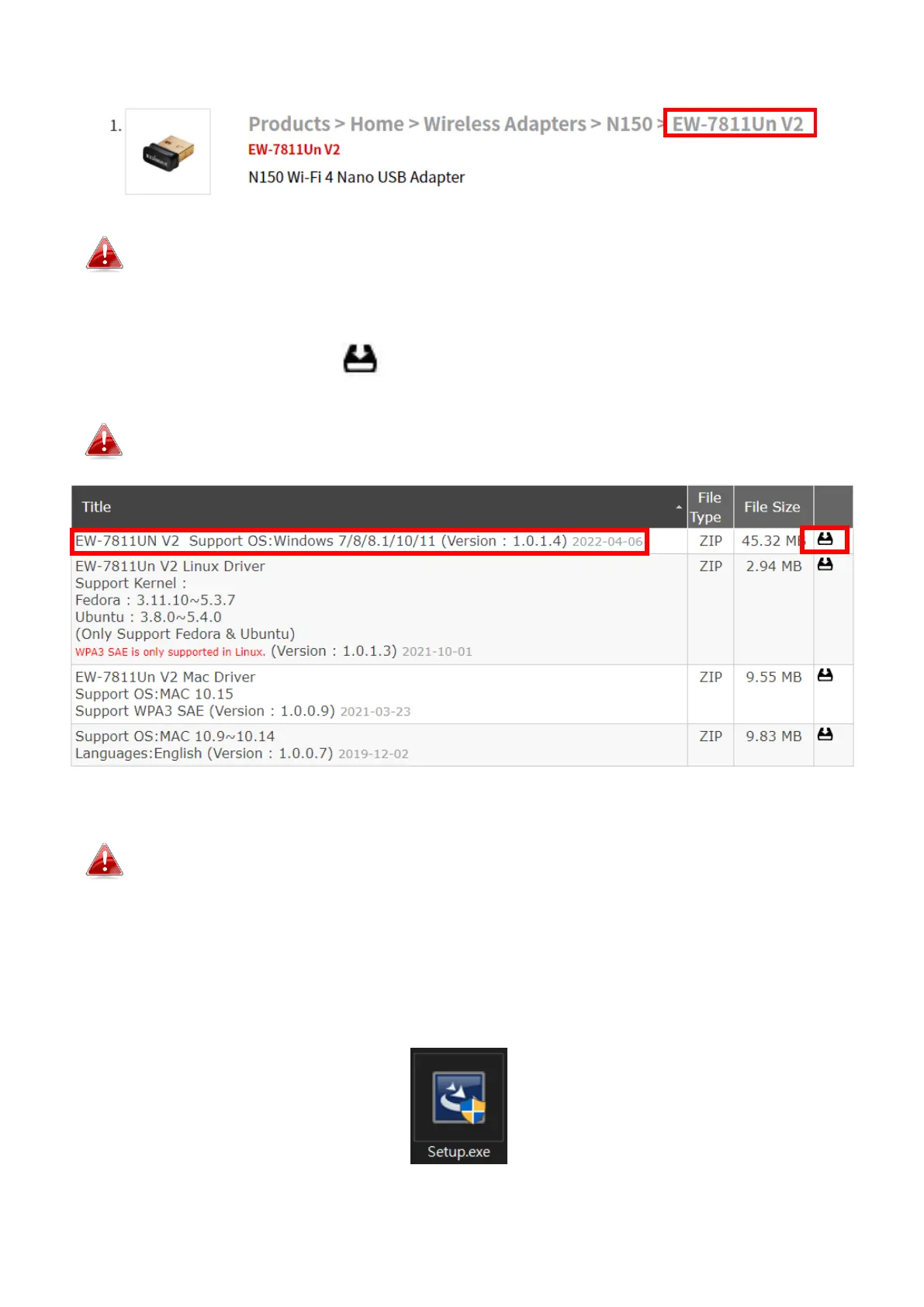
3. Click on the model number.
Ensure the model number corresponds with your USB adapter.
4. Scroll down the web page and select the right OS version. Move the cursor
to the “Download icon” and save the driver on the computer desktop
or a location you prefer.
Ensure you download the right version.
Copy the driver to the USB flash drive first if you downloaded the
driver on another Internet-Enabled device and insert the USB flash
drive to the computer you will use the Wi-Fi USB adapter.
5. Move the cursor to the driver and extract the file. Once it’s uncompressed
fully, access the folder and click “Setup.exe” to continue.


 To Next Page
 Loading...