8
II. Connect to Wireless Access Point
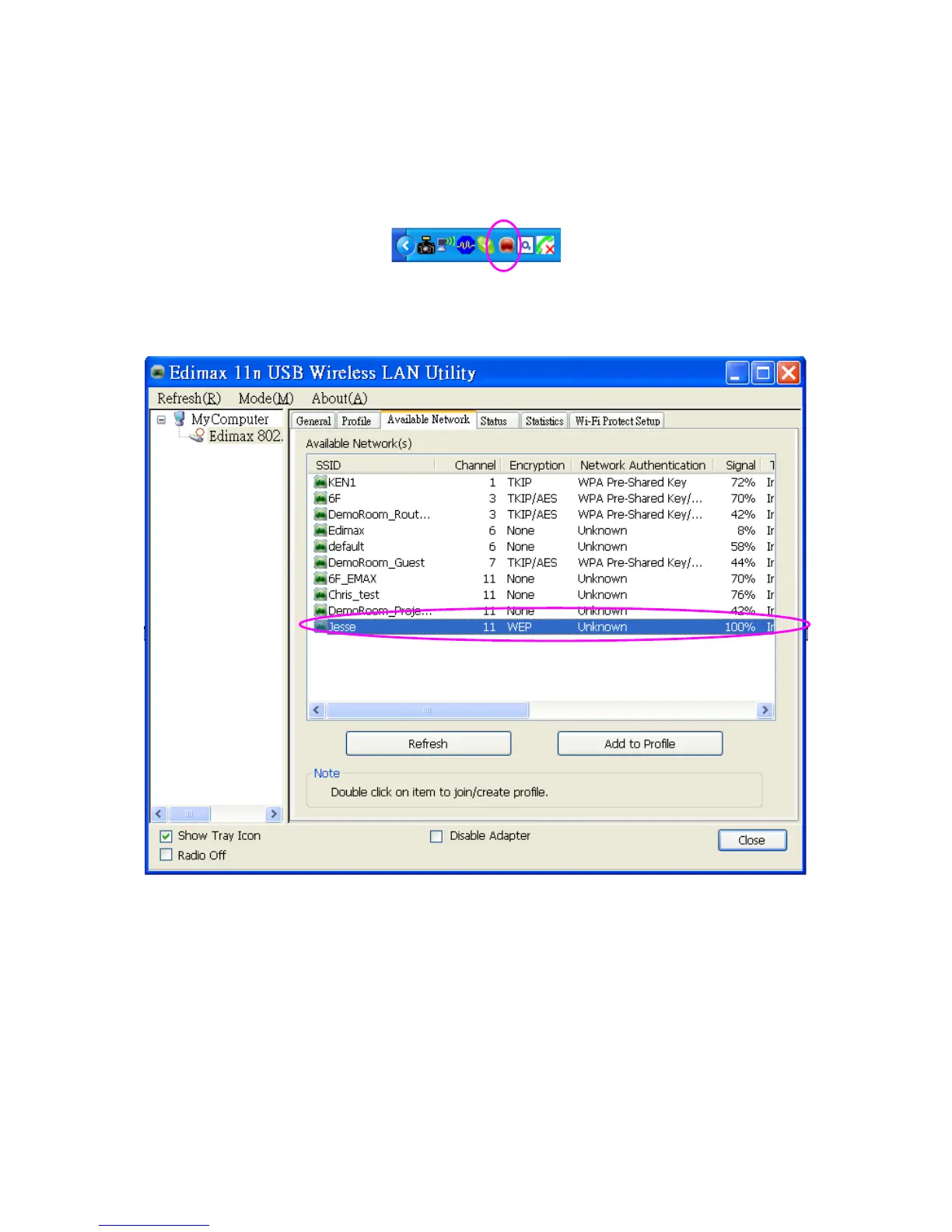
A. To start configuring the adapter, double click the icon in the system tray or right click the icon and
select open configuration utility.
B. The utility of the adapter is displayed. Click “Available Network” and double-click on the wireless
access point you want to connect to.



 To Next Page