16
Parameter Description
Available Network(s) This list shows all information of the available wireless networks
within the range of your adapter. The information includes SSID,
Channel, Encryption, Network Authentication, Signal and etc. If
you want to connect to any network on the list, double-click the
selected network.
Refresh Click “Refresh“ to update the available networks list. It is
recommended that refresh the list while you have changed the
connection network.
Add to Profile
profile stores the setting of a network, so that you can connect to
the network quickly. To add the selected network to a profile, click
this button.
3.3 General
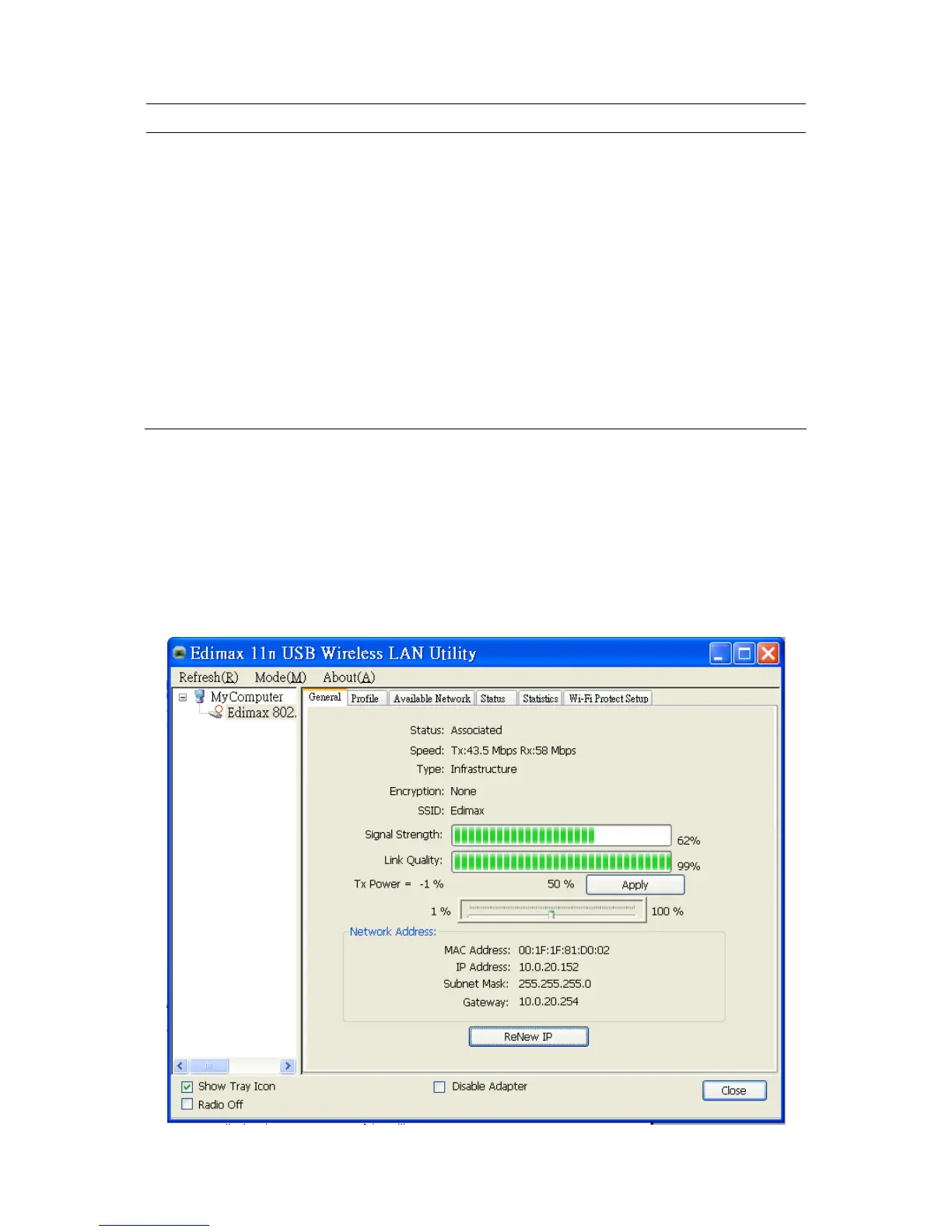
To check the connection status of the adapter, select “General“. This screen shows the information of
Link Speed, Network Type, Encryption Method, SSID, Signal Strength, Link Quality and Network
Address of the adapter.



 To Next Page